Master Claude Code parallel agents: Boost efficiency properly
Claude Code parallel agents: How to use them without creating workflow chaos
Running agents in parallel dramatically speeds up tasks like codebase exploration and research. However, pushing independent work through a single thread causes context sprawl, while poor task splitting leads to messy, duplicated work. This guide covers when to use parallel agents, how to prompt them, and reusable workflows to maximize efficiency.
What Claude Code parallel agents actually mean
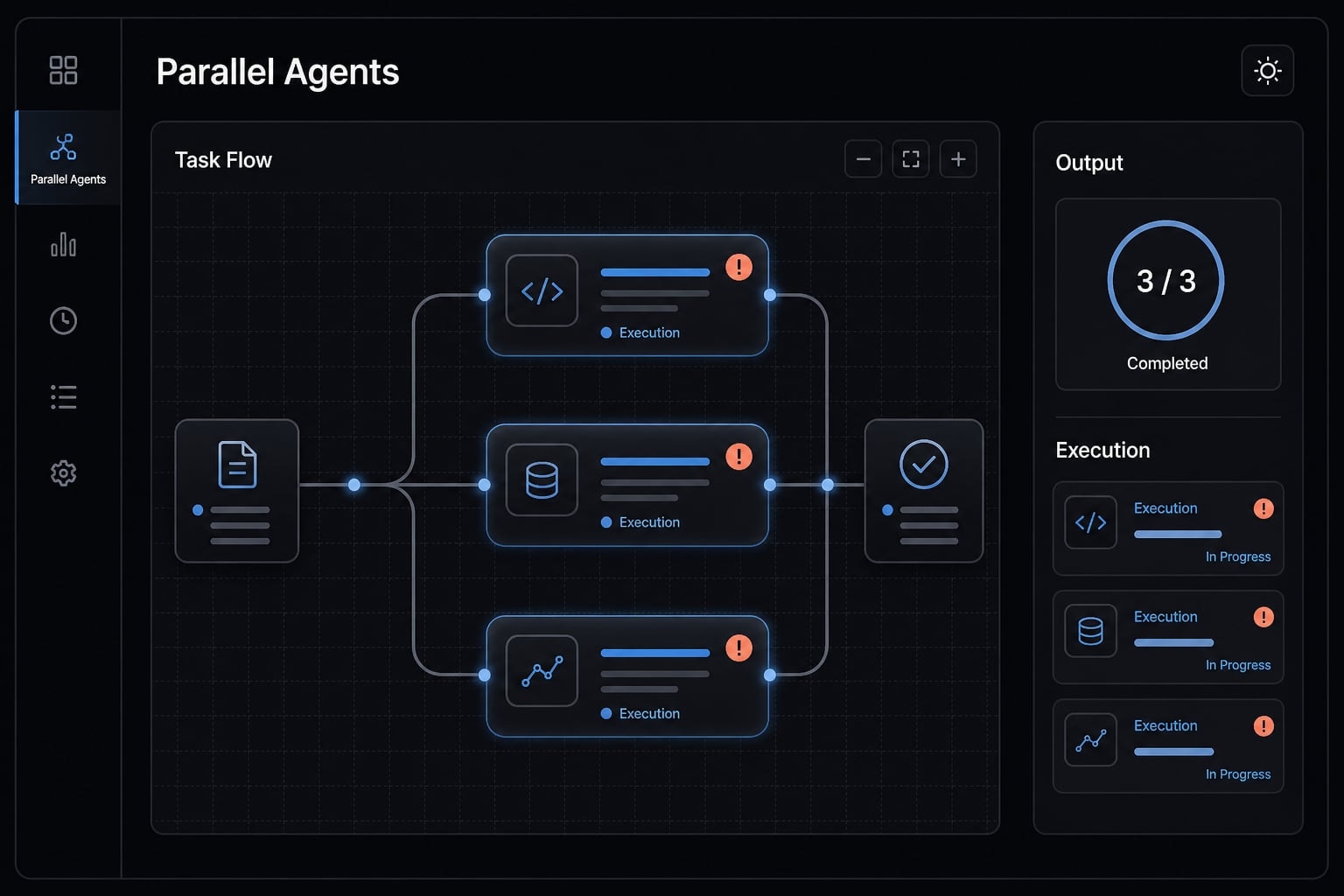
Claude Code parallel agents are sub-agents that handle separate tasks at the same time, each within a relatively isolated context. Their outputs are returned to the main agent for synthesis into one usable result. This works best when the tasks are clearly scoped, independent, and easy to compare or combine.
In plain terms, Claude Code parallel agents let you break one larger job into smaller branches and have multiple sub-agents work on those branches simultaneously. Instead of forcing one thread to research, inspect, compare, and summarize everything in sequence, you distribute the work and bring the results back together.
That matters because a long sequential thread accumulates clutter. Important details get buried, the main conversation becomes harder to steer, and token use rises faster than expected. Claude code parallel agents help reduce that clutter, but they are not a magic speed button. They are a workflow strategy.
Sequential vs parallel work in plain English
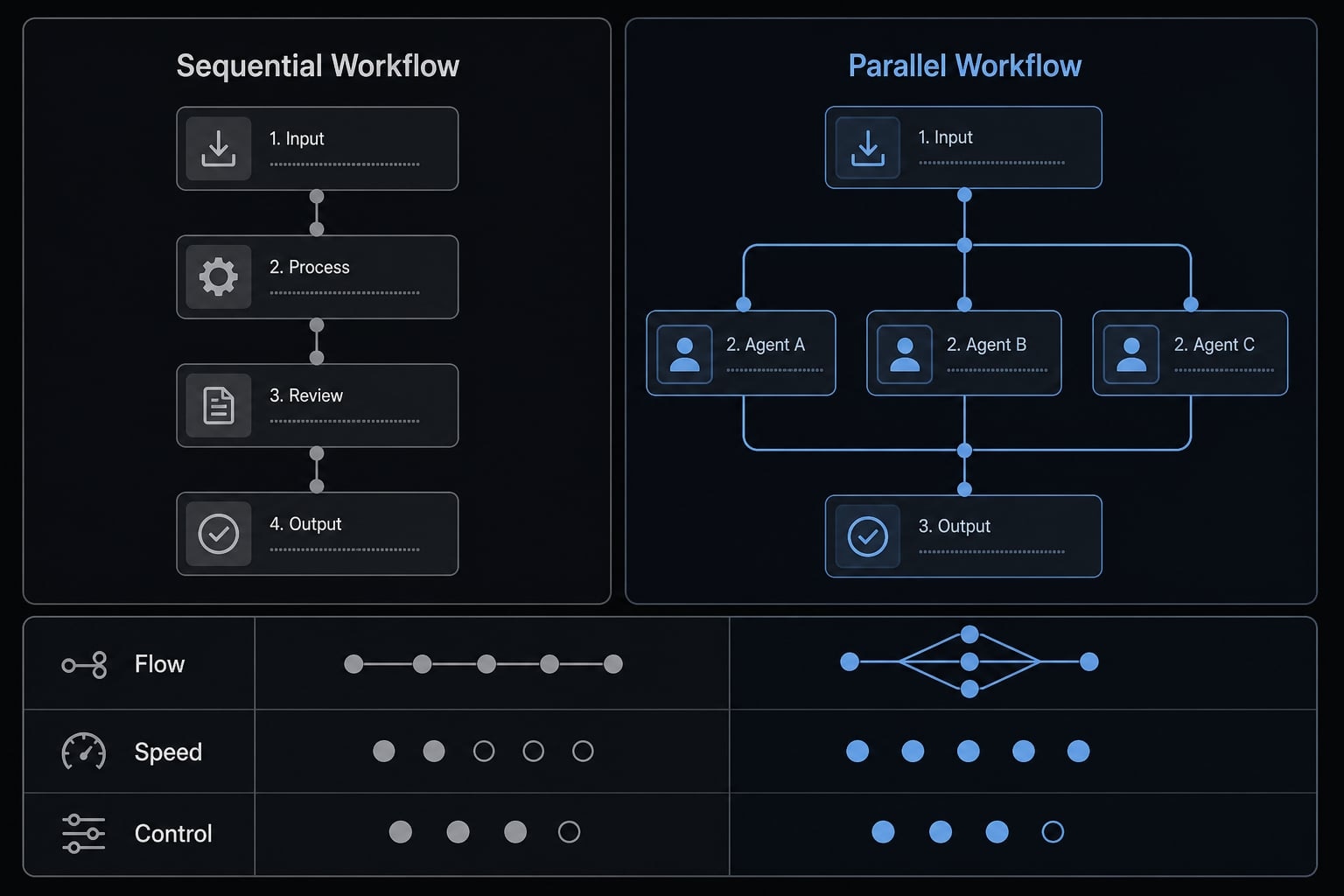
- Sequential workflow: One agent handles task A, then B, then C in one thread.
- Parallel workflow: Multiple sub-agents handle separate branches at the same time.
- Sequential is better when: Steps depend on each other, reasoning must stay continuous, or outputs are tightly linked.
- Parallel is better when: Work can be split into independent areas with low overlap.
- Sequential tradeoff: Simpler control, slower throughput.
- Parallel tradeoff: faster throughput, higher coordination needs.
Why isolation matters
Each sub-agent works in a relatively separate isolated context. This form of context window isolation keeps the main thread cleaner because every branch does not have to dump its full reasoning into one conversation. It is especially useful when reviewing multiple modules, documents, or research targets at once.
- Isolation reduces noise in the primary thread.
- Isolation makes result comparison easier across separate work areas.
Isolation helps, but it does not fix vague delegation.
When parallel agents help - and when they don’t
Good parallelization starts with task decomposition. If the work can be split into independent tasks with clear boundaries, parallel execution usually helps. If the work shares the same files, depends heavily on previous steps, or requires constant cross-checking, it often becomes slower overall.
In practice, independent tasks are the best fit for Claude Code parallel agents. Think of codebase exploration by module, documentation audits by section, or competitor research by company. These tasks are read-heavy, naturally separable, and easier to merge later. By contrast, tightly coupled refactors, shared-write operations, and dependency-heavy changes tend to create coordination cost that cancels out the speed gain.
If the task meets at least 3 of these 4 conditions, it is usually a good candidate for parallel execution.
A simple decision checklist
Use parallel if:
- Tasks are independent tasks.
- Scope is clear and limited.
- Outputs can follow one structured format.
- Overlap or shared editing is minimal.
Keep it sequential if:
- One step depends on the previous one.
- The task needs continuous shared reasoning.
- Outputs will be difficult to merge.
- Edits affect the same code path or logic area.
Safe vs risky parallel tasks
Task type | Parallel-safe | Better sequential / risky |
|---|---|---|
Code review and discovery | Codebase exploration by module, service, or layer. | Tightly coupled refactors across the same logic path. |
Research workflows | Competitor research by company using identical criteria. | Research where one finding changes the next research direction. |
Documentation work | Docs audit by section, product area, or setup path. | Rewriting one canonical guide with heavy shared edits. |
QA and validation | Test review by suite or error cluster. | Debugging one failure chain across shared state. |
Change execution | Independent read-heavy analysis before edits. | Shared file edits with high file conflicts risk. |
The key point is simple: Task decomposition matters more than agent count. Also, practical limits still apply. Too many agents can trigger rate limits, increase merge overhead, or create output noise that is harder to manage than the original task.
How to prompt Claude Code to use parallel agents
Most parallel failures are prompt failures. Good prompt engineering gives Claude clear boundaries, a predictable reporting structure, and an explicit synthesis step. Vague requests such as “parallelize this if helpful” often lead to overlap, uneven output quality, and weak final summaries.
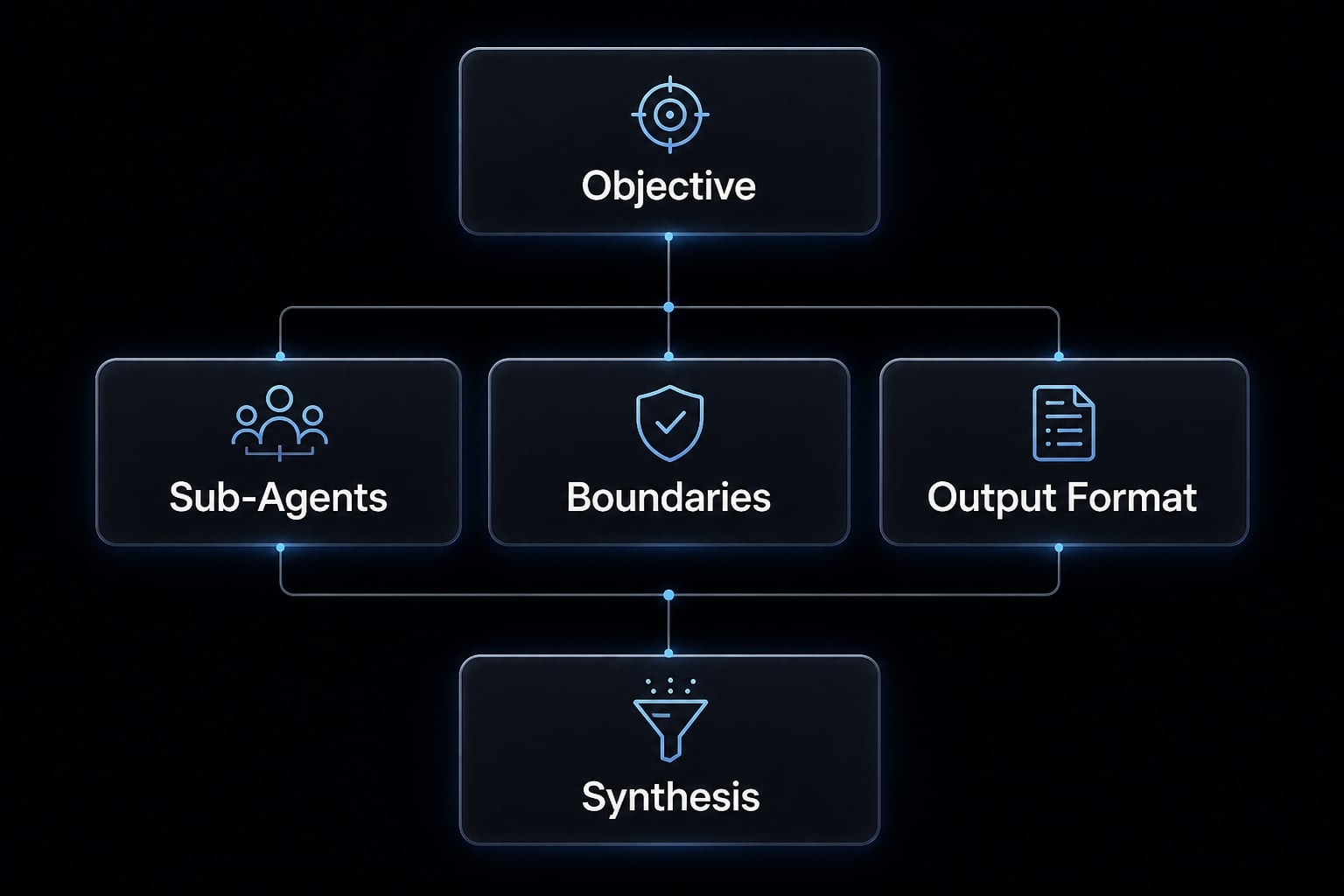
A reliable pattern for how to configure parallel Claude code sub-agents is to define five things upfront:
- Objective.
- Number of sub-agents.
- Exact task boundaries.
- Output format.
- Synthesis instruction.
This structure improves delegated tasks because each branch knows what it owns and how the result should come back. It also makes concurrent Claude workflows easier to review later.
Basic prompt pattern
Use 3 parallel sub-agents to review this project.Goal: identify architecture risks and improvement opportunities.Split the work by area:1. Frontend components and routing2. Backend APIs and services3. Authentication and access controlEach sub-agent should return:- Findings- Risks- Recommended next stepAfter all 3 finish, synthesize the results into one summary with the top 5 priorities.
This prompt template works because it sets a clear goal, a fixed number of sub-agents, an area-based split, and a final synthesis request.
Better prompt pattern with explicit delegation
I want you to use parallel sub-agents for this codebase review.Sub-agent 1:- Scope: frontend UI layer- Inspect: component structure, routing, state flow, repeated patterns- Output: findings, major risks, suggested cleanup actionsSub-agent 2:- Scope: backend API layer- Inspect: endpoint structure, service boundaries, error handling, logging gaps- Output: findings, major risks, suggested cleanup actionsSub-agent 3:- Scope: authentication and permissions- Inspect: auth flow, session handling, role checks, likely weak points- Output: findings, major risks, suggested cleanup actionsMain agent:- Compare the three outputs- Identify cross-cutting issues- Highlight contradictions or dependencies- Produce a prioritized action list for next steps
Explicit delegation is usually more reliable than saying “use parallel agents if helpful.”
Best practices in this pattern:
- Each branch has exact scope.
- Each branch inspects specific criteria.
- Each branch returns the same structure.
- The main agent handles synthesis, comparison, and prioritization.
Output format to request
Ask for one consistent reporting format.
Sub-agent output:
- Findings.
- Risks.
- Recommended next step.
Main output:
- Summary.
- Comparison.
- Prioritized action list.
Consistent output format improves synthesized reporting and reduces synthesis errors. If you are testing how to configure parallel Claude Code sub-agents repeatedly, keep the structure stable and change only the task scopes. That is usually more effective than rewriting the whole prompt every time.
A simple workflow for using parallel agents without chaos
A simple workflow beats ad hoc prompting. In practice, the best results come from repeatable task decomposition strategies, not from adding more agents.
- Split by area, not vague intent.
- Define output before execution.
- Run in parallel with clean scopes.
- Synthesize only what matters.
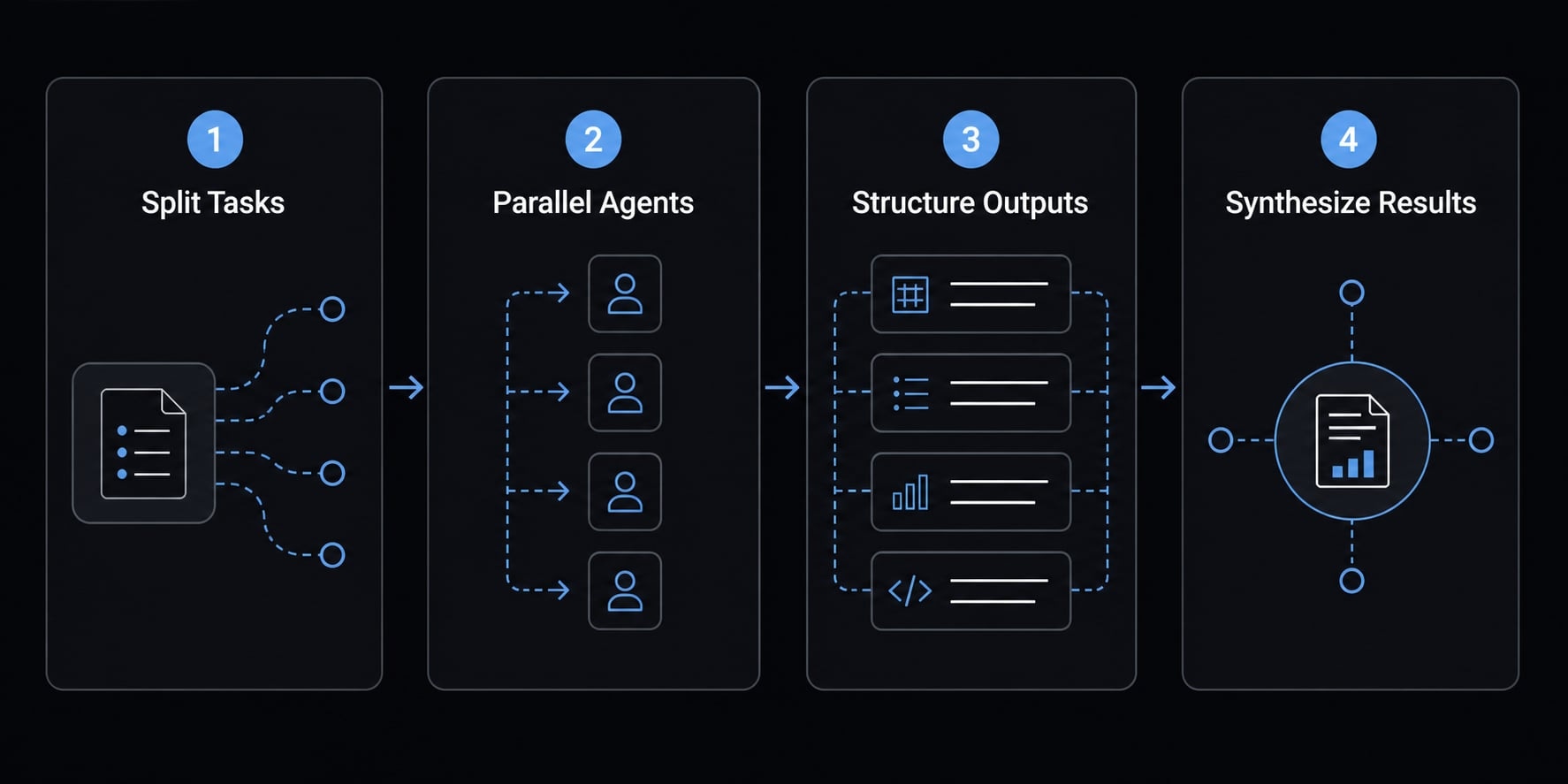
This workflow structure keeps the main thread smaller, improves result quality, and makes synthesized reporting more useful.
Step 1: Split by Area, Not by Vague Intent
Good splits:
- By module.
- By product area.
- By document section.
- By question set.
Bad splits:
- “look into this more”
- “research everything”
- “figure out the system”
Strong task decomposition starts with boundaries that are obvious and defensible.
Step 2: Define the output before execution
Define a shared output format before launching agents. If one agent returns bullets, another returns prose, and another returns raw notes, synthesis becomes slow and inconsistent. As agent count increases, output discipline matters even more than speed.
Step 3: Run in parallel with clean scopes
Each set of delegated tasks should specify:
- Scope.
- Owner or agent.
- Expected output.
- Dependency note.
This is the easiest way to reduce duplication and keep clean scopes intact.
Step 4: Synthesize only what matters
Ask for:
- Key insights.
- Major differences.
- Likely risks.
- Next actions.
Avoid dumping every raw detail into the main thread. Too much data creates context overload. More output is not always more useful. Quality comes from task design, not from increasing the number of agents.
Practical examples readers can reuse
The best prompt templates use the same evaluation logic across every branch. That is why read-heavy work is usually easier to parallelize than shared-write work. Below are four reusable examples.
Example 1: Explore a large codebase faster
Goal: Understand system architecture quickly. This is parallel-safe because codebase exploration can often be split across frontend, backend, auth, and data layers without overlap.
Use 4 parallel sub-agents to explore this codebase.1. Frontend: components, routing, state handling2. Backend: APIs, services, error handling3. Auth: login flow, permissions, session handling4. Database: schema structure, query patterns, migration riskEach sub-agent should return:- Architecture summary- Top 3 risks- Questions or unknownsThen synthesize everything into:- Overall architecture summary- Cross-cutting risks- Recommended review priority
Expected final synthesis: one compact architecture summary with major risks and the best next inspection order.
Example 2: Research multiple competitors in parallel
Goal: Compare products, positioning, and market signals. This works well for research workflows because each competitor can be reviewed using the same criteria.
Use 3 parallel sub-agents to research these competitors:- Competitor A- Competitor B- Competitor CEach sub-agent should analyze:- Core product positioning- Target customer- Recent announcements- Differentiators- Likely weaknessesReturn results in the same format for all 3, then create a comparison matrix and a short recommendation summary.
Expected final synthesis: A side-by-side comparison matrix and a ranked view of strategic differences.
Example 3: Review documentation or content at scale
Goal: Find outdated, inconsistent, or incomplete documentation. This is ideal for documentation analysis because docs can be split by section or product area with minimal overlap.
Use 3 parallel sub-agents for a docs review.1. Setup and installation guides2. API and integration documentation3. Troubleshooting and FAQ contentEach sub-agent should identify:- Outdated content- Missing steps- Inconsistent terminology- Priority fixesThen synthesize the outputs into:- Main documentation gaps- Highest-impact fixes- Suggested update order
Expected final synthesis: A gap summary, quick wins, and a prioritized docs cleanup list.
Example 4: Investigate test failures or QA signals
Goal: Triage multiple failures faster. This is parallel-safe for testing workflows because suites or error clusters can be reviewed separately before deciding on root-cause depth.
Use 3 parallel sub-agents to review recent test failures.1. UI test failures2. API and integration failures3. Performance or timeout-related failuresEach sub-agent should return:- Common failure patterns- Likely causes- Suggested next validation stepThen combine the results into:- Failure analysis summary- Priority order for investigation- Most likely shared root causes
Expected final synthesis: A ranked failure analysis view that helps the team decide where to investigate first.
Common limitations and mistakes to avoid
Parallel execution is useful, but it can absolutely reduce efficiency. The speed gain disappears when merge effort, context overload, or cleanup cost becomes too high. This is why conservative use usually beats aggressive use.
The biggest mistake: Parallelizing shared edits
Overlapping writes often erase the early speed gain. File conflict prevention is much easier than conflict cleanup. If two agents are likely to modify the same logic path, shared component, or dependent flow, do not parallelize that write task.
Start small, then expand
- Start with 2 sub-agents, not 6.
- Validate task boundaries first.
- Check output consistency before adding more branches.
- Expand only when the pattern is stable.
- Read-heavy workflows are the safest place to begin.
- Watch for API rate limits and resource contention as volume grows.
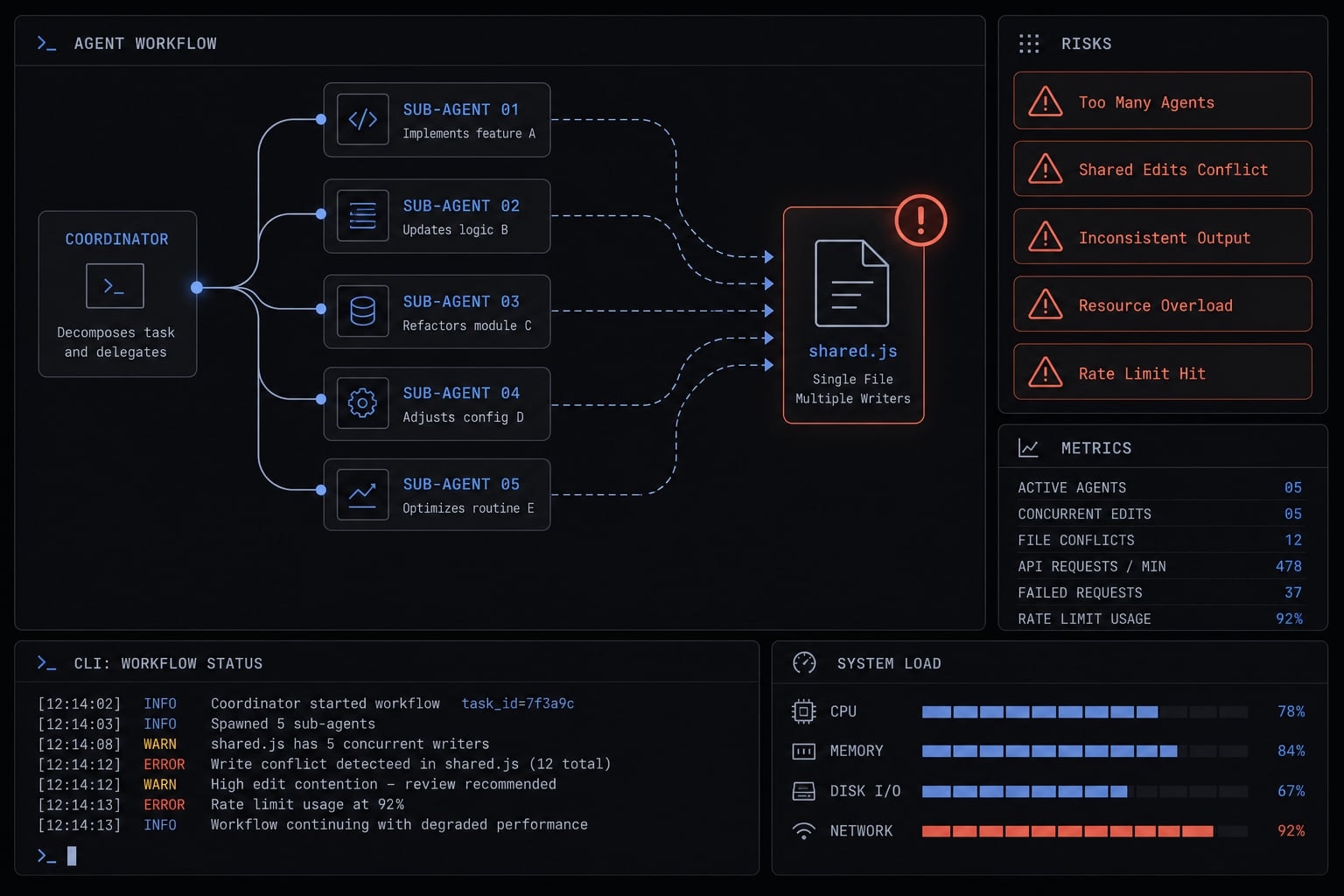
Other common pitfalls:
- Vague scopes that cause duplicated work.
- Inconsistent output formats that slow synthesis.
- Over-synthesizing raw output into the main thread.
- Ignoring platform constraints or API rate limits.
- Using too many agents when two would be enough.
- Underestimating system or workflow resource contention.
Parallel is not always better. Use it where the merge cost stays lower than the speed gain.
Practical example from structured agent workflows
Repeatable systems reduce repeated prompting. A simple structured delegation pattern often works well:
- Agent 1 = research
- Agent 2 = analysis
- Agent 3 = synthesis
This kind of sequencing improves consistency because each role has a clear job. For teams that run the same workflows repeatedly, reusable agent workflows and lightweight workflow kits help reduce setup time, keep output formats stable, and make delegation easier to reuse across projects. AgentKit follows this approach with reusable workflow patterns designed for recurring technical and marketing operations, rather than forcing teams to rebuild prompts from scratch each time.
Frequently asked questions
What are Claude Code parallel agents?
Claude Code parallel agents are sub-agents spawned by the main instance to execute independent tasks simultaneously. They operate in isolated context windows to process specific workloads, such as research or code analysis, and report summarized findings back to the main agent for final synthesis and action.
When should I use parallel sub-agents in Claude Code?
You should use parallel sub-agents when tasks are independent, self-contained, and do not require shared file modifications. This approach is most effective for read-heavy operations like codebase exploration, competitive research, documentation audits, and analyzing multiple independent test suites or data sources simultaneously.
How do I prompt Claude Code to use parallel execution?
To request parallel execution, be explicit in your prompt by defining the goal, the number of sub-agents required, and the specific scope for each. For example: "Research these 4 modules in parallel using separate sub-agents: focus on performance, security, dependencies, and documentation. Synthesize findings into a final report."
What are the main risks of using parallel agents?
The primary risks include context overload, resource contention, and API rate limit hits. Additionally, if sub-agents attempt to modify the same files simultaneously, you may encounter file conflicts. Always avoid parallelizing tasks that involve coupled code logic, as the cost of reconciling conflicting edits often outweighs the speed gains.
Are parallel agents always faster than sequential tasks?
No. Parallel agents are only faster when the time saved by concurrent execution exceeds the time spent on synthesis and merging. For complex, interdependent tasks, sequential processing is often more reliable and produces higher-quality, more consistent results without the overhead of reconciling multiple outputs.
Read more:
- Claude Code specialized agents: Boost your coding efficiency
- Claude Code project instructions: Master CLAUDE.md guide
- Claude Code tutorial: Set up and master your AI coding agent
Conclusion
Claude Code parallel agents work best when the task is truly separable, the scope is clear, and the output format is defined before execution. The three rules to remember are simple: Parallelize only independent tasks, set clean boundaries and structured outputs, and start small before scaling up.
Used this way, parallel agents can improve throughput without turning your workflow into cleanup work. If you want a faster starting point, explore reusable workflow templates, related Claude Code guides, or a copy-ready starter prompt pattern you can adapt to your own projects.