Claude Code dangerously-skip-permissions: Risks and best practices
Claude Code --dangerously-skip-permissions: What it does, when to use it, and when not to
Repeated approval prompts are helpful guardrails, but they can also break flow during long agent runs. If you are searching for Claude Code dangerously-skip-permissions, the real question is simple: Do you want smoother autonomous execution badly enough to remove an important review checkpoint? This flag exists to reduce interruption from permission prompts, especially during multi-step coding tasks. But the trade-off is real: Less friction also means less chance to catch a bad assumption early. This guide explains what the flag actually does, what changes operationally, the main risks, when it is reasonable to use, when it is a hard no, and which safer alternatives usually make more sense.
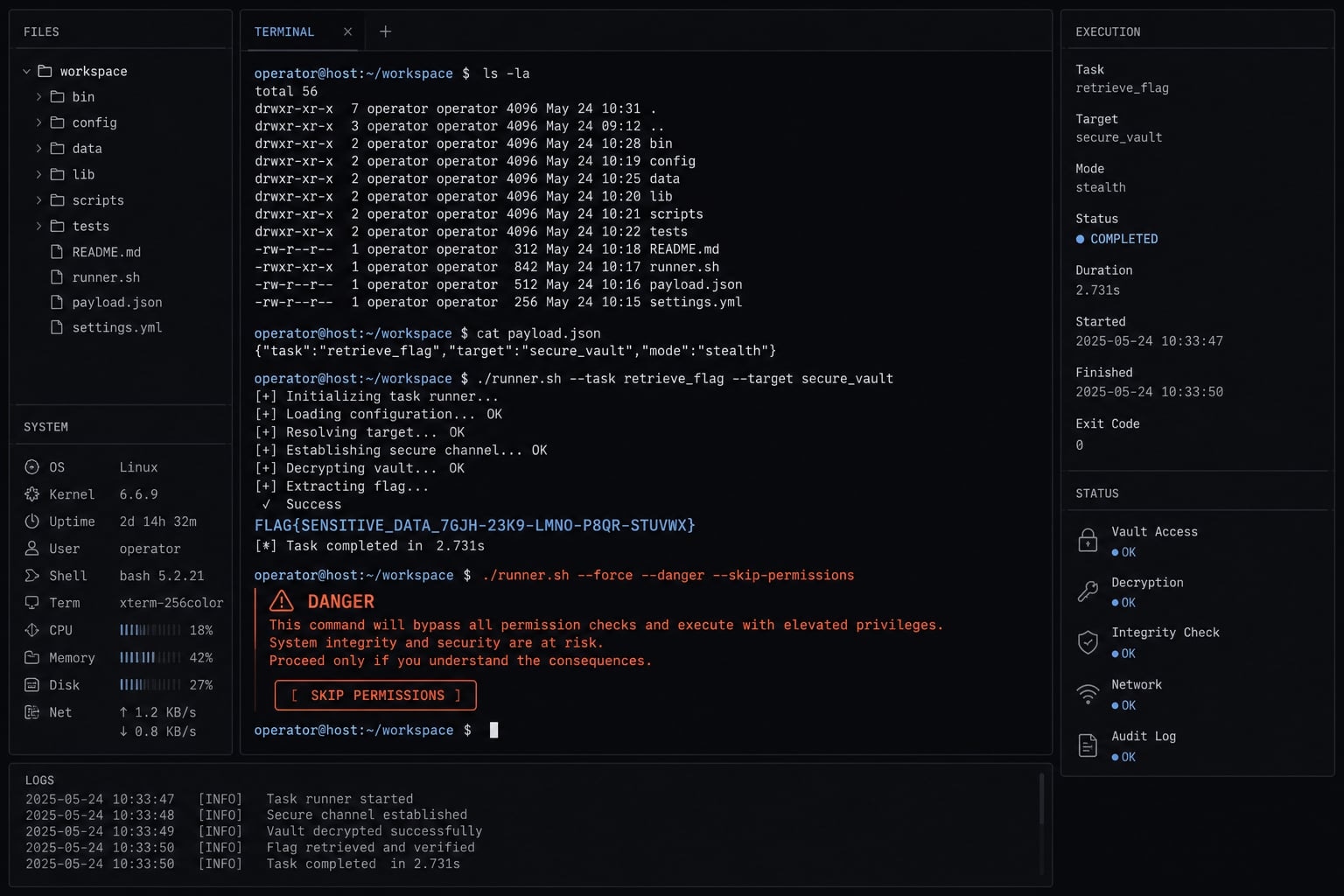
What claude code dangerously-skip-permissions actually does
--dangerously-skip-permissions in Claude Code is a high-autonomy flag that removes repeated approval prompts for actions such as file edits or command execution. It reduces interruption during longer tasks, but it also removes an important human review checkpoint and increases the risk of unintended actions.
In practice, the flag is useful when repeated prompts keep interrupting long refactors, setup tasks, or multi-step coding workflows. What it changes is the approval flow, not the model’s judgment. It does not make Claude Code more accurate, more secure, or more aware of your intended boundaries.
What changes when the flag is enabled
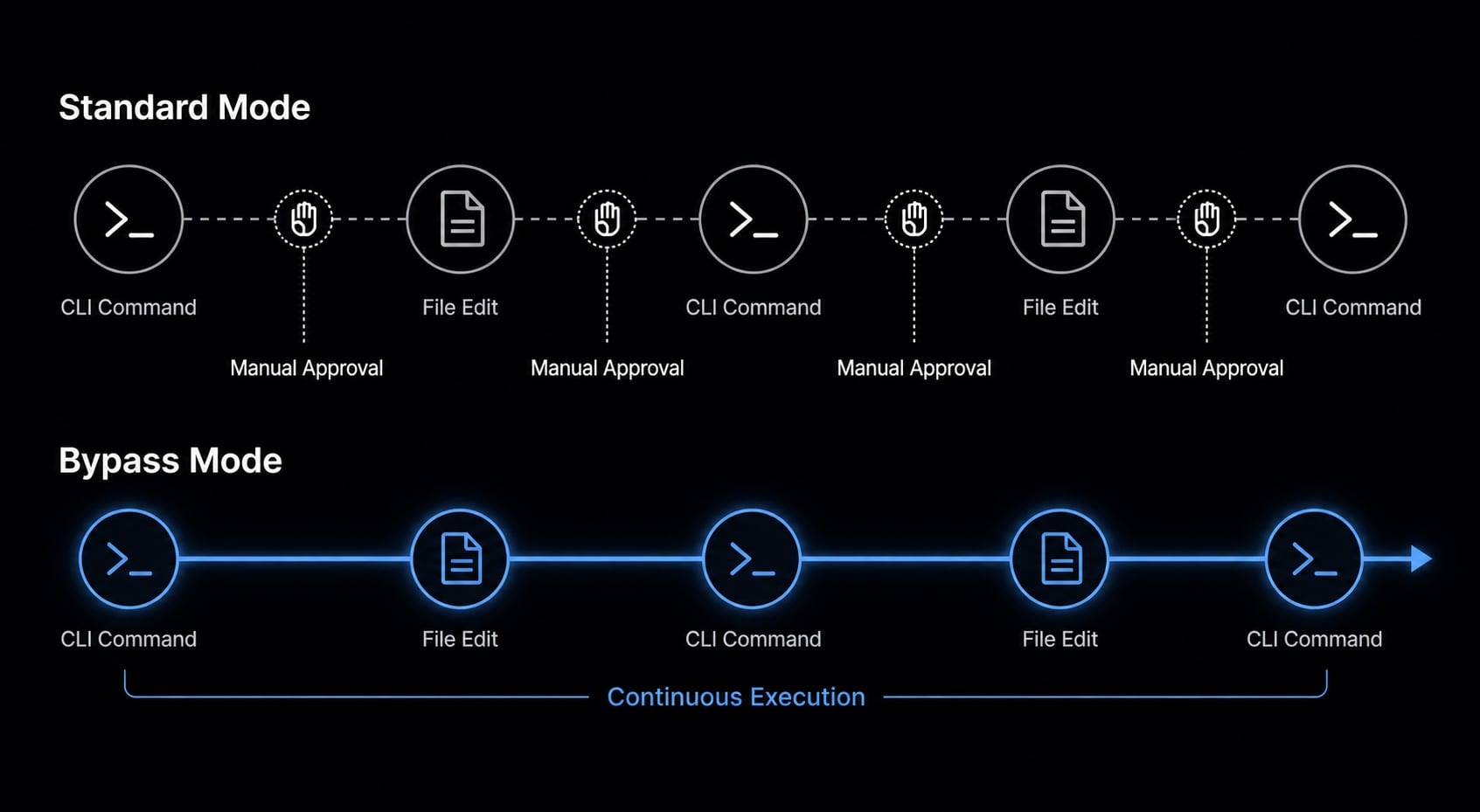
The main change is fewer pauses during a run.
- File writes can proceed without repeated manual approval.
- Shell commands can run without stopping for confirmation each time.
- Longer multi-step tasks become more suitable for autonomous execution.
- You spend less time clicking through approval prompts.
- The agent can move through a task with less mid-run interruption.
What the flag does not magically make safe
This is where many users misread the benefit.
- It does not make outputs more correct.
- It does not make risky commands safer.
- It does not prevent bad assumptions, wrong-file edits, or scope drift.
- It does not make an unsafe environment safe.
- It does not mean “optimized mode.” The word “dangerously” is literal, not decorative.
Repeated prompts may feel slow, but they also act as small circuit breakers. Removing them is convenient only if the working directory, task scope, and recovery path are already under control.
What changes vs. what still matters
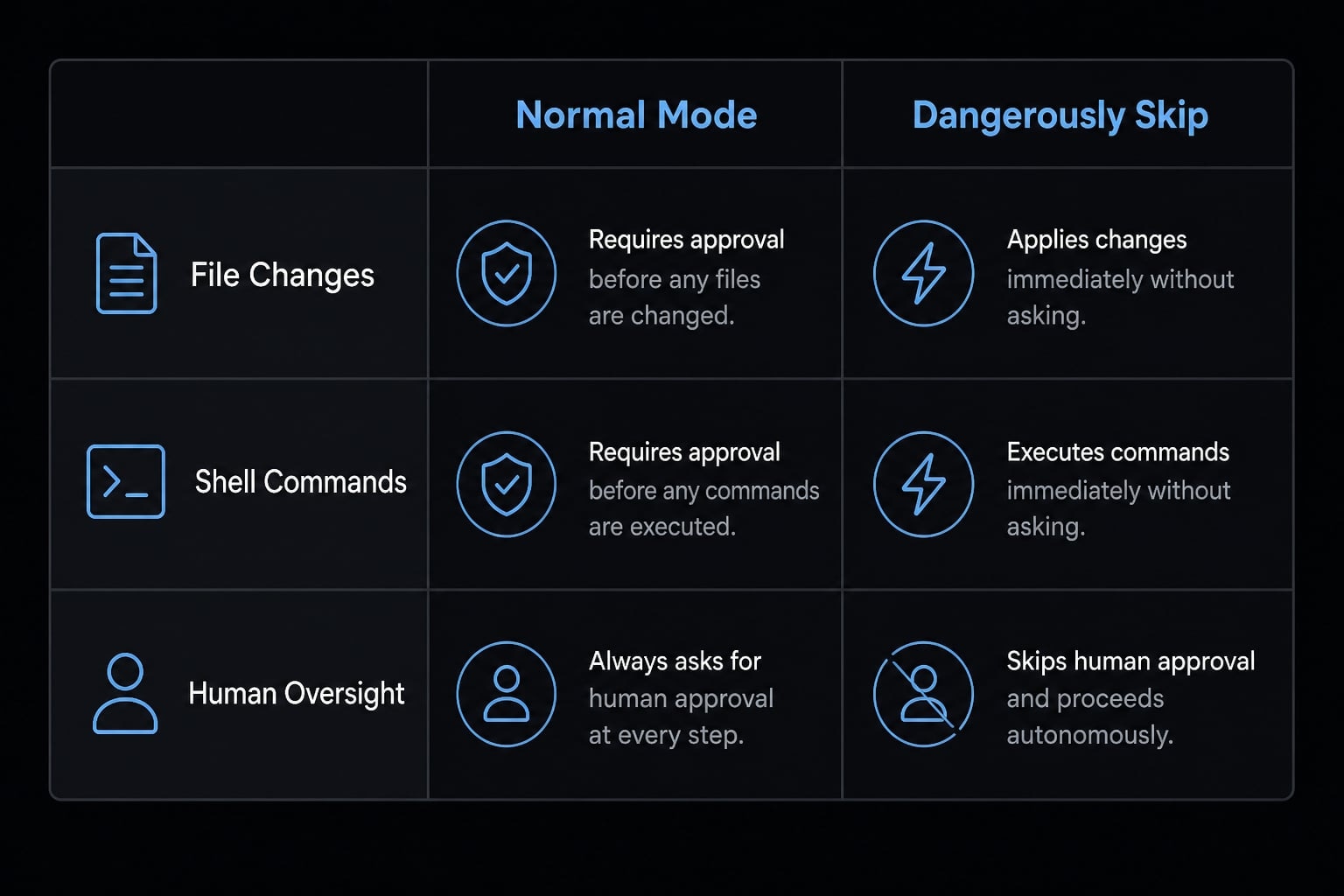
The biggest change is the removal of per-action approval prompts. What still matters is everything around the run: environment design, secrets hygiene, task scoping, and your ability to recover if the agent makes a bad call.
Area | Normal Claude Code permissions | With |
|---|---|---|
File changes | Often gated by approval prompts | Can proceed with less manual confirmation |
Shell commands | More visible before execution | More likely to run without interruption |
Long-running autonomy | Slower, more supervised | Faster, less interrupted |
Human oversight | Frequent mid-run checkpoints | Fewer chances to intervene early |
Risk of unintended actions | Lower blast radius per step | Higher if scope is loose |
Need for sandbox/rollback | Important | Even more important |
What this means operationally:
- Claude Code permissions are no longer doing as much active gating during the run.
- Safety controls still depend heavily on your environment.
- Allowed tools or an allowlist can still be a better middle ground than full bypass.
- Protected paths and other constraints may still matter, but they are not a substitute for good workflow discipline.
- A sandbox and a clear rollback plan become more important, not less.
The common mistake is thinking the flag removes friction and therefore improves the workflow by default. In reality, it only shifts responsibility from interactive approvals to environment safety and recovery planning.
The real risks: Why this flag can go wrong fast
The risk is not just that Claude Code can act faster. The risk is that it can act faster without enough chances for you to catch a bad assumption early.
In normal use, small approval pauses can expose problems before they spread. Once those pauses are gone, a misunderstanding can turn into broader repo changes, unnecessary command execution, or cleanup work that takes longer than the original task.
Risk 1 - Unintended file changes and command execution
A common failure mode is simple: the agent edits the wrong file, rewrites a config you did not want touched, or runs a command that creates avoidable mess.
Examples developers recognize:
- Changing a local config instead of a project template.
- Editing files across layered repos or old branches.
- Creating or moving files in the wrong directory.
- Running install or build commands you now need to unwind.
- Triggering destructive edits or even file deletion.
This risk gets worse in mixed environments with legacy scripts, multiple configs, or half-finished branches. The model does not need to be reckless for damage to happen. It only needs one wrong assumption and enough autonomy to act on it.
Risk 2 - Prompt injection and secret leakage
Prompt injection risk is not abstract. It means untrusted content inside a repo, file, script, or copied instruction can influence what the agent does next. That becomes much more serious when sensitive data or outbound access are available. The high-risk combination is:
- An untrusted repo or file input.
- Loaded API keys or tokens.
- Outbound network egress or external tool access.
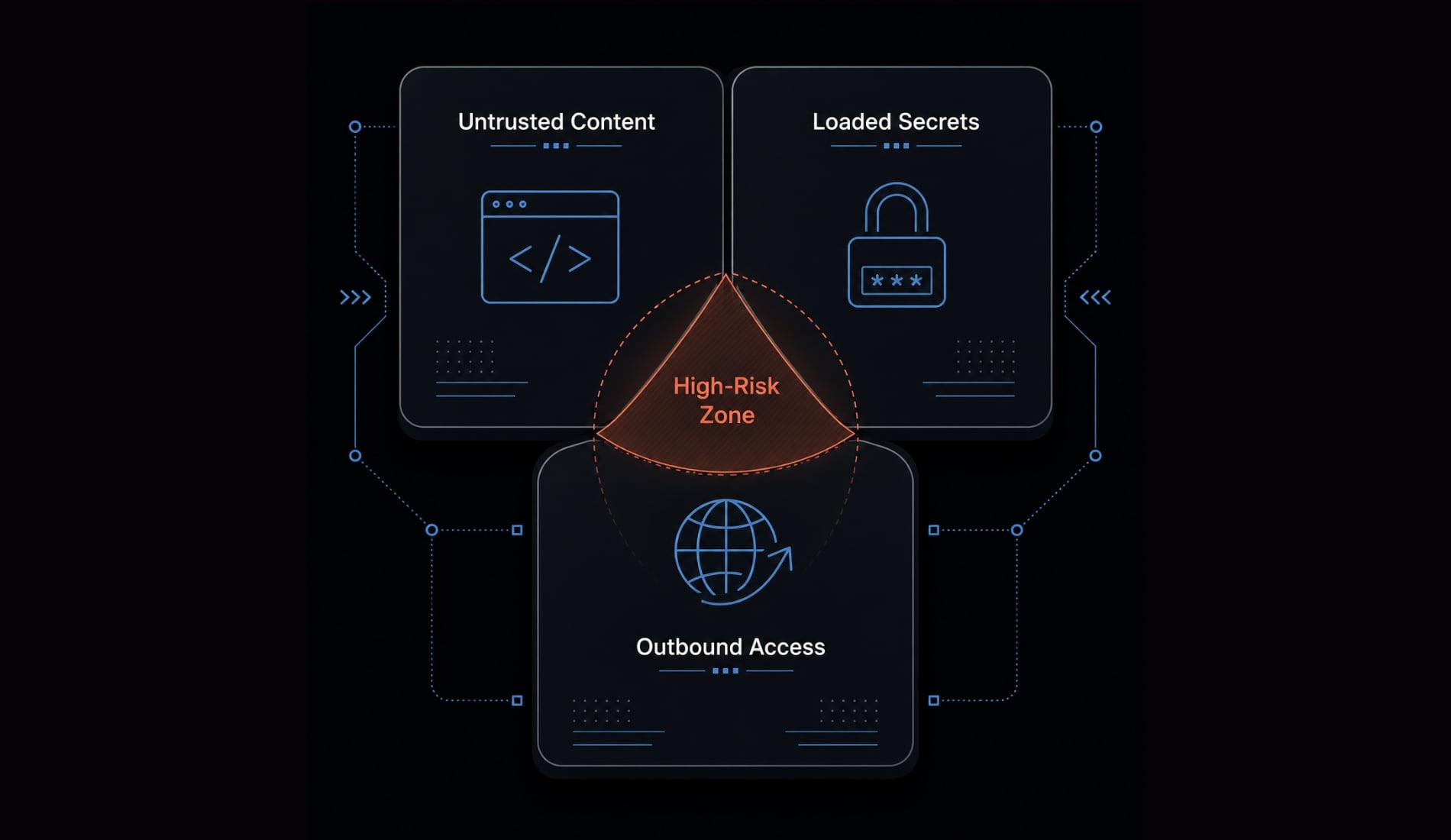
When those conditions combine, credential exposure or secret leakage becomes a realistic concern. The issue is not only malicious code. It can also come from copied scripts, unknown project files, or instructions embedded where the agent can read them.
Risk 3 - Long autonomous runs can drift off-scope
Long runs are where the flag feels most useful and where it can fail most quietly. With fewer correction points:
- A small misunderstanding can spread into wider repo edits.
- “Helpful” changes can expand beyond the intended task.
- Cleanup becomes harder because the run covered more ground.
- Scope creep turns into practical rework.
Speed is valuable only if the task is already narrow, explicit, and easy to inspect afterward. Otherwise, you are just accelerating the wrong thing.
When it’s reasonable to use this flag
This flag is reasonable only in tightly controlled, low-blast-radius environments. Not “carefully used” in a vague sense. Controlled in a concrete, technical sense.
Safe-ish scenario examples
- A greenfield side project in Docker with no secrets loaded.
- A bulk refactor in a disposable branch with a Git checkpoint.
- A throwaway VM or temporary test container.
- A narrow coding task in a restricted directory with explicit scope.
- An isolated local development setup where mistakes are easy to discard.
5-condition quick checklist
Use the flag only if all five are true:
- The environment is isolated or disposable.
- No secrets are loaded.
- The task scope is narrow and explicit.
- A rollback path already exists.
- No untrusted content is being processed.
This checklist matters because the real safety boundary is not your confidence in the prompt. It is whether the environment can absorb a mistake without meaningful damage.
If your team is standardizing AI-assisted coding, this is also where structured workflows help. Clear scope, isolated workspaces, and repeatable agent setups usually reduce friction more reliably than normalizing unrestricted execution.
When you should not use it
Do not use it if the environment contains anything you cannot afford to expose, overwrite, or clean up manually.
Red-flag environments include:
- Repos with
.envfiles. - Loaded API keys.
- Production config.
- Customer data.
- Local machine secrets.
- Shared machines.
- Untrusted repos.
- Copied scripts or unknown code you have not inspected.
- Workflows that read external or untrusted inputs with prompt injection potential.
- Any environment connected to production systems, even indirectly.
This is especially important on a primary laptop or workstation, where unrelated credentials, shell history, synced folders, or internal scripts may be within reach. The convenience of fewer prompts is not worth the blast radius when sensitive assets are nearby.
Safer alternatives if you want more autonomy without full bypass
If your real goal is smoother automation rather than full permission bypass, there are safer ways to get most of the benefit.
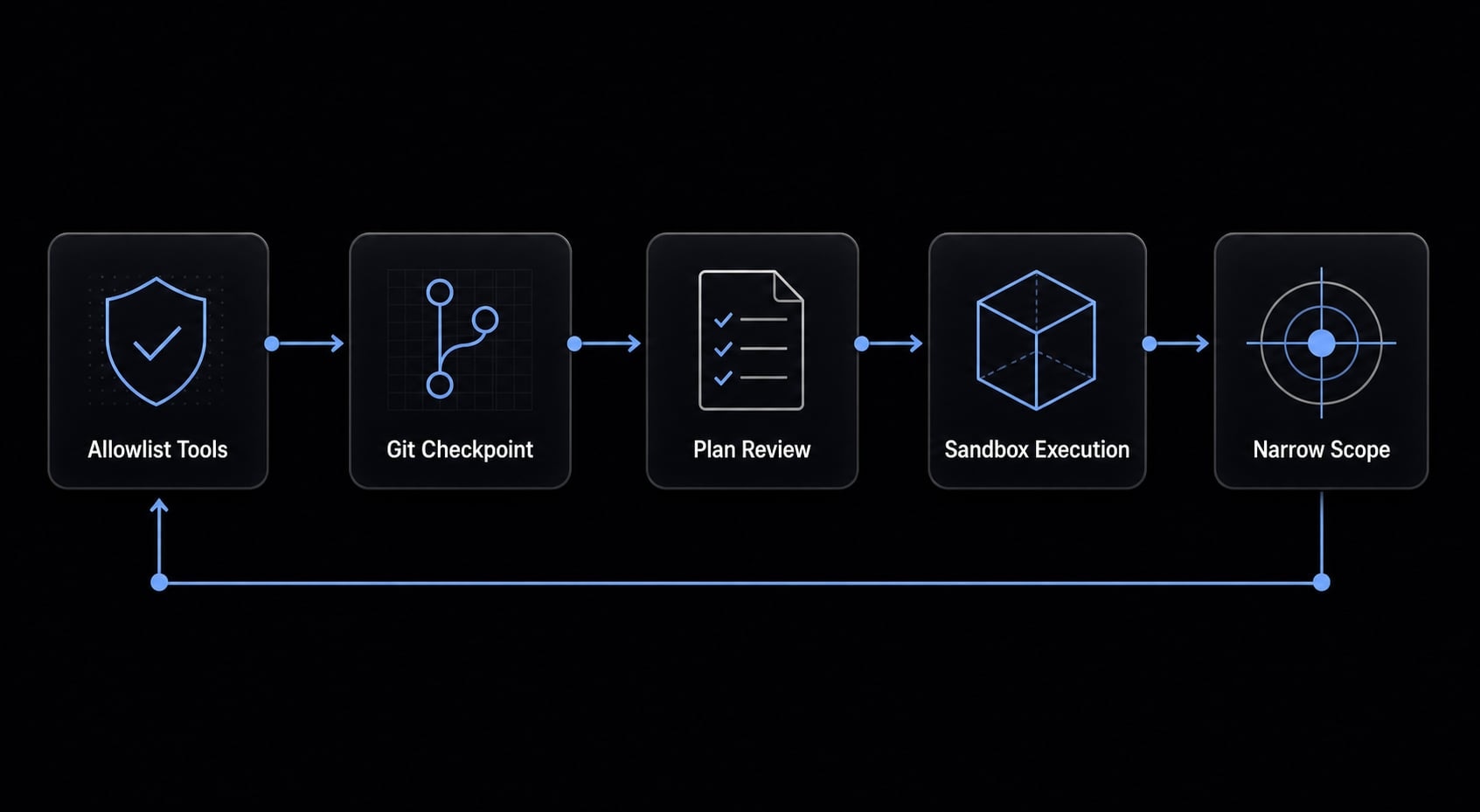
Middle-ground options
- Use allowed tools or an allowlist for common tasks: Pre-approve routine actions instead of removing all approval logic. This usually reduces prompt fatigue without opening everything.
- Create a Git checkpoint before autonomous runs: A fast commit or branch point gives you a clean git rollback path if the run goes sideways.
- Use plan mode or a plan-first workflow: Let the agent map the task first, then approve execution with clearer boundaries.
- Run in a sandbox or restricted container: A disposable environment limits blast radius even if the run is imperfect.
- Reduce friction by narrowing task scope: Many approval problems come from broad prompts. A narrower task often creates a much safer workflow than full bypass.
Light operational note for teams
Teams usually get more consistent results by standardizing prompts, task boundaries, and execution environments. In practice, structured AI coding workflows reduce interruption without making unrestricted execution the default. That is a stronger long-term pattern than relying on bypass mode as a productivity shortcut.
Practical example: A good use case vs. a bad use case
The easiest way to evaluate claude code yolo mode is to compare environment quality, not confidence level.
Better use case | Bad use case |
|---|---|
Sandboxed project in Docker | Local repo with |
No secrets loaded | Active API keys or tokens present |
Clear refactor or narrow task | Mixed internal scripts and unknown files |
Disposable branch | Important local machine state |
Easy rollback | High chance of secret exposure |
Limited autonomous execution scope | Repo includes untrusted content |
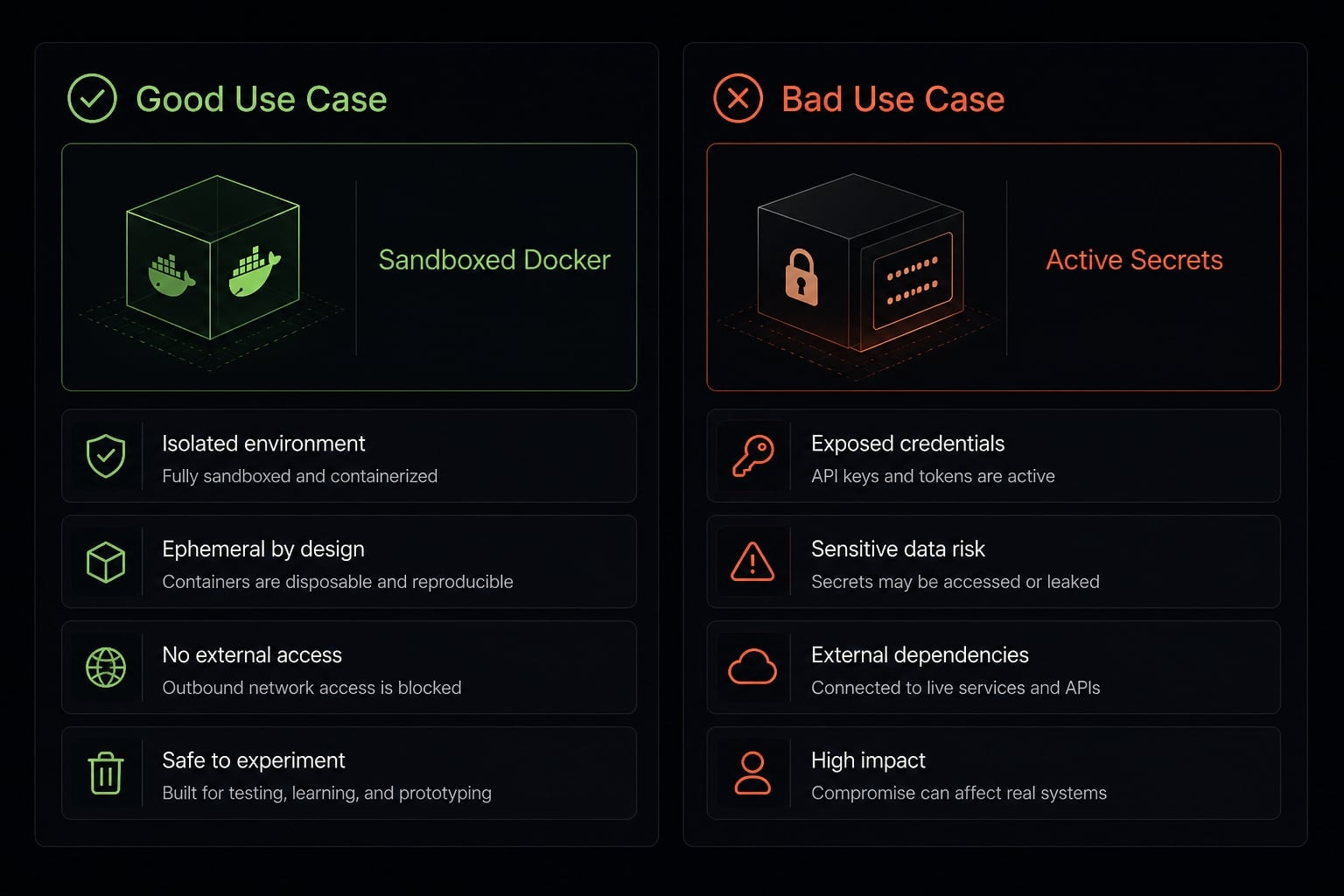
A reasonable use case is a narrow refactor in a disposable branch inside a restricted container. A bad use case is running broad autonomous execution in a local repo that contains secrets, internal tooling, or copied code you have not reviewed.
The deciding factor is not whether the model seems confident. The deciding factor is whether the environment can safely absorb a mistake.
Frequently asked questions
What does the --dangerously-skip-permissions flag do in Claude Code?
The --dangerously-skip-permissions flag is a high-autonomy configuration that disables repeated approval prompts for file edits, shell commands, and tool executions. It allows the agent to run tasks autonomously without manual intervention, which reduces workflow friction during long-running coding processes or complex refactoring projects.
Is --dangerously-skip-permissions safe to use for general development?
No, this flag is not inherently safe. While it improves autonomy, it removes vital human checkpoints, increasing the risk of unintended file deletions, configuration changes, or unauthorized command execution. It should only be used in isolated, disposable environments where the potential for damage is strictly contained.
How does this flag affect security and prompt injection risks?
Enabling this flag significantly raises the stakes for prompt injection and credential exposure. Without manual approval, a malicious instruction or untrusted input could trigger unauthorized network calls or dump sensitive environment variables and API keys to an external server without the user's immediate knowledge or intervention.
What are the five conditions for using this flag safely?
Use this flag only if all five conditions are met:
- The execution environment is isolated or disposable (e.g., a sandbox or Docker container).
- No sensitive credentials or API keys are loaded.
- The task scope is narrow, well-defined, and understood.
- A clear Git checkpoint or rollback path exists.
- No untrusted content or external code is being processed.
Can I get the benefits of autonomy without using the bypass flag?
Yes, you can achieve safer autonomy by using tools-level allowlists to pre-approve trusted actions, utilizing "plan mode" to review agent intentions before execution, running tasks within a strict sandbox, or using Git-based checkpoints. These methods provide smoother automation while keeping essential human guardrails intact.
When should I absolutely avoid using this flag?
You should never use this flag in production environments, on systems containing customer data, or in repositories where local secrets (like .env files or API keys) are present. Avoid it entirely when working with untrusted third-party code, shared machines, or any setup where an agent mistake would result in non-recoverable damage.
Read more:
- Claude Code prompt injection: Risks and security best practices
- Claude Code Plan Mode: Optimize your AI coding workflow
- Claude Code automation: Build repeatable and low-risk workflows
Conclusion
Claude Code dangerously-skip-permissions removes friction by skipping repeated approvals, but that convenience comes from reducing human review, not from adding safety. The right question is not whether Claude Code can handle the task. The right question is whether the environment is safe when it gets part of the task wrong.
In tightly controlled setups, the flag can be useful. For most real-world workflows, though, sandboxing, scoped permissions, narrow task design, and Git rollback are the better default. If you are refining team-wide AI coding practices, focus on safer execution patterns and reusable, structured workflows before reaching for full permission bypass.