Claude Code AWS MCP: Setup, authentication and troubleshooting
Claude Code AWS MCP: Setup, authentication, and troubleshooting
Setting up Claude Code AWS MCP takes more than just adding a server name. You need to define the connection path, set the user identity, and verify that the authorized tool works correctly. Fragmented documentation makes those boundaries easy to confuse.
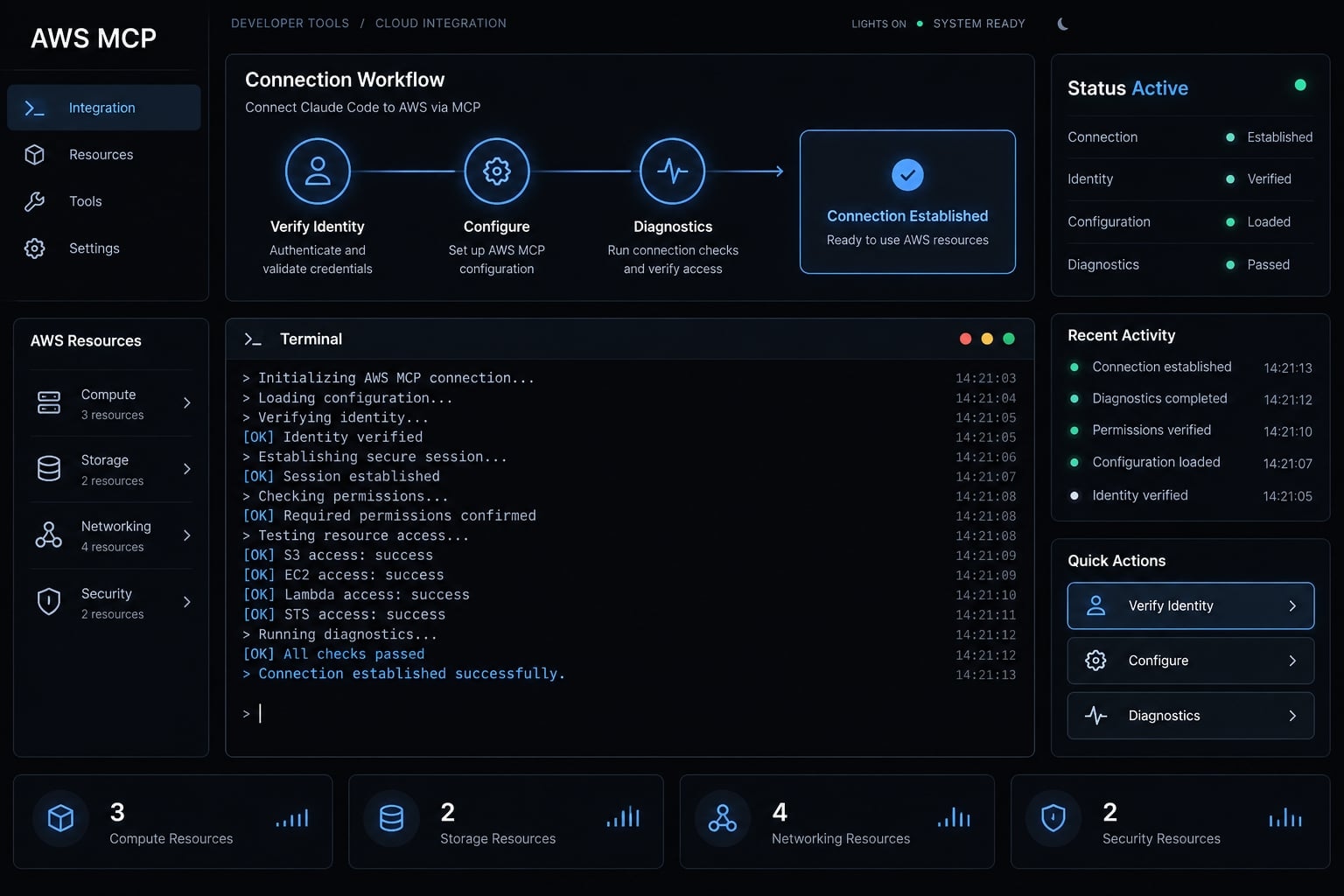
AWS MCP can mean a managed remote service or a service-specific local server using Model Context Protocol (MCP). This guide separates those approaches, explains configuration and authentication, and provides a safe troubleshooting sequence for a SaaS product’s sandbox environment.
What is AWS MCP for Claude Code?
AWS MCP for Claude Code is an integration in which Claude Code acts as the client and an MCP server supplies available tools or resources. Depending on the server, those capabilities may include documentation or AWS operations. Account access remains constrained by the applicable identity, authorization rules, and IAM policies.
The two AWS MCP approaches
Approach | What the reader should understand |
|---|---|
Managed remote server | A hosted service whose capabilities, availability, and authentication depend on the selected offering. |
Service-specific local server | A locally launched process that exposes a particular tool set and requires its documented runtime. |
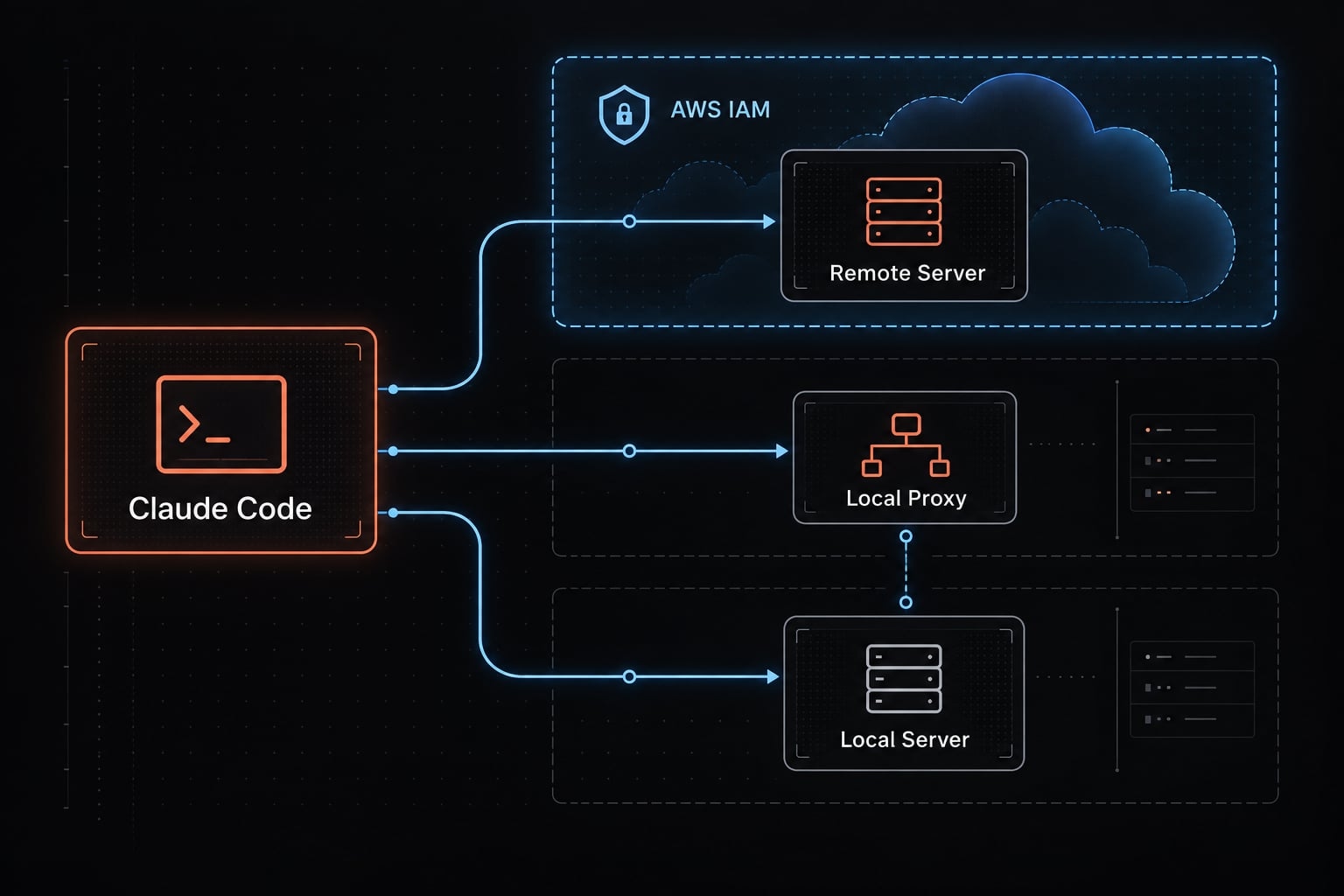
A local proxy to a remote service is different from a local service-specific server: The proxy bridges the connection rather than hosting the remote capabilities.
What Claude Code can and cannot do through MCP
- Can: Discover and invoke tools exposed by the connected server, subject to authorization and client controls.
- Cannot: Gain unrestricted AWS access merely because an MCP registration exists.
- Requires separate scrutiny: Any write, deployment, or deletion capability.
For the SaaS sandbox, public Lambda documentation lookup does not prove access to the company’s functions. Account-resource inspection requires an appropriate tool and effective permissions.
These limits apply only to MCP access, not shell commands or other Claude Code tools. Check the server’s official documentation to verify its capabilities.
Prerequisites before connecting Claude Code to AWS MCP
Dependencies are path-specific. Public documentation access may require neither AWS credentials nor AWS CLI installation. A credential-signing proxy needs a different preparation checklist:
- All paths: A working Claude Code installation with MCP management commands.
- All paths: An approved server source, supported transport, and intended configuration scope.
- Profile/SigV4: Valid AWS credentials and a deliberately selected named profile.
- Profile diagnostics: AWS CLI for checking the selected credential context.
- Proxy/local: The package’s required runtime, such as
uvx, where documented. - OAuth: The
AWSMCPSignInOAuthAccessPolicymanaged policy attached to your IAM role or user, which grants the required sign-in permissions. - All paths: No conflicting registration under the intended server name.
Check Claude Code and MCP availability
Bash/zsh diagnostic commands:
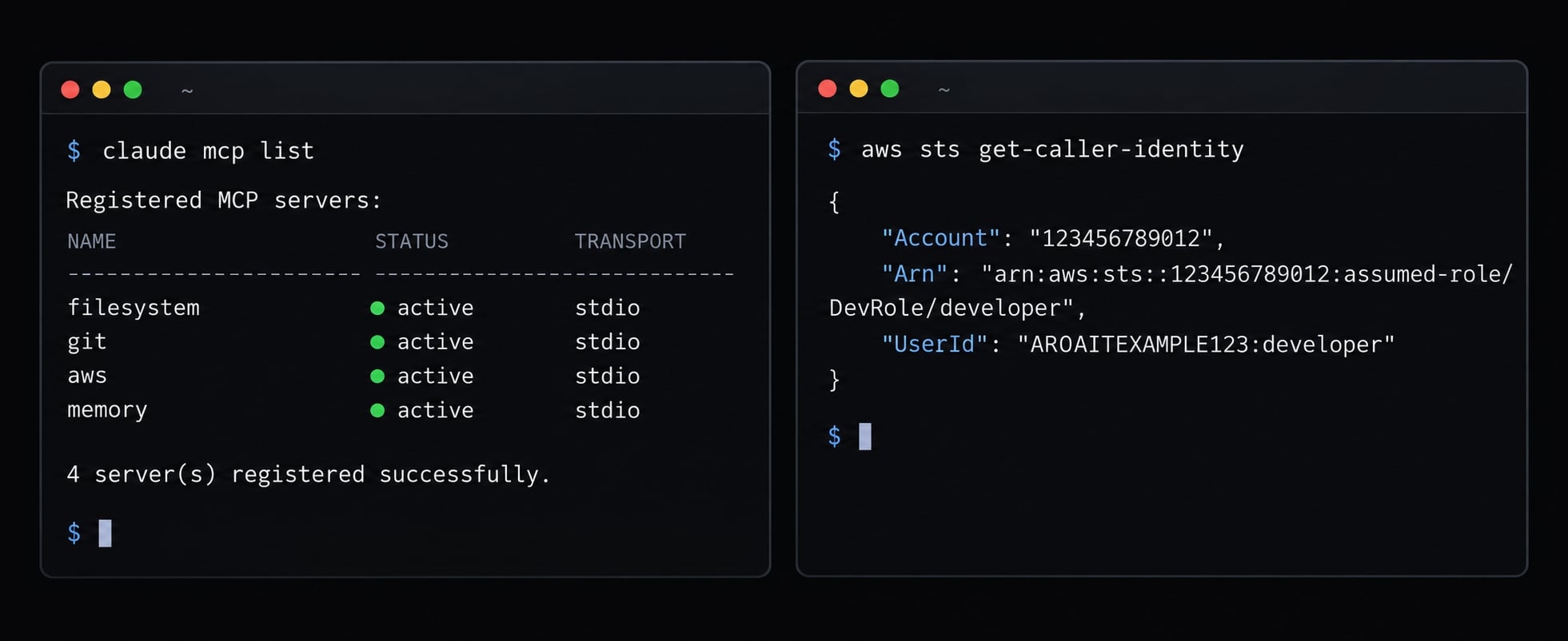
claude --versionclaude mcp --helpclaude mcp list
Expect a version, recognized MCP commands, and registration output. An empty server list is not an error. Compare installed syntax with the Claude Code MCP documentation.
Verify your AWS identity
For a profile-based setup, replace the illustrative profile name with your configured sandbox profile.
aws sts get-caller-identity --profile dev-environment
AWS Security Token Service (STS) returns Account, Arn, and UserId: the account, identity reference, and identity identifier. Confirm the intended sandbox account and role. This validates the CLI credential context, not necessarily the proxy environment. It does not validate an OAuth session.
Check for conflicting AWS MCP configurations
Inspect existing names, definitions, and scopes before removing anything. Similar names can represent different services. Remove only confirmed obsolete registrations. Check claude mcp remove --help for installed-version syntax, then reopen the session if changes are not reflected.
Choose OAuth, SigV4, or a local AWS MCP Server
Start with the selected server’s documented support not a preferred authentication label.
Requirement | Conditional choice |
|---|---|
Existing AWS profiles or SSO | SigV4 when the endpoint and approved proxy support those credentials. |
Browser-based authorization | OAuth when the server and Claude Code support the same authorization flow. |
Local processes permitted | A supported proxy or specialized local server. |
Multiple AWS accounts | Explicit profile selection backed by the intended accounts and roles. |
Organizational restrictions | Only a permitted path; another authentication method is not a policy bypass. |
Specialized tools | A maintained local server when its capabilities justify the dependency. |
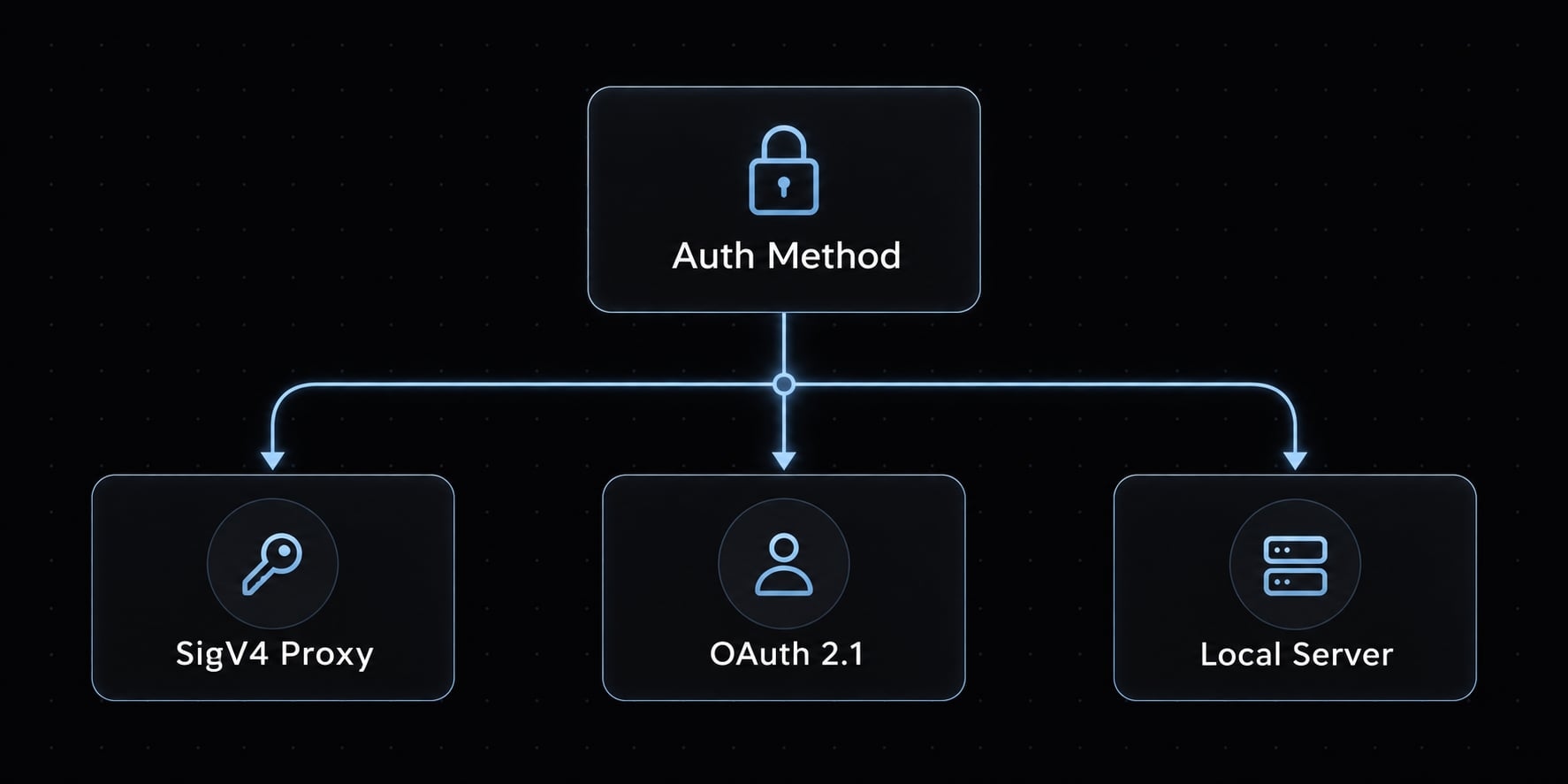
OAuth and SigV4 describe authentication approaches. Local describes deployment. A local server can still require AWS credentials.
When to use OAuth
OAuth 2.0 is a delegated authorization framework. Use it for direct remote access only when the selected offering documents compatible client support.
Do not assume local AWS credentials are unnecessary unless that is explicitly documented. Organizational sign-in restrictions still apply. Authenticating a user does not automatically authorize AWS resource operations.
When to use SigV4
SigV4 is AWS request signing. It fits terminal workflows using supported credential providers, including temporary sessions from IAM Identity Center (AWS SSO). A compatible MCP proxy for AWS may perform signing for a remote server. Select the account/profile explicitly.
Changing a shell profile does not guarantee that an already-running proxy reloads credentials. A restart may be necessary.
When a local AWS labs server still makes sense
Evaluate the individual server using four checks:
- Does it expose the needed tools?
- Is the maintainer and package source trustworthy?
- Is that specific package maintained or deprecated?
- Are its runtime and permission requirements acceptable?
Do not infer every package’s status from a broader ecosystem announcement.
How to connect the AWS MCP Server to Claude Code
Configure one supported path first:
- Choose the server and authentication path.
- Confirm its prerequisites.
- Select the intended identity, where applicable.
- Add one server with the correct transport and scope.
- Complete authentication.
- Refresh the session if needed.
- Verify a non-mutating tool invocation.
The commands below use Bash/zsh conventions. Configuration blocks with angle brackets are non-executable templates that need customization, not direct setup instructions. No specific tested versions are recorded here.
Connect with SigV4 through the AWS MCP proxy
First, validate the sandbox profile with STS. For an IAM Identity Center profile whose session has expired, authenticate using the AWS CLI IAM Identity Center documentation:
aws sso login --profile dev-environmentaws sts get-caller-identity --profile dev-environment
Use the login command only for an applicable SSO profile. Other credential sources have different renewal procedures.
Next, confirm the proxy’s official publisher, installation method, runtime, release, and compatibility with the chosen remote server. Prefer an explicitly reviewed version over an automatically changing dependency. Pinning improves reproducibility but requires a deliberate security-update process. Prepare the registration from the proxy’s official documentation.
Non-executable JSON configuration template:
{ "mcpServers": { "aws-mcp": { "type": "stdio", "command": "<APPROVED_RUNTIME_EXECUTABLE>", "args": [ "<DOCUMENTED_PACKAGE_INVOCATION_WITH_PINNED_VERSION>", "<DOCUMENTED_ENDPOINT_AND_PROXY_ARGUMENTS>" ], "env": { "AWS_PROFILE": "dev-environment" } } }}
The argument entries are conceptual placeholders. Expand them into the exact separate arguments required by the selected executable, do not paste a combined command string into one argument.
Field | Meaning |
|---|---|
|
|
| Executable Claude Code launches. |
| Runtime/package invocation and documented proxy arguments. |
| Environment supplied to the launched process. |
| Named AWS profile, if the proxy supports that credential provider. |
| CLI option selecting where registration applies; not a field in this server object. |
Claude Code communicates with the proxy via stdio, while the proxy connects remotely over HTTP. These are separate connection layers. For CLI registration, check claude mcp add --help and the official Claude Code AWS MCP documentation. Use documented claude mcp add or add-json syntax after resolving the template.
Use only the documented endpoints and arguments above rather than guessing signing service names. A successful registration does not prove connection or authentication; verify each separately, and reopen the session after changing the proxy's launch environment.
Connect with OAuth
No particular AWS endpoint/client OAuth pairing is verified here, so an executable registration command would be misleading. Use this non-executable connection worksheet:
Transport: <REMOTE_TRANSPORT_DOCUMENTED_FOR_BOTH_SIDES>Endpoint: <ENDPOINT_FROM_SELECTED_AWS_SERVICE_DOCUMENTATION>Authorization: <DOCUMENTED_ORGANIZATIONAL_PREREQUISITES>Login: <SUPPORTED_CLAUDE_CODE_AUTHENTICATION_FLOW>
For a documented compatible pairing, register the remote server using the supported transport. Open /mcp, inspect the server, and use its authentication action if offered.
Complete the documented browser authorization flow and return to inspect connection status. For Claude Code, the default endpoint uses MCP OAuth discovery; if tool calls fail with credential errors, AWS documents appending ?oauth=initialize to the URL to trigger the flow explicitly. Do not broaden IAM policies to make login succeed.
Select the Correct MCP configuration scope
The Claude Code MCP documentation distinguishes these scopes:
Scope | Applies to | Team sharing | Typical use |
|---|---|---|---|
Local | Current project | Not through the project file | Personal project setup |
Project | Current project | Approved | Team-standard definition |
User | User’s projects | Personal configuration | Reusable personal tooling |
Local scope is unrelated to a local server process. Avoid duplicate names across scopes rather than relying on assumed precedence. Keep credentials outside tracked configuration. Profile names are not secrets, but personal names make shared templates brittle.
Add a service-specific local MCP Server
Use the package’s official configuration example after checking provenance, runtime, permissions, and maintenance status. Replace release placeholders with an approved version. Its local process may still access remote AWS resources. Do not add overlapping servers unless their additional tools are needed.
Test and manage the AWS MCP connection
Registration, connection, authentication, and authorized execution are separate checks. Completing one does not prove the next.
Confirm that the server is registered
Bash/zsh diagnostic commands, using the registration name from this guide:
claude mcp listclaude mcp get aws-mcp
Inspect the returned configuration against your intended definition. Output fields vary by version. Registration success does not necessarily mean authentication success.
Check the Connection Inside Claude Code
Open /mcp inside the session. Inspect connection state, authentication information where shown, and available tools. This is status inspection, not continuous health monitoring. Record the Claude Code version, server/proxy version, authentication method, scope, and sanitized result for reproducibility.
Run a safe first test
Use these prompts individually:
List available tools from aws-mcp without executing an AWS resource operation. Identify the server, or state that tool discovery is unavailable.
Retrieve current Lambda timeout documentation using an exposed documentation tool. Identify the tool used, or state that the capability is unavailable.
Using an approved read-only identity tool exposed by aws-mcp, report the current account identity. Identify the tool used, or state that it is unavailable.
Inspect the actual tool invocation and result. A fluent answer—or documentation lookup—does not prove AWS account access.
Disable or remove the server
For a local-scope registration, the documented CLI form is:
claude mcp remove aws-mcp --scope local
Confirm installed syntax first; substitute project or user only for the corresponding registration. Refresh existing sessions.
Removal does not revoke AWS credentials, terminate every session, or cancel OAuth grants. Handle those separately through the relevant identity provider.
AWS MCP security best practices
Effective permissions not prompts define the AWS access boundary. Follow the AWS IAM security best practices documentation and evaluate the selected server’s additional controls.
- Start in a sandbox or development account.
- Verify the selected account and role before resource operations.
- Prefer temporary credentials over long-lived access keys.
- Grant only the actions and resources required.
- Begin with non-mutating operations.
- Require review before write, deployment, or deletion actions.
- Keep credentials out of configuration, prompts, and logs.
- Review available audit records and their documented coverage.
- Remove unnecessary servers and tools.
Read-only access can still disclose customer information, architecture, or operational secrets. Some AWS operations can also incur charges. Review both data exposure and cost implications before expanding access.
Recommended environment separation
The following access levels are examples subject to organizational policy, not universal defaults:
Environment | Example boundary |
|---|---|
Development | Dedicated sandbox account, narrowly scoped experimentation. |
Staging | Separate role/account, approved test operations. |
Production | Restricted access, explicit approval for changes. |
Different profile names provide meaningful separation only when they select the intended accounts, roles, and policies.
Safe project configuration
Approved server definitions, non-sensitive settings, version requirements, and placeholders. Access keys, session tokens, OAuth tokens, SSO cache files, personal credential configuration, and sensitive operational data.
Review .mcp.json changes like executable configuration: they can introduce local commands and external connections. Use CLAUDE.md for workflow guidance, such as preferring reviewed infrastructure changes. It is not enforceable authorization. Likewise, a “read-only” prompt cannot substitute for IAM restrictions and supported tool controls.
Troubleshoot common Claude Code AWS MCP errors
Diagnose one layer at a time. Error messages identify possibilities, not definitive causes. Never resolve an ambiguous authentication failure by blindly attaching broader permissions:
Error or symptom | Possible cause | Check | Safe next step |
|---|---|---|---|
| Expired temporary credentials | Actual credential source | Renew that session; restart the proxy if needed. |
| Invalid, revoked, mismatched, or incomplete credentials | Keys, session token, environment overrides | Restore the intended credential source. |
| Signing mismatch or altered request | Region, service, credentials, clock, request handling | Correct the documented signing configuration. |
No credentials found | Proxy cannot resolve credentials | Process environment, profile, configuration access | Supply the supported credential context. |
OAuth HTTP | Client, request, or authorization issue | Response body and service requirements | Correct the specific documented mismatch. |
Registered but disconnected | Startup or connectivity failure | Executable, package, runtime, endpoint, transport, network, logs | Repair the failing layer. |
Missing tools | Capability or discovery limitation | Server documentation, connection, permissions where relevant | Refresh discovery; confirm tool availability. |
Duplicate tools/configuration | Overlapping definitions | Names, scopes, installed integrations | Remove only confirmed obsolete definitions. |
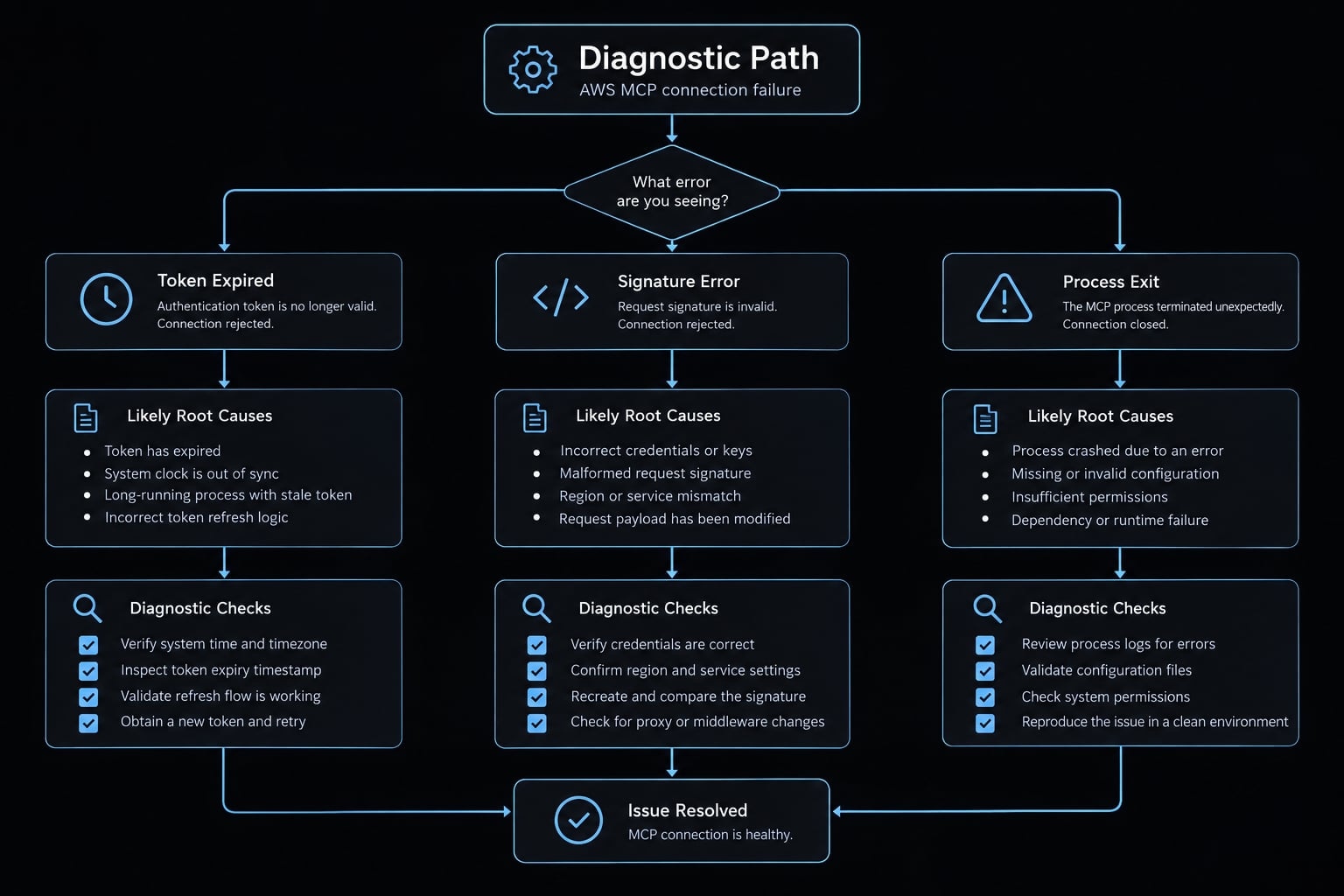
Fast diagnostic sequence
- Inspect registration with
claude mcp get aws-mcp. - Check process startup and transport.
- Validate the relevant authentication context.
- Check authorization for the attempted operation.
- Confirm account and region selection.
- Retry one non-mutating tool call.
For profile-based authentication, repeat aws sts get-caller-identity --profile dev-environment. Use aws sso login --profile dev-environment only when that profile uses SSO.
Local AWS CLI success does not validate OAuth or prove the proxy inherited the same credentials. Debug logs may expose tokens, identifiers, paths, and operational metadata. Sanitize them before sharing.
When to recreate the configuration
Recreate only for confirmed stale endpoints, obsolete arguments or transports, broken registrations, or unresolved scope conflicts.
Save a sanitized backup, remove the specific definition, and rebuild from current official documentation. Restart affected sessions and repeat the read-only test. Recreating configuration does not repair an expired identity session or an authorization denial.
Frequently asked questions
What is the AWS MCP server for Claude Code?
The AWS MCP server is a managed integration that enables Claude Code to interact directly with AWS APIs. It bridges Claude Code with AWS resources, providing AI-driven documentation lookups, infrastructure automation, and data analysis without requiring raw manual data pasting.
How does the AWS MCP proxy differ from a local server?
The MCP proxy for AWS acts as a client-side bridge that securely handles authentication (SigV4) to connect Claude Code to the managed remote AWS MCP endpoint. In contrast, local AWS MCP servers are individual processes that run locally, often used for specialized, service-specific tool access.
Is the AWS CLI required for all AWS MCP integrations?
No. The AWS CLI is primarily required for the SigV4 authentication path to manage profiles and credentials. If you choose the OAuth 2.1 integration path, you can authenticate through a browser-based flow without needing local AWS CLI credentials configured.
Can I use multiple AWS accounts with Claude Code MCP?
Yes. When using the SigV4 proxy path, you can configure different AWS profiles for specific projects. By defining the AWS_PROFILE in your MCP configuration, you can switch between development, staging, and production accounts within the Claude Code interface seamlessly.
How do I ensure my AWS MCP agent remains secure?
Implement security by using the aws:CalledViaAWSMCP IAM condition key to isolate agent activity. Additionally, configure your MCP proxy to run in read-only mode, which restricts Claude Code to informational queries and prevents any unintended infrastructure changes or resource mutations.
What should I do if my AWS MCP connection fails?
First, verify your registration status using the Claude MCP list command. If registered but disconnected, check your process logs for authentication errors or credential expiration. Ensure your environment variables, such as the correct AWS profile and region, are properly mapped in your configuration.
Read more:
- Agent skills vs prompts: Choosing the right AI architecture
- MCP server security: Risks, best practices & deployment guide
- Local vs remote MCP server: Security, differences & use cases
Conclusion
A dependable Claude Code AWS MCP connection begins with the selected server’s documented capabilities and authentication requirements. Choose a compatible path, validate the relevant identity, register one server, and inspect its connection inside Claude Code.
Then verify an actual non-mutating tool invocation. Keep documentation access separate from account access, and distinguish successful authentication from permission to perform a particular operation. Expand access only for a defined requirement.
For team adoption, retain a sanitized record of versions, scope, configuration, tool results, and rollback steps. That record is more useful than a successful-looking registration alone. Start with limited sandbox permissions, keep secrets outside shared files, and treat configuration changes as reviewable code.