Vibe coding CI/CD: Quality gates for AI-generated code
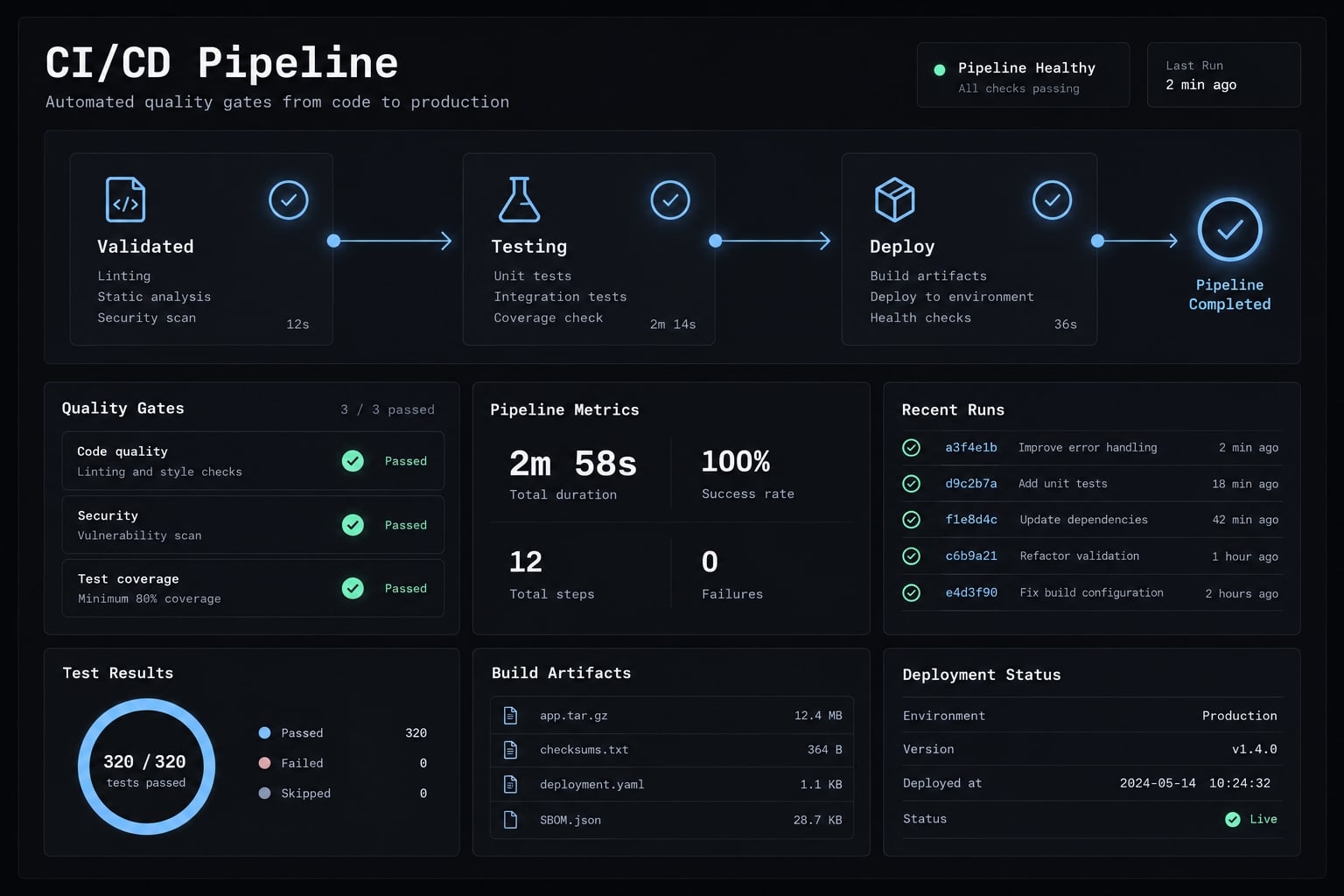
Vibe coding CI/CD integrates continuous integration and delivery into AI-assisted development. It ensures that AI-generated code is reviewable and fully tested, using independent security checks and explicit human approval. Because a functional local demo does not guarantee safe permissions, multi-tenant isolation, or repeatable builds, automated pipelines are essential. AI can accelerate drafting these delivery workflows, but pipeline configurations require the same rigorous verification as the code they ship.
What does vibe coding CI/CD mean?
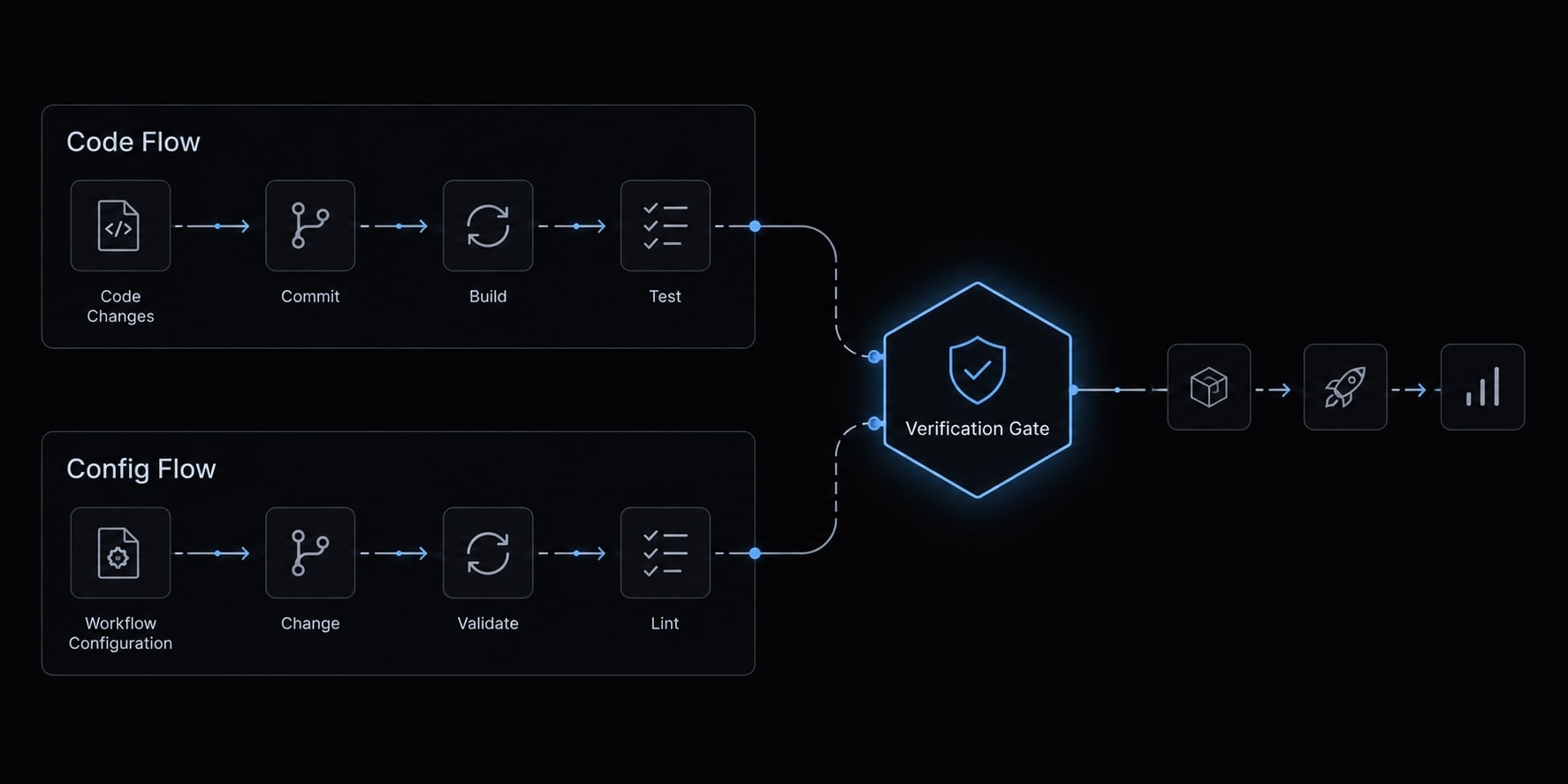
Vibe coding CI/CD covers two related activities: Validating AI-assisted software changes and generating delivery configuration with AI. Neither removes the need for independently enforced controls.
Concept | What It Means | Primary Goal |
|---|---|---|
CI/CD for vibe coding | Run generated application changes through enforced checks and release controls. | Verify defined conditions before changes reach users. |
Vibe coding of CI/CD | Prompt AI to draft or modify pipeline configuration. | Reduce configuration work without bypassing verification. |
- Continuous integration validates integrated changes.
- Continuous delivery keeps verified changes ready for release, potentially requiring approval.
- Continuous deployment automatically releases changes that pass configured controls.
A CI/CD pipeline can support either release approach; automatic production deployment is not a requirement.
Why traditional review is less reliable for vibe-coded changes
Reviewing vibe coding CI/CD changes becomes harder when generated code is large or complex, regardless of AI involvement. Cross-file changes can conceal invented API calls, unnecessary dependencies, insecure defaults, and tests that mirror faulty assumptions.
Consider an illustrative B2B CRM integration change: Synchronization succeeds, but a revised permissions check allows one tenant to retrieve another tenant’s records. Tenant isolation means keeping each customer organization’s data inaccessible to others.
What CI/CD can and cannot prove
- Can verify: Configured build, test, scan, and health-check conditions.
- Cannot guarantee: Complete security, correct requirements, or sound architecture.
Repeatable checks can still suffer from flaky tests, changing dependencies, and unreliable environments.
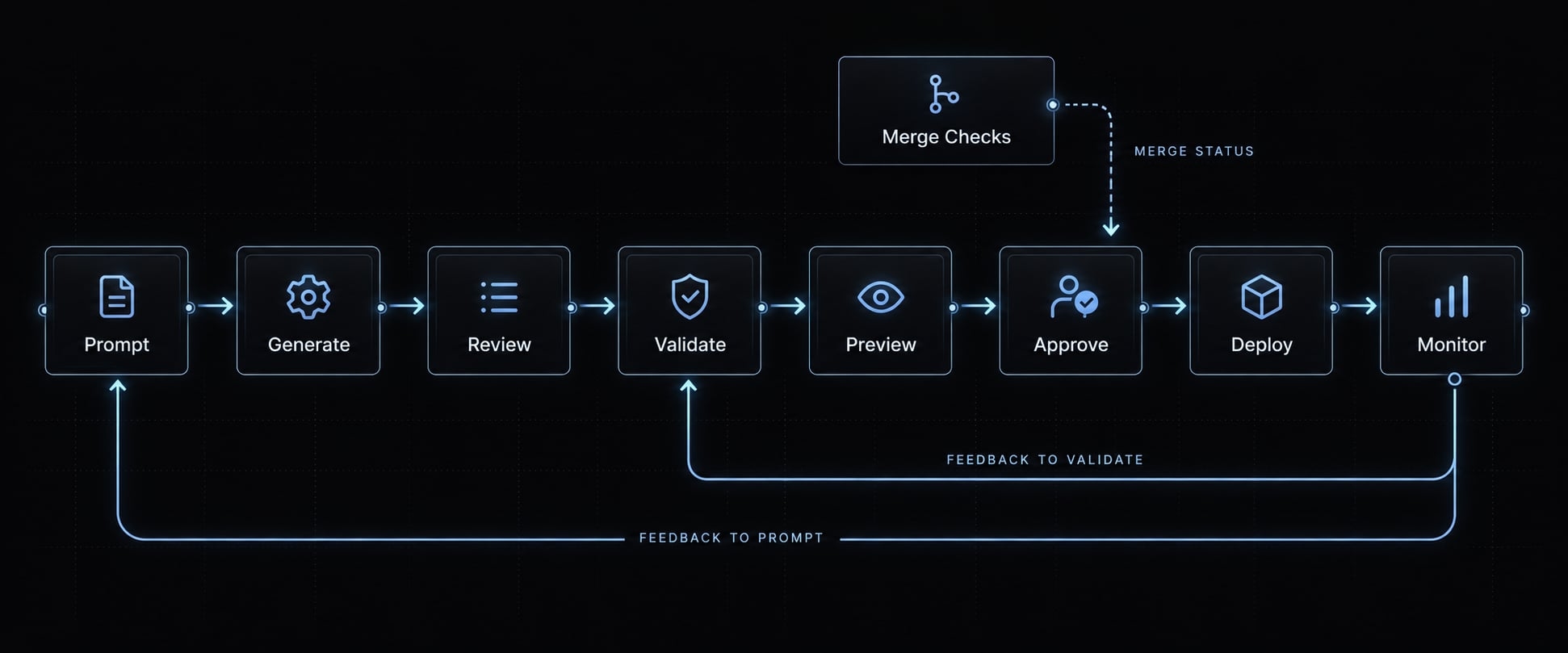
The prompt-to-production workflow for vibe-coded software
- Prompt: Define a narrow change and explicit acceptance criteria.
- Generate: Produce implementation and tests without weakening existing protections.
- Review: Inspect the change, dependencies, assumptions, and security implications.
- Validate: Run required checks against the revision or merge result being considered.
- Preview: Exercise relevant behavior in an isolated environment.
- Approve: Obtain accountable authorization for sensitive releases.
- Deploy: Promote the tested build using controlled credentials and configuration.
- Monitor: Check production health and feed defects back into tests and instructions.
Prompt and generate
For the illustrative CRM change, specify the synchronization job, permission boundary, affected components, and expected tests. Require that tenant A cannot access tenant B’s records, including through retries or background processing.
Keep unrelated refactoring outside the change.
Review and validate
Inspect architecture impact and generated assertions, not just whether tests pass. Enforce pull request validation through repository rules; a visible successful run alone does not prevent bypasses.
Rerun relevant checks after fixes. GitHub Docs’ “About protected branches” explains how required status checks enforce merge conditions.
Preview, approve and deploy
Use synthetic CRM records in staging, recognizing that staging differs from production. Sensitive permission changes require human production approval; the authoring agent should not approve its own release.
Promote the tested artifact, the packaged build output, rather than rebuilding unverified code. Control environment-specific configuration separately.
Monitor and feed failures back
Run smoke tests (small checks confirming essential functionality) and watch errors, latency, and synchronization outcomes. Convert defects into regression tests and update version-controlled agent instructions. This closes the DevOps lifecycle rather than treating deployment as its endpoint.
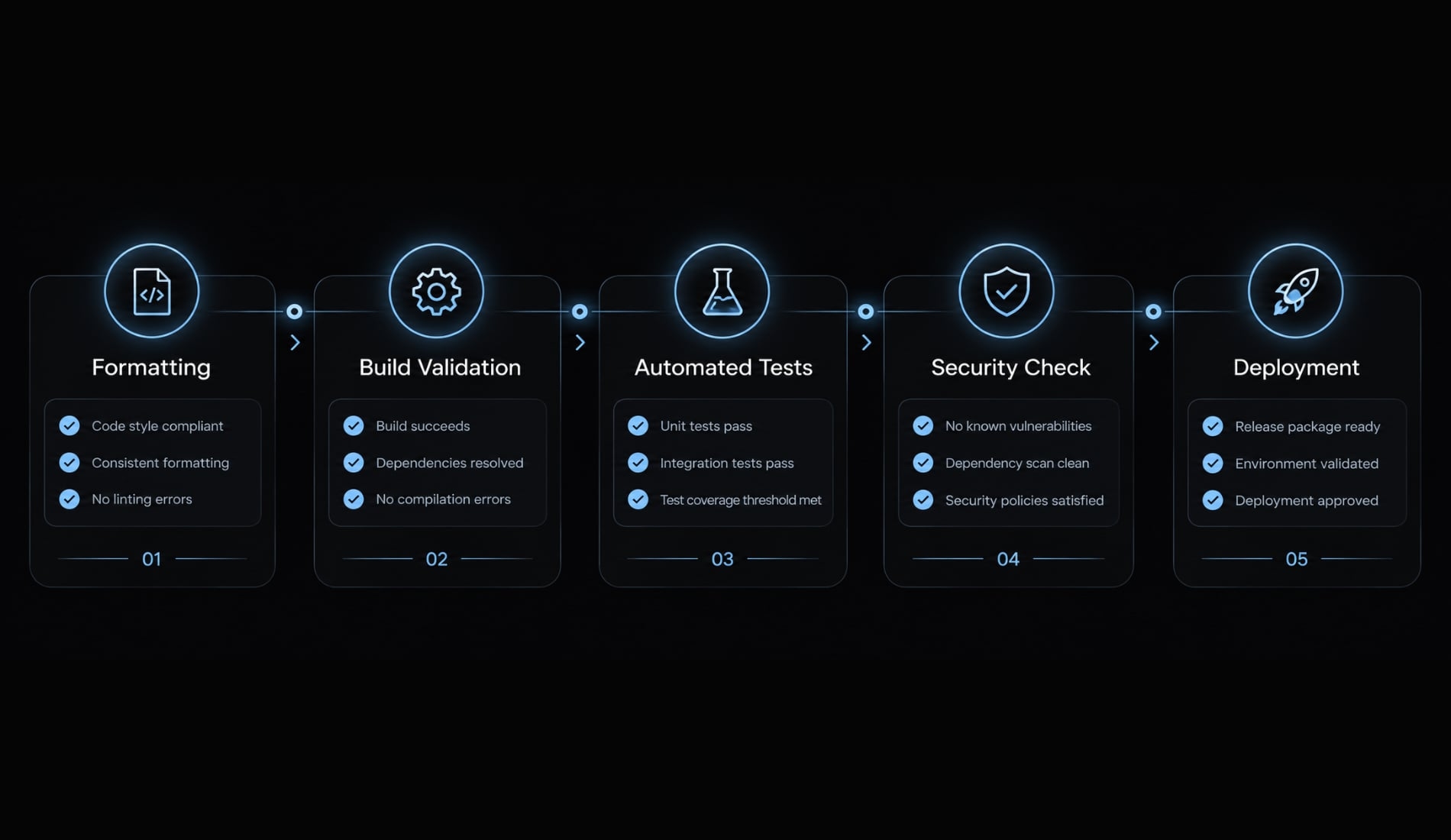
The essential quality gates for vibe coding CI/CD
Use layered checks with explicit blocking rules. Each layer catches different failures; no scanner, test suite, or reviewer covers the entire application.
Quality gate | What it catches | Example tools | Recommended enforcement |
|---|---|---|---|
Formatting and linting | Convention violations and configured error patterns | Prettier, ESLint | Required formatting and lint errors block merging. |
Build, type, and contract validation | Build failures, type mismatches, interface incompatibility | TypeScript, Pact | Required build and validation failures block merging. |
Automated tests | Incorrect logic and broken interactions | Vitest, Playwright | Required failures block merge or the relevant release stage. |
Security and supply-chain validation | Exposed secrets, known dependency vulnerabilities, unsafe patterns | Gitleaks, Semgrep | Confirmed secrets and critical findings block merging under policy. |
Behavioral and deployment validation | Broken customer workflows and unhealthy releases | Playwright, platform health checks | Critical-flow failures block release; health failures stop promotion or trigger recovery. |
Formatting and linting
Run these inexpensive checks early. They catch inconsistent conventions, unused code, and configured error patterns. Formatting does not establish semantic correctness. Unresolved imports may require build or type validation rather than formatting checks.
Build, type and contract validation
Require a clean installation and build, applicable strict type checking, and interface validation. Contract tests check agreed behavior between communicating components.
Types do not validate every runtime input or external service response. TypeScript’s Handbook describes its static checking model; runtime validation remains a separate responsibility.
Automated testing
Use unit tests for isolated logic, integration tests for component interactions, and end-to-end tests for complete user workflows. Reserve smoke tests for basic release health.
For the CRM change, test cross-tenant rejection as well as successful synchronization. Coverage percentage does not prove useful assertions. AI-generated tests may reproduce the implementation’s misunderstanding.
Security and supply-chain validation
Combine secret detection, dependency checks, and security-focused static analysis - inspection without executing the application. Static analysis is broader than security testing alone.
Review package legitimacy and necessity; dependency scanners cannot reliably identify every malicious package. Confirmed exposed credentials require revocation or rotation, not merely deletion from the current file.
Behavioral and deployment validation
Validate critical workflows in appropriate environments. Agentic testing, where AI explores application behavior, can supplement stable assertions but is not inherently reliable.
Post-deployment failures should stop further promotion or invoke a predefined recovery response. Rolling back application code may not reverse migrations or recover lost data.
AI-based pull request review
AI review can summarize diffs, flag suspicious logic, and compare implementation against acceptance criteria. It remains advisory and cannot override failed required checks.
In the illustrative CRM change, build or type validation catches a nonexistent typed SDK method. A tenant-isolation integration test checks authorization separately, while a secret scan detects a committed token. These quality gates for vibe coding projects address distinct risks.
Match CI/CD controls to the risk of the change
Risk depends on potential impact rather than the size of the diff. For example, a single-line authorization change requires more scrutiny than a large documentation update.
Risk level | Typical changes | Required checks | Deployment control |
|---|---|---|---|
Low | Documentation without executable configuration changes | Applicable content checks, secret scanning, protected merge rules | Standard release path; production release may be unnecessary |
Medium | Reporting logic or CRM synchronization behavior | Build, relevant unit/integration tests, dependency and security checks | Isolated preview where useful; controlled release |
High | Tenant authorization, subscription billing, customer-data migration | Baseline checks plus negative cases, critical-flow and recovery validation | Accountable approval and protected production environment |
Isolated styling is low risk only when it does not affect accessibility or critical workflows. High-risk code changes need stronger verification even when generated quickly.
How to keep the pipeline fast
Risk-based CI/CD improves scheduling rather than concealing failures:
- Run cheap checks first.
- Parallelize independent jobs.
- Cancel superseded runs.
- Cache dependencies safely across appropriate trust boundaries.
- Select affected tests using reliable dependency information.
- Target expensive end-to-end tests by risk.
- Run broader suites at defined checkpoints.
Change-aware testing selects checks based on affected behavior and dependencies. Simple path filters can miss shared-library effects, so validate selection rules before relying on them. Scheduled scans supplement required pre-release checks; they do not replace them.
What should always block a merge?
Block merging for:
- Build failure.
- Required-test failure.
- Confirmed exposed secret.
- Confirmed critical security finding under documented policy.
- Unauthorized workflow or infrastructure modification.
- Failed required critical-flow validation.
Missing protected-environment approval normally blocks deployment, not merging. Keep these enforcement points separate and make bypass authority explicit.
For the CRM example, modifying tenant permissions raises the change to high risk even if synchronization logic itself would otherwise be medium risk.
How to use AI to create a CI/CD pipeline without blindly trusting it
Treat generated workflow files as security-sensitive production code. AI can scaffold pipeline configuration, but schema-valid YAML may still use unsafe permissions or execute the wrong commands.
A safer prompt pattern for pipeline generation
Use this template and label the output draft requiring review:
Draft a CI/CD workflow for [stack] on [platform], using repository commands [commands] and lockfile-based installation. Require [checks]. Apply least-privilege permissions; never include secrets in files or logs. Do not deploy production from pull requests. Allow isolated preview or staging only under explicitly safe trust conditions. Require protected approval for production, promote the tested artifact, and run a post-deployment smoke test. Explain external components, permissions, trust boundaries, and required platform configuration. Identify assumptions and unresolved decisions. Do not weaken existing checks. Return a draft requiring review, with sandbox-validation steps.
Review checklist for AI-generated pipeline files
- Workflow and job permissions are minimal.
- Secrets use secure storage and cannot leak through logs.
- External actions and components are trusted and necessary.
- References are immutable where supported, with maintained update procedures.
- Dependency installation follows the lockfile.
- Production environments require configured protection.
- Untrusted contributions cannot access privileged credentials or execution.
- Deployment promotes the tested artifact.
- Required steps fail closed: failure or missing validation prevents progression.
- Smoke checks and recovery procedures are defined.
- The workflow passes sandbox validation before production use.
GitHub Docs’ “Secure use reference” covers token permissions, third-party actions, and untrusted input. Check event behavior against the chosen platform’s documentation; pipeline security depends on execution context, not configuration appearance.
Keep AI feedback loops controlled
Require reviewable commits, rerun checks after changes, and bound retries and spending. Restrict agent permissions and sanitize logs before sharing them with external AI systems. Never let an automated repair silently disable a check or broaden credentials.
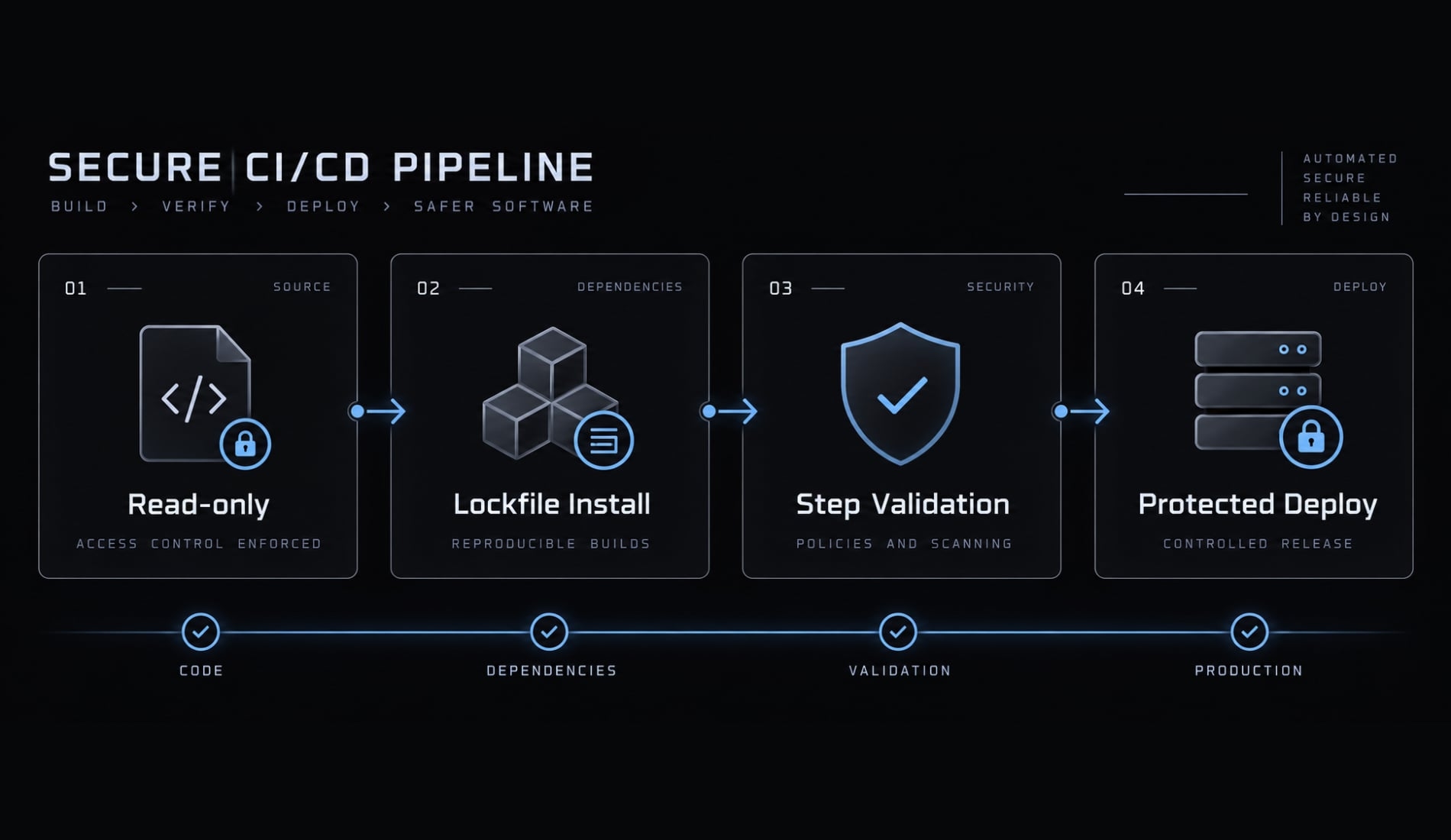
Build the pipeline in three maturity levels
Start with an understandable baseline and upgrade according to exposure. Team size alone does not determine the controls a release needs.
Maturity level | Recommended controls | Suitable for | Upgrade trigger |
|---|---|---|---|
1: Minimum viable CI | Clean build, lint/types, unit tests, enforced checks, secret scanning | Private, low-impact experiments without sensitive production data | External users or operational dependencies |
2: Team-ready CI/CD | Integration/security checks, protected branches, review, isolated previews | Shared development and controlled evaluation | Persistent customer data or production responsibility |
3: Production-ready delivery | Protected releases, critical-flow tests, monitoring, verified recovery | Customer-facing services with accountable owners | Greater impact or specialized obligations |
This CI/CD maturity model is editorial guidance, not certification. A project may need Level 3 controls immediately.
Level 1 - Minimum viable CI
Establish clean dependency installation, build, linting, applicable type checks, and relevant unit tests. Enforce required checks and introduce secret hygiene and scanning from the start. This baseline does not make a prototype suitable for sensitive production workloads.
Level 2 - Team-ready CI/CD
Add integration tests, dependency and security checks, protected branches, review policies, and isolated previews. Maintain agent instructions alongside code. Document exceptions with an owner, reason, expiration, and compensating control. External users or persistent data require reassessing the full delivery path.
Level 3 - Production-ready delivery
Protect deployment environments and credentials. Add risk-based approval, critical-flow end-to-end tests, tested-artifact promotion, smoke tests, monitoring, and deployment history.
Verify recovery procedures, including data restoration where needed. Regulated workloads may require controls beyond this model. A private CRM reporting prototype becomes a different operational responsibility when customers rely on it and it stores persistent records.
Platform mapping
Pipeline execution and governance are separate capabilities:
Platform | Pipeline execution | Repository and environment governance |
|---|---|---|
GitHub Actions | Workflow jobs and artifacts | Repository rules, protected branches, environment protection |
GitLab CI/CD | Pipelines and jobs | Project controls, protected variables/environments, deployment approvals |
Azure Pipelines | Build and deployment stages | Azure DevOps branch policies, approvals and checks |
Availability depends on product tier, repository visibility, and configuration. Consult GitLab’s “Deployment approvals” and Microsoft Learn’s “Define approvals and checks” alongside platform-specific repository documentation.
Production-ready workflows require maintenance as dependencies, permissions, and customer exposure change.
Common vibe coding CI/CD mistakes
A pipeline is only as useful as its enforcement and assertions. Green status can coexist with weak tests, excessive permissions, or unobserved production failures.
Mistake | Better practice |
|---|---|
Deploying generated configuration immediately | Validate in a sandbox, then stage adoption. |
Equating coverage with correctness | Inspect assertions against acceptance criteria. |
Letting AI disable checks for a green run | Treat disabling checks as an approved governance change. |
Running expensive checks indiscriminately | Schedule by dependencies, risk, and release checkpoints. |
Accepting generated tests without scrutiny | Deliberately break relevant behavior in isolation; confirm the test fails. |
Giving agents or CI broad credentials | Scope permissions to each job and trust boundary. |
Merging automated fixes without reruns | Revalidate the updated revision or merge result. |
Ending validation at deployment success | Run smoke tests, monitor workflows, and verify recovery. |
For the CRM scenario, deliberately removing the tenant filter in an isolated test environment should fail the isolation test. If it stays green, inspect the fixtures and assertions before trusting that safeguard. Passing CI establishes that defined checks passed - not that the software is completely correct.
Vibe coding CI/CD production-readiness checklist
- Required checks are enforced before merge.
- The candidate revision builds from a clean installation.
- Linting and applicable strict validation pass.
- Tests verify changed behavior and meaningful failure cases.
- Secret and dependency scanning run at required stages.
- New packages have verified legitimacy and necessity.
- Sensitive changes receive stronger checks and accountable approval.
- Preview or staging validation covers relevant risks.
- Production credentials and deployment environments are protected.
- Automated post-deployment smoke tests verify essential behavior.
- Monitoring and tested recovery procedures cover application and data failures.
- Instructions, tests, pipeline files, and time-bounded exceptions are version-controlled without committed secrets.
Keep this checklist attached to the release process, with an owner for unresolved items. An unchecked safeguard is a decision to investigate - not a detail to hide behind successful automation.
Frequently asked questions
What does "vibe coding CI/CD" mean in practice?
Vibe coding CI/CD refers to using automated pipelines as a rigorous validation layer for software built primarily via AI prompting. It applies enforced checks, explicit permissions, and accountable approval so AI-generated changes become reviewable, tested releases. CI/CD verifies defined conditions; it does not prove complete correctness or security.
How does CI/CD for AI-generated code differ from traditional workflows?
Traditional reviews assume the author understands every line of code. Vibe-coded PRs often involve complex, multi-file changes the developer cannot fully explain. Therefore, CI/CD must shift from a passive build tool to a strict "quality gate" that blocks merges unless automated tests and security checks pass independently.
Can AI generate a reliable CI/CD pipeline for a .NET or Web application?
Yes, AI can scaffold CI/CD configuration files (like GitHub Actions) from specific prompts. However, the generated output is a draft. It requires manual review to ensure least-privilege permissions, secure secret management, and that production deployments are protected by manual approval gates.
What are the essential quality gates for a vibe-coded project?
Five complementary layers: formatting and linting; build, type, and contract validation; automated tests; security and supply-chain checks; and behavioral and deployment validation. Agentic testing can supplement these but does not replace stable assertions.
Why shouldn't I just trust the AI's "vibe" that the code works?
Local success does not guarantee production readiness. AI can generate code that runs locally but includes insecure defaults, hardcoded secrets, or logic that breaks tenant isolation. CI/CD pipelines provide the deterministic validation needed to confirm that the code adheres to your security and operational requirements.
How do I keep CI/CD pipelines fast while vibe coding?
To maintain velocity, parallelize independent test jobs and select tests based on affected behavior and reliable dependency information, since simple path filters can miss shared-library effects. Use risk-based prioritization: reserve intensive end-to-end and agentic tests for high-risk paths, such as authentication or payment workflows, while keeping fast checks for UI changes.
Is it safe to let AI agents automatically fix build errors?
Only if the fixes are treated as reviewable code changes. Any automated fix must trigger a re-run of the full CI/CD quality gate and remain subject to human approval before merging. Never grant AI agents broad permissions to push directly to protected branches or production environments.
What is the minimum CI/CD setup for a small product team?
Start with clean builds, linting and type checks, relevant unit tests, enforced required checks, and secret scanning from day one. Add integration and security checks, protected branches, and previews as exposure grows, and require accountable approval for sensitive production releases.
Read more:
- Mastering the vibe coding workflow: A practical delivery guide
- Vibe coding feedback: Improve your AI-generated code quality
- Vibe coding monitoring: Move fast without losing control
Conclusion
Vibe coding CI/CD separates fast generation from permission to release. AI can draft application changes, tests, and workflows; independently enforced quality gates determine whether defined conditions pass. Risk-based review and accountable approval address decisions automation cannot settle alone.
Start with the minimum baseline appropriate to your exposure: clean builds, relevant tests, secret protection, and enforced merge checks. Strengthen deployment controls before customer data or critical workflows depend on the system. Treat recovery as part of readiness, especially when releases modify persistent data.