Vibe code CMS: Can AI-built websites replace content systems?
Vibe code CMS: Can AI-built websites replace content management systems?
AI-driven "vibe coding" can rapidly generate and scaffold websites, but building a site fast is fundamentally different from managing content long-term. Natural-language prompts cannot inherently replace essential CMS operations like collaborative editing, granular permissions, version history, and scheduled publishing. Ultimately, AI streamlines initial development, while dedicated Content Management Systems remain essential for ongoing content governance.
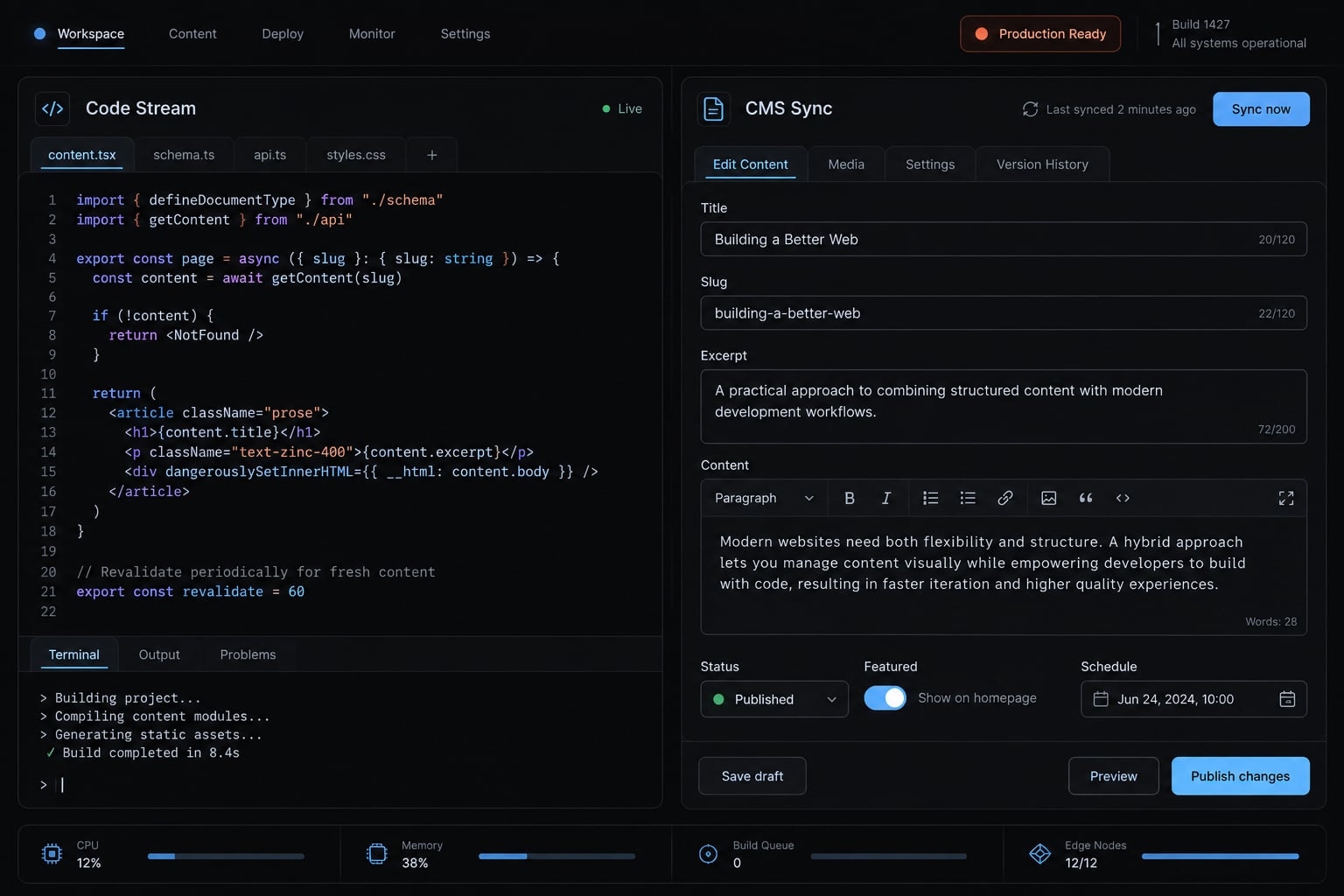
Short answer: Vibe coding can replace some website implementation work, but not the responsibilities of content management. Small, technically managed sites may not need a CMS. Collaborative publishing still needs reliable editing, permissions, revisions, and approval controls—whether supplied by an existing product or built and maintained by your team.
Vibe coding and a CMS solve different problems
The vibe coding vs CMS comparison mixes a development method with an operational system. One helps create software; the other manages content throughout its lifecycle. Their capabilities can overlap, but generating an editing screen does not establish who approves changes, restores mistakes, or maintains the underlying system.
What vibe coding actually provides
Vibe coding means directing software creation through natural-language instructions. Its narrower meaning, associated with Andrej Karpathy’s original description, involves limited inspection of generated code. Disciplined AI-assisted engineering adds specifications, testing, code review, and accountable ownership. Prompting alone is not a production process.
Tools such as Claude Code, Cursor, and Lovable can support component generation, project scaffolding, integrations, and experimentation. Their capabilities and operating environments differ.
What a CMS provides after the website is built
A CMS supplies a controlled content source and an editing interface. Structured content stores information in defined fields rather than scattering it across page layouts. For example, one product description can support a feature page, comparison page, and campaign page. Consistent fields and validation make these relationships predictable.
Roles, revisions, approvals, localization, and scheduling vary by product, edition, and configuration. WordPress documentation on roles and revisions and Sanity documentation on schema types illustrate distinct capabilities—not a universal feature bundle.
Vibe coding vs. CMS responsibilities
Consider an illustrative B2B SaaS team: A founder builds the launch site, then hands recurring updates to marketing. The handoff exposes these responsibilities.
Vibe coding vs CMS: Responsibility comparison
Responsibility | AI-assisted implementation | CMS contribution |
|---|---|---|
Page interface | Generates components | May supply templates |
Content storage | Builds or connects storage | Managed content source |
Editing | Can build interfaces | Available in suitable products |
Structured fields | Implements models | Configured schemas and validation |
Permissions | Requires implementation | Product-specific access controls |
Revisions | Git tracks file changes | Common; verify editor-facing history |
Approvals | Requires workflow controls | Available in suitable products |
Scheduling | Requires reliable execution | Verify support and configuration |
Localization | Builds language handling | Product-specific editorial support |
Maintenance | Team owns generated functionality | Shared product/integration responsibility |
Git history is not equivalent to editor-friendly review and approval. Building a custom CMS recreates these obligations rather than eliminating them.
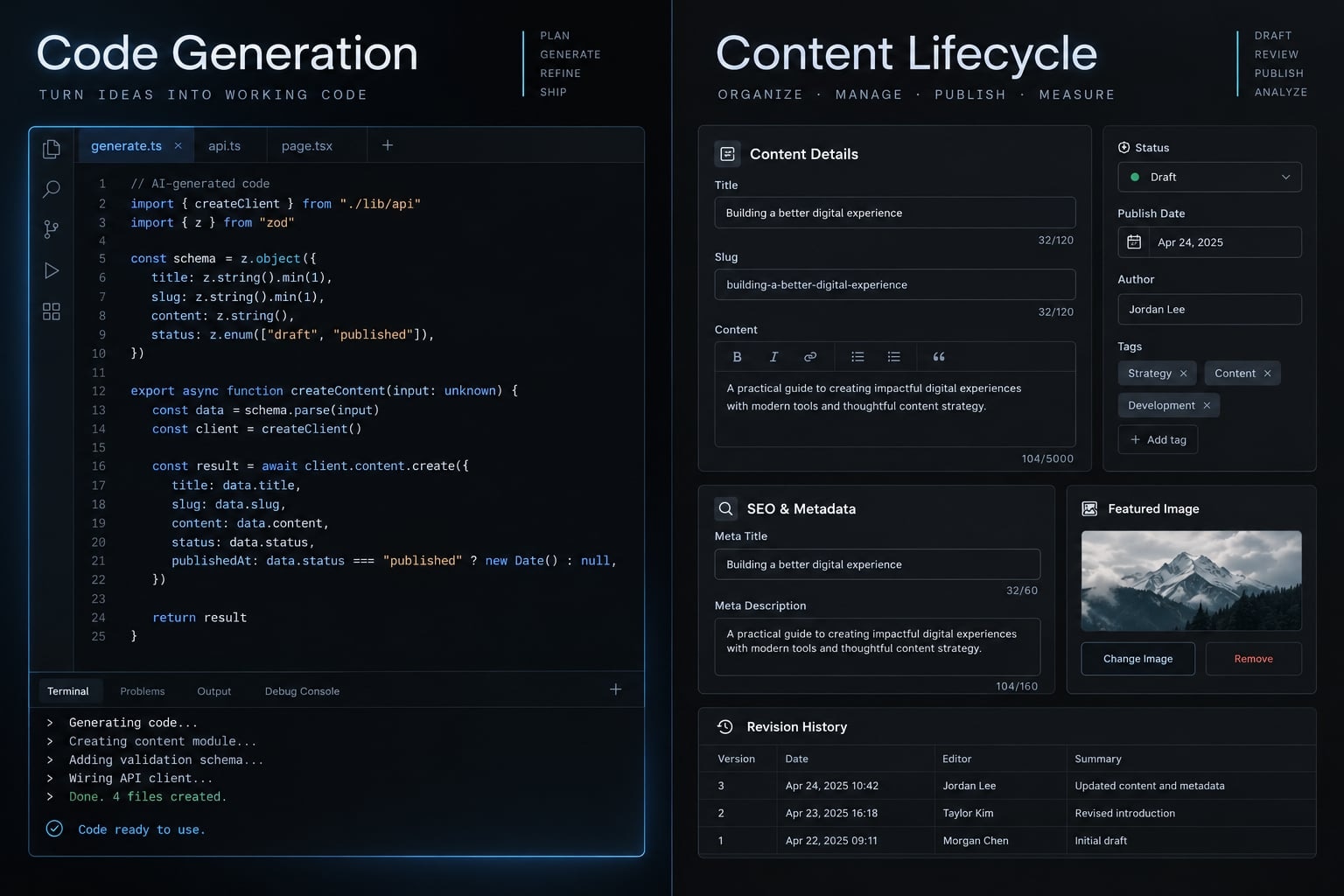
When you can vibe code a website without a CMS
A CMS-free website can be a deliberate, maintainable choice. Low editorial complexity matters more than whether AI generated the code. Flat files may be more economical when a technical owner handles infrequent changes.
Good CMS-free use cases
- B2B product proof of concept: Validate the proposition before investing in publishing infrastructure.
- Technical consultant portfolio: One capable owner controls occasional updates.
- Professional-services brochure site: Stable information needs few revisions.
- Internal operations utility: Application functions matter more than editorial publishing.
- Transactional or user-generated application: Its database already manages the relevant records.
- Temporary campaign landing page: Limited changes and approvals keep operations simple.
- Developer-maintained documentation: Contributors already use repository-based review.
An application database still needs security, ownership, and data governance. Temporary pages also require accountable review, especially for claims and tracking.
Five conditions that make CMS-free development reasonable
Use these conditions as a heuristic, not a scoring model:
- Editors are comfortable with the technical update process.
- Changes are infrequent or predictable.
- Approvals and access requirements are simple.
- Content reuse and localization are limited.
- A named maintainer owns the site throughout its expected lifespan.
A short lifespan helps but is not essential. Long-lived technical documentation can remain maintainable without a conventional CMS. One critical approval or compliance requirement can outweigh several favorable conditions.
Lightweight alternatives to a full CMS
Keep content separate from interface components:
- Markdown/MDX and JSON/YAML: Formats for storing text or structured records.
- Git-based content: Files tracked through version control.
- Astro or Eleventy: Site-building tools; a static site generator produces pages from templates and content.
- Git-based CMS: An editorial interface connected to repository content.
A Git-based CMS is still a CMS. Astro’s content collections documentation and Eleventy’s data documentation describe ways to organize file-based content. Editor access and future migration still require planning.
When a vibe-coded website still needs a CMS
Editorial autonomy is a business requirement, not an optional convenience. If routine publishing depends on engineering availability, the team needs a suitable content-management layer—not necessarily an enterprise platform.
Seven signs you need a CMS
- Nontechnical editors need routine access: Developer dependency slows ordinary changes.
- Contributors need different permissions: Unclear accountability increases publishing risk.
- Reviews or scheduled releases recur: Ad hoc coordination creates delays.
- Multiple languages require coordination: Disconnected copies produce inconsistent localized information.
- Information appears across multiple pages: Repeated manual updates drift apart.
- Changes need traceability and restoration: Weak revision controls complicate recovery.
- Content must survive redesigns: Layout-bound copy makes migration harder.
In the illustrative SaaS scenario, recurring campaign updates and localized product descriptions change the operating requirements. Marketing should not need a development ticket for every approved wording change. Content governance defines who owns, reviews, publishes, and retires that information.
What changes when a prototype enters production
Prototype assumption | Production requirement |
|---|---|
The founder changes everything | Named owners and controlled access |
Publish when the page looks right | Preview and defined approval |
Copy lives wherever convenient | Consistent content models |
Overwrite incorrect information | Traceable revisions and restoration |
One successful demonstration | Repeatable publishing and recovery |
A CMS addresses content operations. Testing, accessibility, monitoring, backups, and application security remain broader engineering responsibilities. A functioning interface proves neither operational reliability nor production readiness.
Role-based CMS requirements
Role | Priority requirements |
|---|---|
Founder/product lead | Ownership, sustainable cost, handoff |
Marketing manager | Preview, editing, scheduling, revisions, predictable publishing |
Editor/content lead | Validation, review states, clear assignments |
Developer | Stable models, testing, maintainable integrations |
Security/compliance owner | Access controls, traceability, retention requirements |
A traditional CMS can fit a website-centered team. A headless CMS, which separates content management from presentation, can fit custom interfaces and multiple delivery channels. Neither guarantees a good editorial workflow.
Evaluate preview, page composition, permissions, and publishing with actual editors. Content portability also depends on export support, media handling, schemas, and integration dependencies. Neither SEO, high traffic, nor page count alone establishes a CMS requirement.
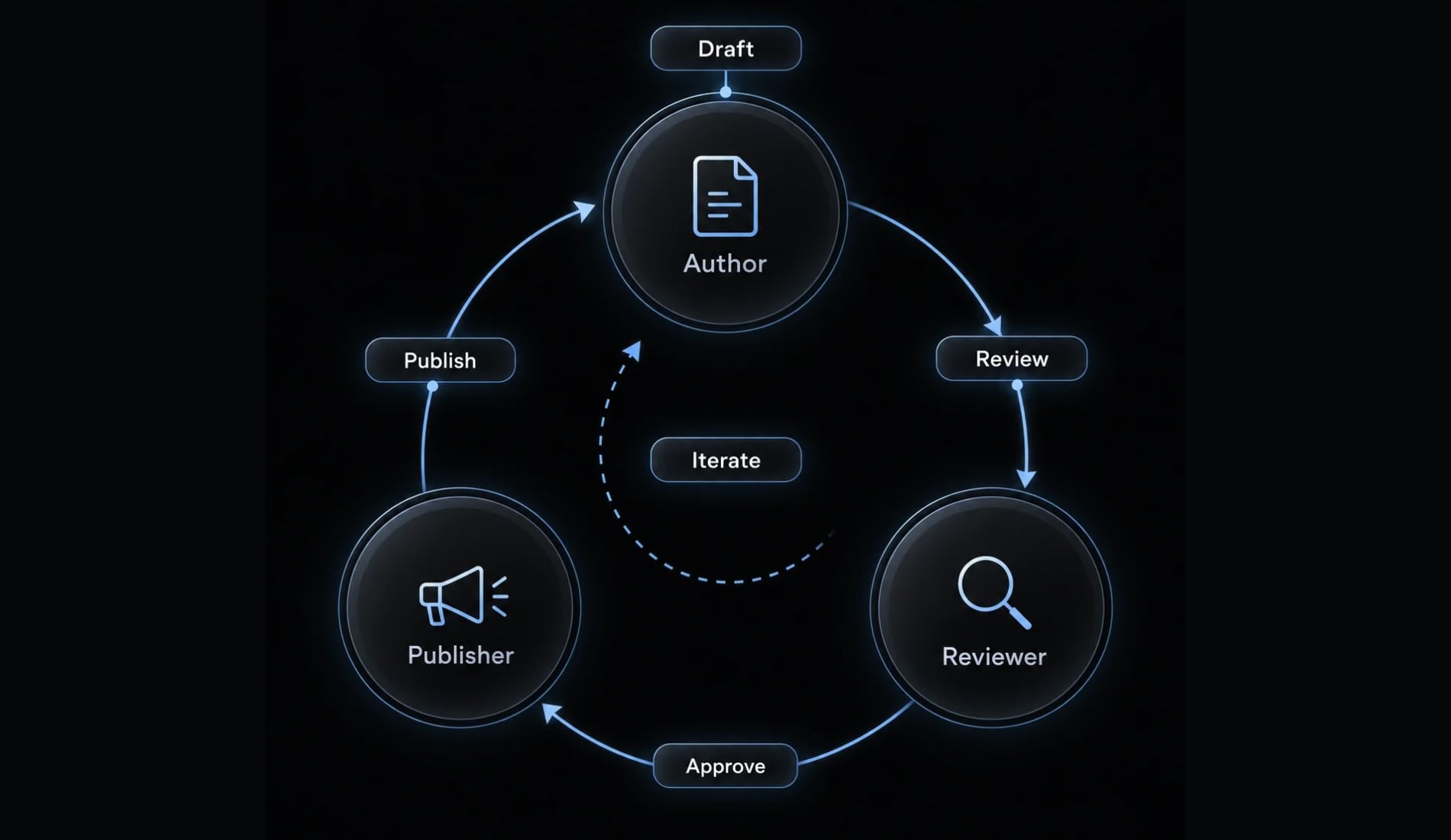
The real risk: Technical debt, not vibe coding itself
AI-generated code is not inherently disposable. Technical debt—shortcuts that increase future work—comes from weak architecture, missing validation, and unclear ownership. Human-written systems can develop the same problems.
How vibe-coded sites accumulate technical debt
Use problem → consequence → control to assess risk:
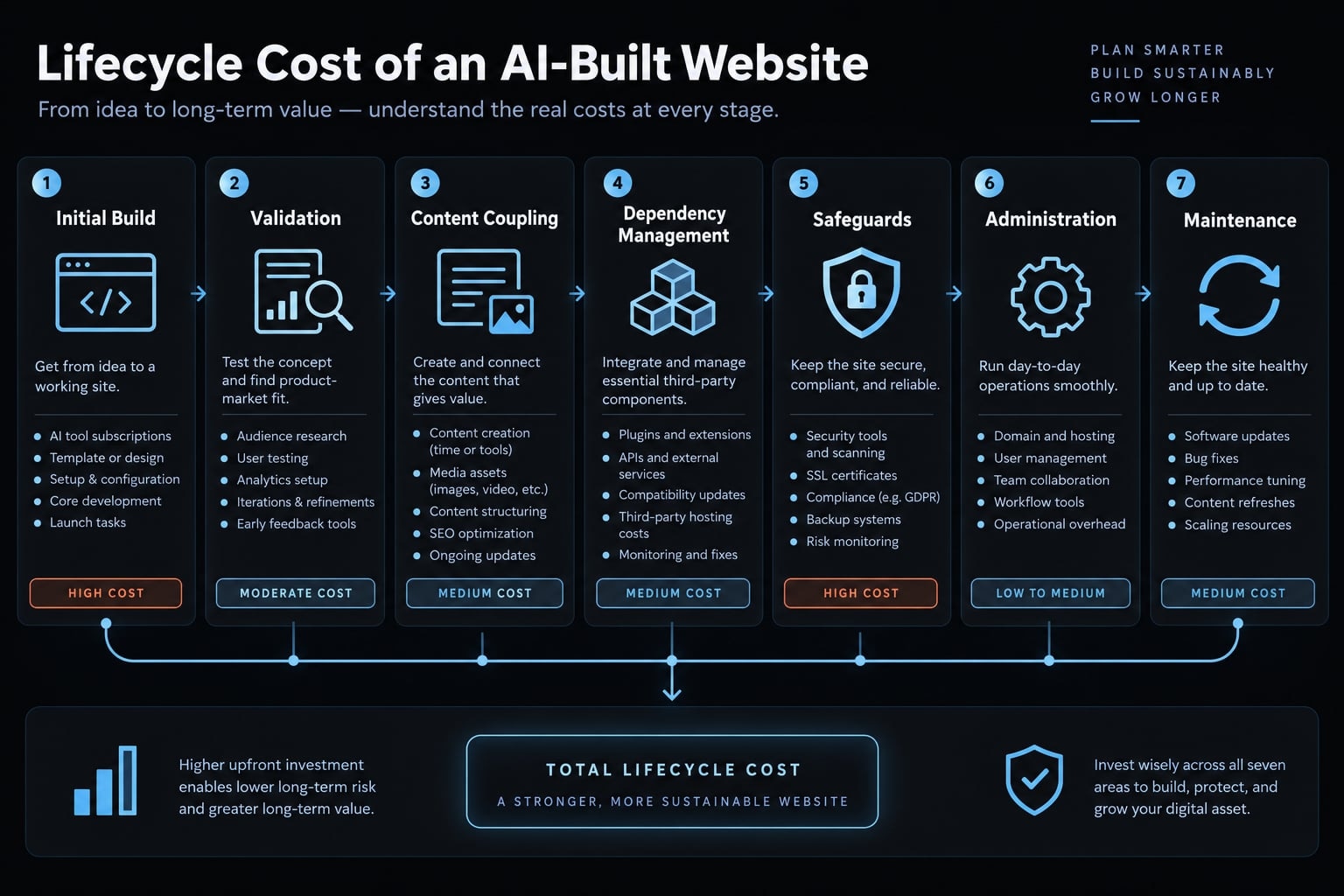
- Content coupling: Copy embedded in components or incompatible field changes → Accidental publishing regressions → Separate content and validate model changes.
- Code inconsistency: Duplicate components and conflicting dependencies → Fragmented fixes → Reuse reviewed components and manage versions.
- Missing safeguards: Absent tests, accessibility checks, or secret controls → Failures reach users → Automate checks and retain manual review.
- Ownership gaps: Undocumented custom administration → Nobody can safely maintain it → Assign maintainers and document recovery.
Illustrative failure: The SaaS team embeds product claims directly in generated page components. A later redesign restores outdated wording, disrupting a campaign launch. Separating approved content from presentation and reviewing content changes would reduce that risk.
Why a design system matters
A design system combines reusable components, design tokens—shared values such as colors and spacing—and interface rules.
Without shared rules | With a maintained design system |
|---|---|
Repeated custom elements | Reuse reduces fragmentation |
Inconsistent visual values | Tokens support consistent styling |
Scattered layout changes | Global updates become easier |
Unbounded generated variations | Known patterns guide review |
These benefits depend on correct implementation. A design system does not guarantee secure code, reliable integrations, or sound content governance.
The total cost of ownership test
Compare total cost of ownership over the same period, such as 12 months:
Initial build + hosting and licenses + content-update labor + testing and maintenance + training and handoff + migration + incident recovery.
Include CMS configuration and ongoing integration work. Compare actual publishing lead time and developer hours—not just subscription prices. Lower launch effort can conceal technical debt rather than remove it.
A practical decision framework for choosing the right CMS approach
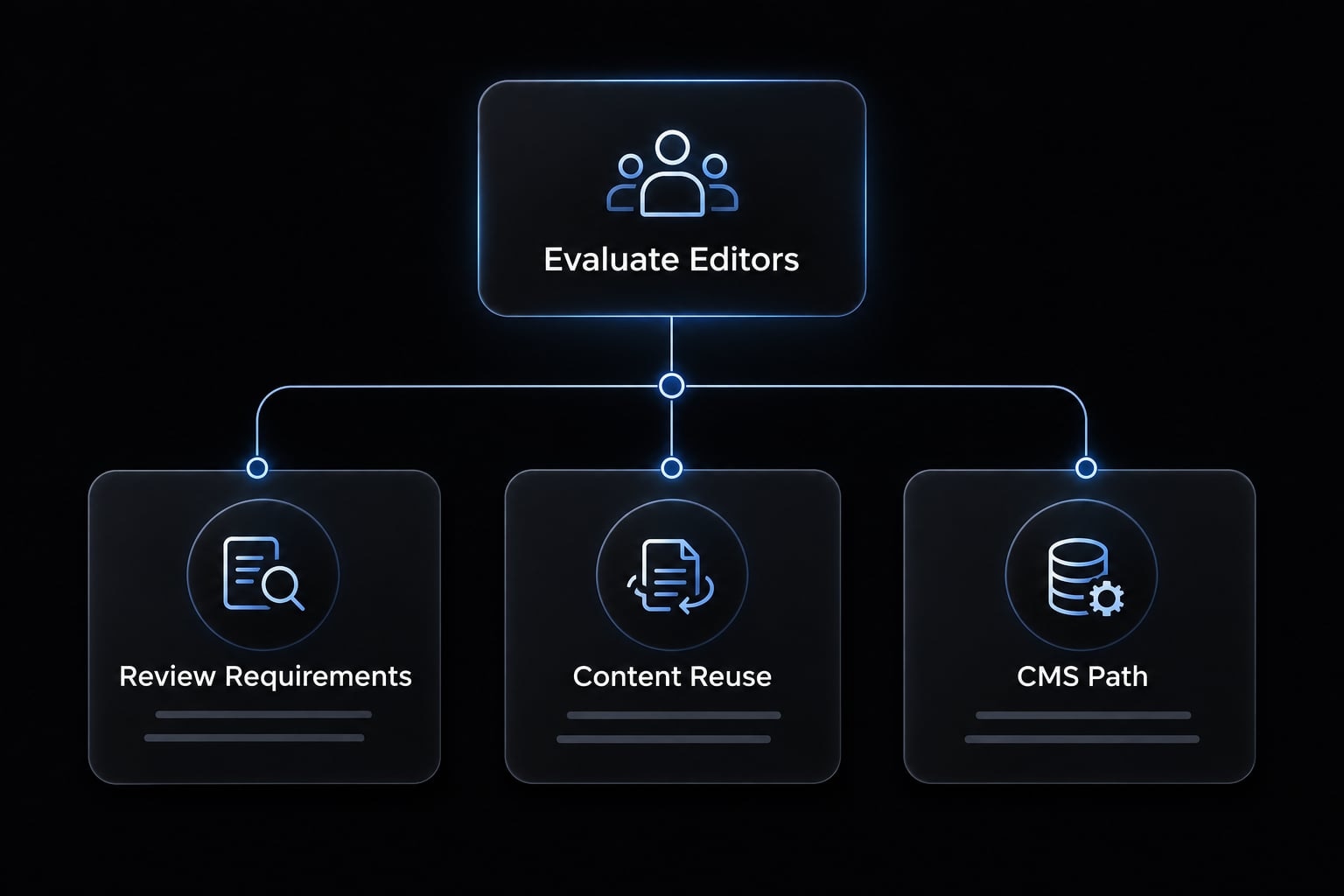
This CMS decision framework starts with seven factors: editors, publishing frequency, approvals, localization, content reuse, expected lifespan, and audit requirements. Evaluate those before comparing vendors.
Vibe code CMS decision matrix
Situation | Typical CMS need | Practical starting point |
|---|---|---|
Product proof of concept | Low | Separated content files |
Technical portfolio | Low | Files and repository review |
Small occasional-update site | Editor-dependent | Files or simple editing interface |
Temporary landing page | Low if changes/approvals limited | Reviewed template and files |
Developer documentation | Variable | Repository workflow; optional CMS |
Transactional application | Separate editorial need | Application database; assess marketing separately |
SaaS launch website | Variable | Traditional or headless, based on operations |
Recurring campaign publishing | Often substantial | Editor-friendly content layer |
Localized product website | Substantial | Validated localization workflow |
Multichannel content | Substantial | Structured content and delivery APIs |
Regulated organization | Control-dependent | Validate required controls; logs alone are insufficient |
Website expected to scale | Depends on editorial growth | Traffic alone does not require CMS |
The illustrative SaaS team moves toward an editorial system because publishing becomes collaborative—not simply because its audience grows.
Choosing the CMS category
Approach | Best fit | Strength | Evaluate carefully |
|---|---|---|---|
Files without CMS | Technical maintainers | Simple ownership | Editor dependence on engineering |
Git-based CMS | Repository-centered teams | Editing over versioned files | Workflow, media, build behavior |
Traditional CMS | Website-centered publishing | Integrated editing and delivery | Extensions, maintenance, flexibility |
Headless CMS | Custom or multichannel delivery | Presentation-independent content | Preview, composition, exports |
Code-first CMS | Developer-owned content models | Configuration alongside code | Editor experience and migrations |
Custom admin system | Narrow, unusual requirements | Tailored operations | Ownership, security, lifecycle cost |
The categories overlap: A code-first CMS can also be headless, and a traditional CMS can expose APIs—interfaces through which software exchanges data.
Headless architecture does not automatically make content portable. Git-based products vary in workflow depth, and custom administration is not always the most expensive option.
Recommended decision rule
- If technical owners handle simple updates, start with separated files.
- If marketers need independent publishing, prioritize a usable editorial interface.
- If approvals or auditability matter, validate enforceable controls before selection.
- If channels reuse information, choose structured content with suitable delivery APIs, often through a headless CMS.
- If requirements are unusual, compare custom development against existing capabilities and maintenance obligations.
Favor documented models and usable exports to preserve options. Before selecting an approach, have the actual editor perform a routine update, preview, approval, and rollback.
The hybrid model: Vibe coding for implementation, CMS for content operations
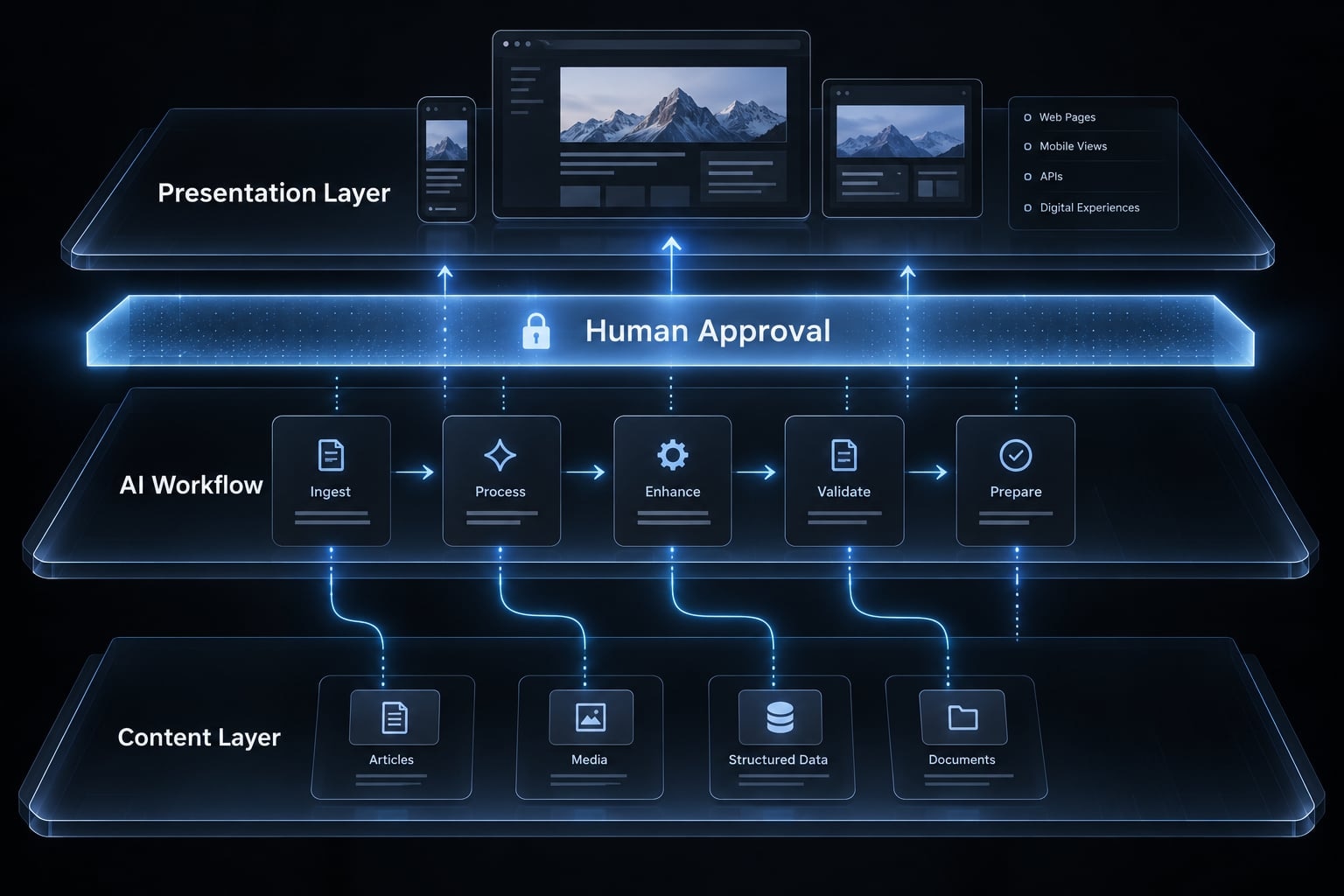
The hybrid model combines AI-assisted implementation with an editorial system. It preserves development speed without making prompt history the source of truth for published information.
The three-layer architecture
- AI development workflow: Planning, implementation, integration, testing, and review.
- Presentation layer: Reusable components, design tokens, and previews.
- Content layer: Schemas, assets, editing, permissions, and revisions.
The AI workflow is an implementation and control layer, not necessarily part of the live website’s request path. Here, “hybrid CMS architecture” describes this combination. It does not refer to a vendor category combining traditional and headless delivery.
Production guardrails for AI-built CMS integrations
A production-ready AI workflow is a goal requiring configured, enforceable controls. For AI CMS integration, check:
- Assign owners for code, content, and operations.
- Document schemas and validate content changes.
- Pin dependency versions and review updates.
- Separate development, staging, and production.
- Store secrets outside code; limit credential scope.
- Enforce permissions through tools and infrastructure—not prompts.
- Test templates, integrations, and publishing behavior.
- Combine automated accessibility checks with manual evaluation.
- Require human approval for agent-initiated publishing, destructive actions, and production releases.
- Test backups and rollback for content and application changes.
- Monitor failures and preserve useful change records.
Established, preapproved scheduled publishing need not require a fresh approval for every execution. Recovery procedures should identify who can act when publishing or deployment fails.
Frequently asked questions
Can vibe coding replace a content management system?
No. Vibe coding accelerates the development and interface-building process, but it does not inherently provide editorial features like role-based access, content versioning, approval workflows, or structured data management required for collaborative teams. A CMS manages content operations, while vibe coding builds the tools that display that content.
What is a "vibe code CMS"?
The phrase "vibe code CMS" is an informal term describing how developers use AI-assisted tools to scaffold websites or manage content infrastructure. It typically refers to building a custom admin or editing interface through AI prompts, integrating an existing CMS, or building a website without a conventional CMS at all.
When is it better to skip a CMS entirely?
You can skip a CMS if your contributors are comfortable with the technical update process, the content requires infrequent updates, and you possess the technical skill to modify the site directly. This is common for developer portfolios, prototypes, and purely functional internal tools where content does not outlive the initial code deployment.
Does vibe coding create technical debt for websites?
Yes, if not managed carefully. Only when review and ownership are weak — the same shortcuts produce debt in hand-written code. To mitigate debt, developers should enforce a design system, use structured schemas for content, and implement rigorous code review gates rather than relying solely on automated generation.
Why do collaborative teams still need a CMS?
Teams require a CMS to provide non-technical members with an interface for editing, scheduling, and approving content without touching the codebase. A CMS enforces schema consistency, handles media assets, manages localization, and provides audit trails, which are essential for maintaining operational safety and business continuity.
What is the difference between Git-based CMS and Headless CMS?
A Git-based CMS stores content as flat files (like Markdown) directly in your repository, making it ideal for developer-centric workflows. A Headless CMS manages content in a separate database, providing a dashboard for editors and an API for delivery, which is typically better for multi-channel publishing and complex editorial teams.
Read more:
- Vibe coding benefits: Uses, risks and best practices
- How to vibe code an AI agent: Build prototypes to production
- Vibe coding error tracking: Fix AI-generated bugs efficiently
Conclusion
AI-driven "vibe coding" revolutionizes web development by dramatically speeding up site creation, but it cannot eliminate the need for robust content management. While prompting can scaffold pages and build interfaces in minutes, long-term operations still demand structured workflows, role-based controls, version histories, and collaborative publishing.
Ultimately, AI replaces manual implementation, not content governance, making a hybrid approach that leverages AI for development and a dedicated CMS for content operations the most effective strategy for modern web teams.