Portable agent skills: A guide to reusable AI capabilities
Portable agent skills: A practical guide to reusable AI capabilities
Consider a team copying the same release-review procedure between two coding assistants. Portable agent skills can reduce duplicated instructions, but moving the files does not automatically preserve execution behavior. One assistant finds the procedure; another misses its folder. A third can read the checklist but cannot access the required tools. Meanwhile, copied instructions drift apart.
The practical solution is to package the procedure clearly, document its dependencies, and test the receiving environment. This guide explains the format, provides a minimal example, and shows how to validate reuse. The central distinction is straightforward: a skill carries the procedure; the client controls discovery, permissions, and execution.
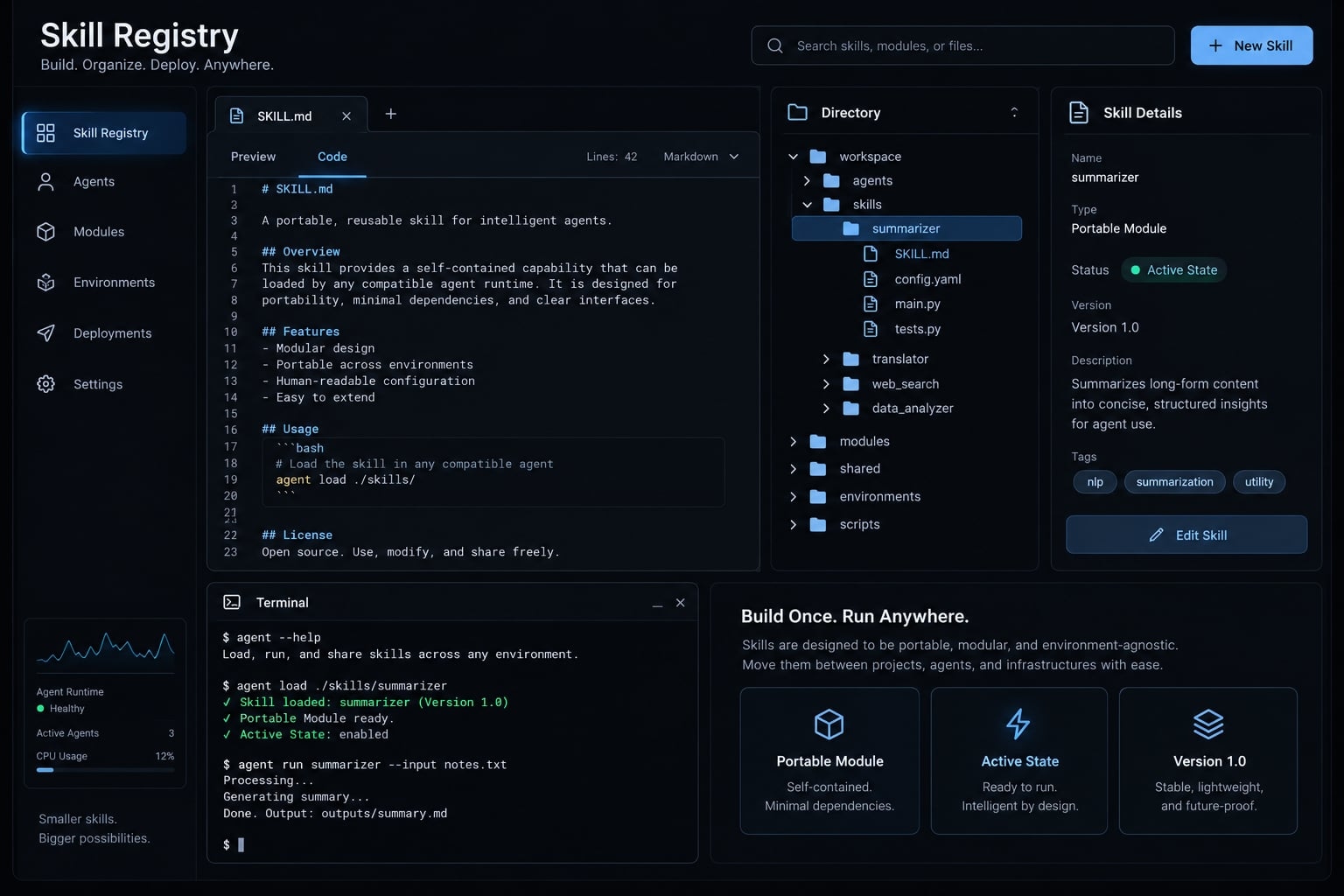
What are portable agent skills?
Portable agent skills are packages of reusable instructions and optional supporting resources that give an existing AI agent a defined capability. A compatible client can discover and load the package, then apply its procedure using available tools. Portability depends on both format support and the receiving environment’s execution constraints.
The official Agent Skills specification describes the package structure. It does not supply a complete agent runtime-the software responsible for running the agent and its tools. Version control is recommended maintenance practice, not a format requirement.
The Four characteristics of a portable skill
- Discoverable: Metadata helps a compatible client identify relevant capabilities. Installation locations remain client-specific.
- Self-contained: The procedure and bundled materials travel together. External tools or runtimes may still be necessary.
- Environment-aware: Dependencies and limitations are explicit, including what happens when a check cannot run.
- Reusable: Instructions describe a repeatable task rather than one conversation’s temporary context.
Portable skill vs. Reusable prompt
Attribute | Reusable prompt | Portable skill |
|---|---|---|
Packaging | Typically an instruction text or template | A directory centered on SKILL.md |
Discovery | Often pasted or explicitly selected | Metadata supports client-specific discovery |
Supporting files | Can reference attached resources | Can bundle references, assets, and scripts |
Task complexity | Can support simple or multi-step tasks | Useful for procedures with reusable materials |
Maintenance | Can be versioned and tested | Package and behavior can be versioned and tested |
A pasted release-review prompt may be sufficient for occasional use. A skill becomes useful when the procedure, policy, and report template need to move together.
Anatomy of a portable agent skill
SKILL.md is the required entry point. Supporting directories are optional; include them only when they make the procedure easier to maintain.
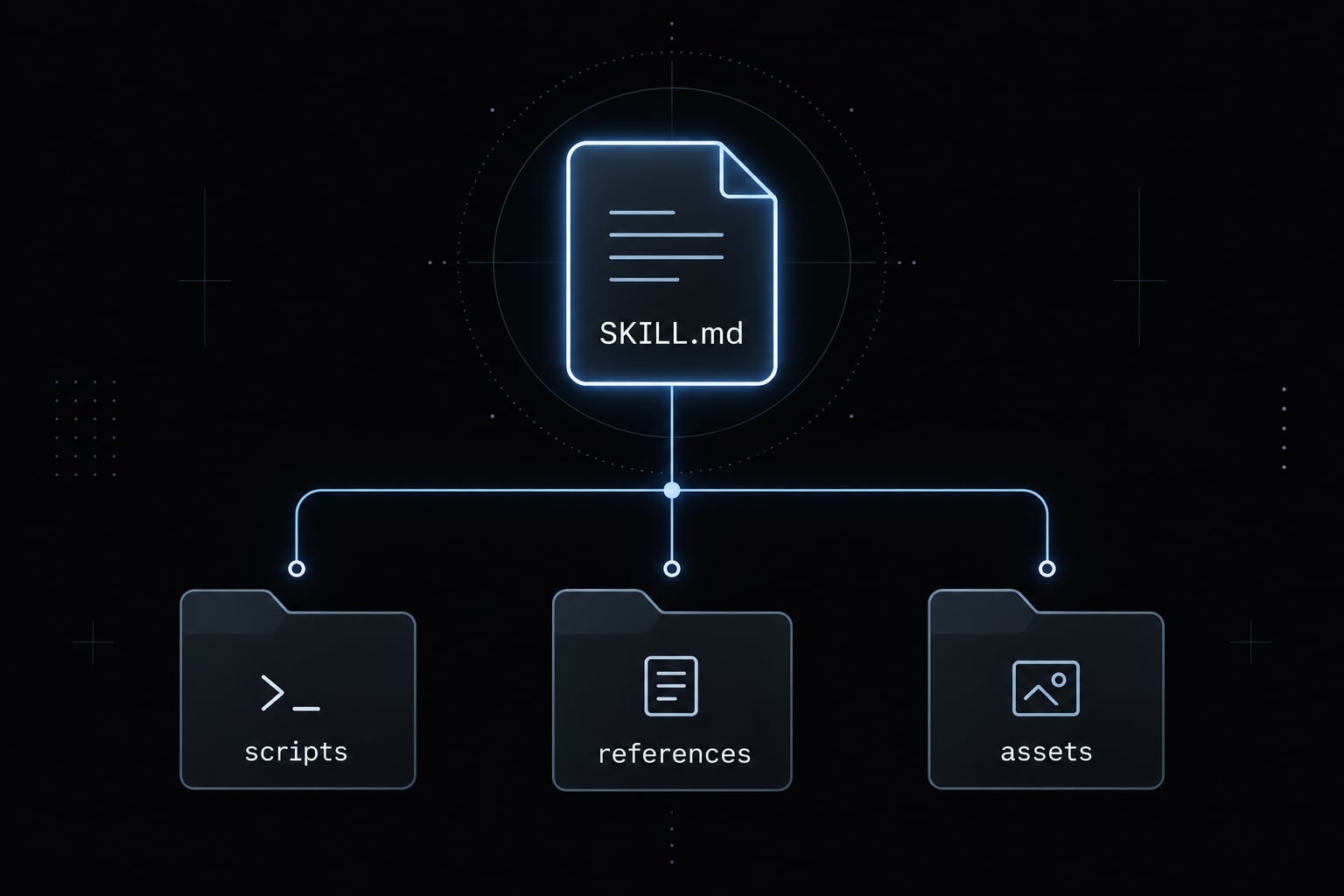
Recommended directory structure
release-readiness/├── SKILL.md├── scripts/├── references/└── assets/
SKILL.md: Metadata and the review procedure.scripts/: Optional executable checks.references/: Policies and supporting documentation.assets/: Reusable templates or output materials.
This is a recommended package layout, not a universal installation path.
Minimum SKILL.md example
The following illustrative, untested example works as a single-file starting point. It references no missing resources and requires no Python installation.
---name: release-readinessdescription: Review supplied release evidence against explicit release criteria and produce a readiness report. Use before a release decision; not for deploying or publishing.---# Release readiness## InputsRequire a target release identifier, release criteria,and supporting evidence. Ask for missing inputs.## Procedure1. Confirm the target release and evidence scope.2. Evaluate each supplied criterion against its evidence.3. Mark each criterion: - PASS: sufficient evidence shows the criterion is met. - FAIL: evidence shows the criterion is not met. - NOT RUN: evidence or required access is unavailable.4. List blockers and unresolved questions.5. Report READY only when every required criterion passes. Otherwise report NOT READY.## Report- Target release- Overall decision- Criterion | Required/optional | Status | Evidence- Blockers and unresolved questions- Optional checks not run## BoundariesDo not deploy, publish, or modify release artifacts.Do not invent evidence or treat unavailable checks as passed.
To expand it, add package-relative references such as references/release-policy.md only after supplying those files. Verify how the client resolves their paths. The no-deploy instruction expresses intended behavior. Actual permissions must enforce the boundary.
Required and optional metadata
The Agent Skills specification defines YAML frontmatter-the metadata block between --- delimiters-as follows:
Field | Status | Purpose and constraints |
|---|---|---|
name | Required | 1–64 characters; lowercase letters, numbers, and hyphens. No leading, trailing, or consecutive hyphens; must match the directory name. |
description | Required | Nonempty string, up to 1,024 characters; explains the task and when to use it. |
license | Optional | License name or reference to bundled license terms. |
compatibility | Optional | String of 1–500 characters describing environment requirements. |
metadata | Optional | Mapping of string keys to string values for additional metadata. |
allowed-tools | Optional, experimental | Space-delimited tool list; support and enforcement vary by client. |
A license declaration must reflect actual reuse rights, including bundled materials. Adding optional metadata does not make dependencies available or establish a security sandbox.
How progressive disclosure keeps skills efficient
Progressive disclosure means loading detail when needed, rather than placing every procedure and reference into the agent’s context immediately. The Agent Skills documentation describes this staged approach; actual loading behavior depends on the client.
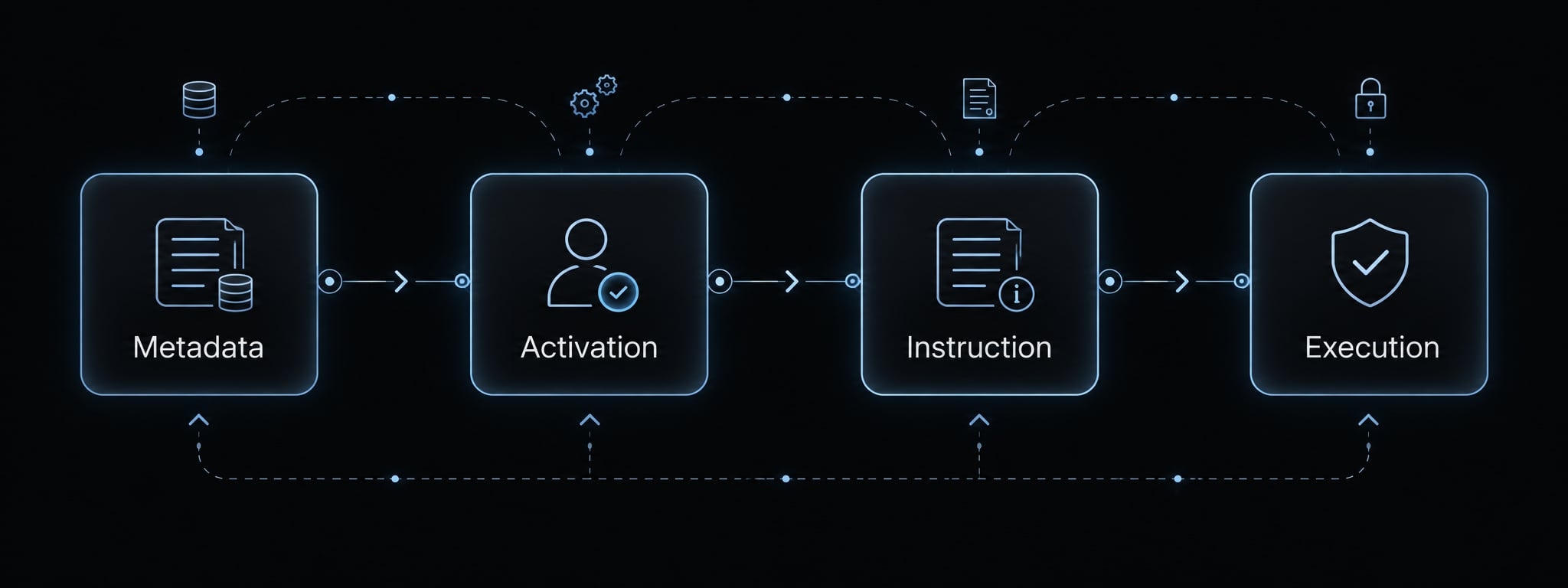
The Four-stage skill lifecycle
This simplified model explains the responsibilities, not four mandatory runtime events:
- Advertise: Make lightweight metadata available for discovery.
- Activate: Select the skill automatically, through user invocation, or another supported mechanism.
- Read: Load instructions and relevant supporting resources.
- Execute: Perform permitted actions, if tools or scripts are needed.
Execution is optional. A review based entirely on supplied documents may require no executable tools.
Why skill descriptions matter
- Weak: “Helps with releases.”
- Strong: “Review release evidence against supplied readiness criteria before a release decision. Produce a blocker report; do not deploy or publish.”
The stronger description identifies the task, timing, and exclusion. Vague descriptions increase the chance of false activation or missed activation. Descriptions guide selection; they do not guarantee it. Test both relevant requests and unrelated requests.
Context-efficiency guidelines
- Keep the main procedure focused.
- Move long policies into reference files.
- Load only resources relevant to the current task.
- Use reviewed scripts for suitable deterministic checks.
- Avoid embedding an entire knowledge base.
Scripts can make a particular calculation repeatable. They do not make the agent’s overall judgment deterministic or automatically reduce total cost.
Agent skills vs. Prompts, MCP, plugins, agents and workflows
These components solve different problems. Choose the simplest component that meets the requirement, then add others only when their responsibilities are necessary.
Decision table
Requirement | Starting point | Reason |
|---|---|---|
Reuse a concise instruction | Prompt | No additional package is needed. |
Reuse a procedure with supporting materials | Agent Skill | Instructions and resources stay together. |
Expose tools or contextual resources to clients | MCP server | Provides protocol-based access to supported capabilities. |
Distribute related extensions within an ecosystem | Plugin | Uses that ecosystem’s installation and packaging conventions. |
Enforce ordered steps, retries, or resumability | Workflow engine | Can implement explicit execution controls. |
Build specialized runtime behavior | Custom agent | Provides control over agent logic and tool use. |
MCP (Model Context Protocol) standardizes interactions through which clients access tools, resources, and other supported capabilities. Official Model Context Protocol documentation separates these capabilities; MCP is not simply a collection of API credentials.
Workflow reliability depends on controls actually implemented. A custom agent does not necessarily include persistent memory.
The interoperability stack
Think of these as complementary responsibilities:
- Skill: How to perform the procedure.
- MCP: Access to services, tools, and context.
- Plugin: Distribution where supported.
- Catalog or registry: Package discovery.
- Client runtime: Permissions and execution.
This is not a mandatory dependency stack. A standalone skill can work without MCP, a registry, or a plugin.
When a plugin is unnecessary
If users only need a procedure and its bundled materials, distribute the skill directly. Add a plugin wrapper when a specific ecosystem’s installation, update, or lifecycle requirements justify it-not merely to add another packaging layer.
What is and is not portable across agent clients
Structural validity is not operational portability. The files may transfer successfully while discovery, tool access, or permission handling fails.
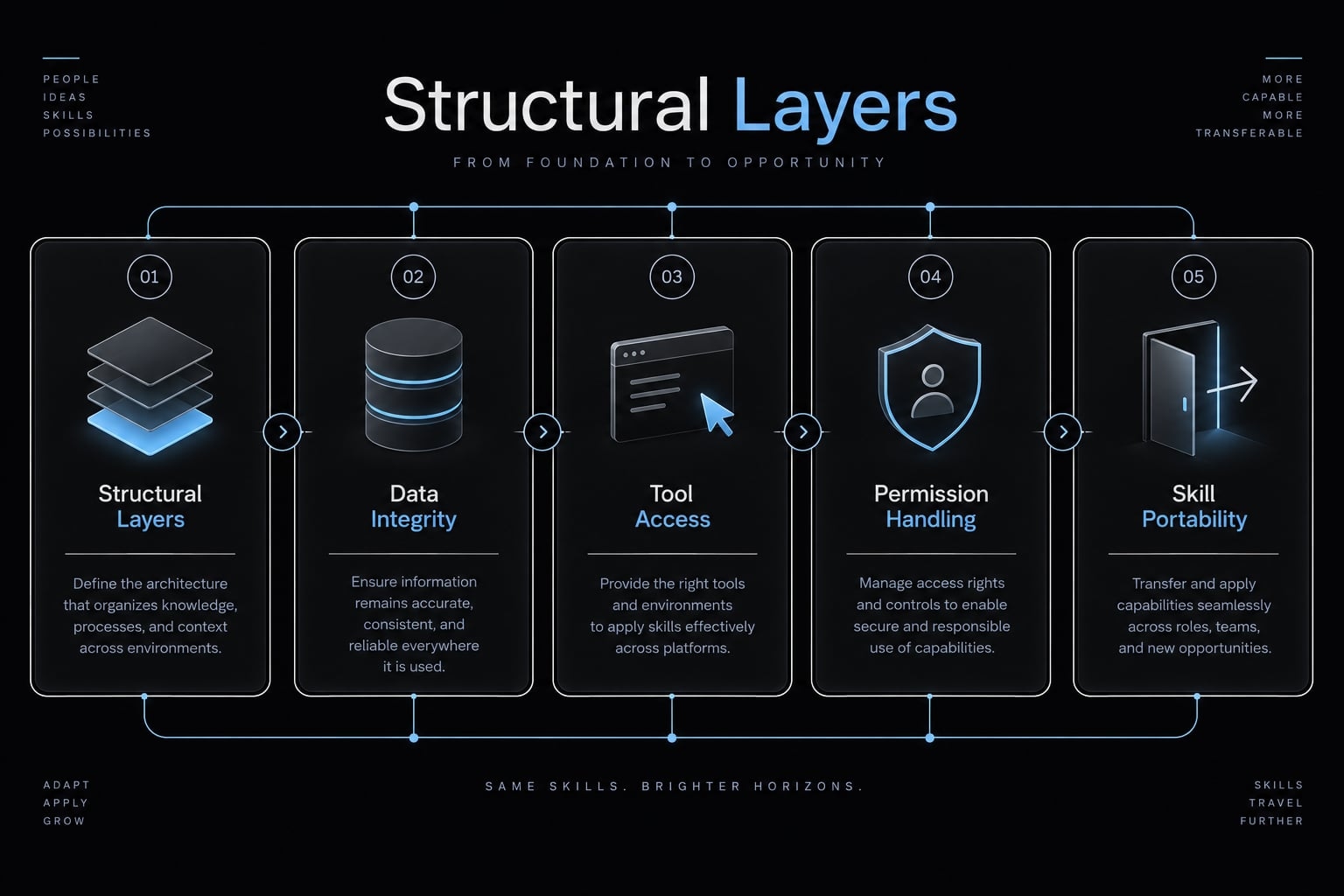
The Five layers of portability
This practical review framework is not an official conformance standard.
Layer | What to assess | Representative failure |
|---|---|---|
Structure | Entry point and valid metadata | Invalid frontmatter prevents loading. |
Instructions | Clear, client-independent procedure | Review assumes an unavailable named tool. |
Resources | Included files and resolvable paths | Release policy reference is missing. |
Execution | Dependencies and permitted actions | Optional Python check cannot run. |
Governance | Approval and accountability controls | Required execution restriction is absent. |
Portable components
Transferable components typically include:
- Standard metadata and Markdown instructions.
- Relative resource organization.
- References and templates.
- Scripts with documented dependencies.
MCP configuration needs separate treatment. Protocol support does not make every client’s connection configuration interchangeable.
Client-owned behaviors
Clients determine installation, updates, approval interfaces, tool availability, sandboxing, network access, logs, and error reporting. Extensions such as hooks or commands may also be client-specific.
Not every client exposes every control. Check the relevant product documentation and version.
Compatibility matrix to verify before claiming support
No named-client test results are asserted here. Use this verification checklist for each intended environment.
Capability | Verification question | Initial evidence status |
|---|---|---|
Discovery | Does the client find release-readiness? | Not tested |
Required metadata | Does it accept the frontmatter? | Not tested |
Resource access | Can it resolve bundled relative references? | Not applicable to the minimal example |
Optional scripts | Can checks run with permitted dependencies? | Not applicable to the minimal example |
MCP | Is any required integration supported and configured? | Not applicable to the minimal example |
Permissions | Are consequential actions actually restricted? | Not tested |
Logs | What activity and failures are observable? | Not tested |
Use Documented, Tested, Not tested, Unsupported, or Not applicable for evidence status. “Tested” must link internally to an actual outcome, not imply success.
How to build and validate a portable agent skill
Build portable agent skills around one bounded procedure, then validate package correctness separately from behavior.
- Choose a capability.
- Write activation metadata.
- Define effective instructions.
- Separate supporting resources.
- Remove environment assumptions.
- Test compatible clients.
- Version and release.
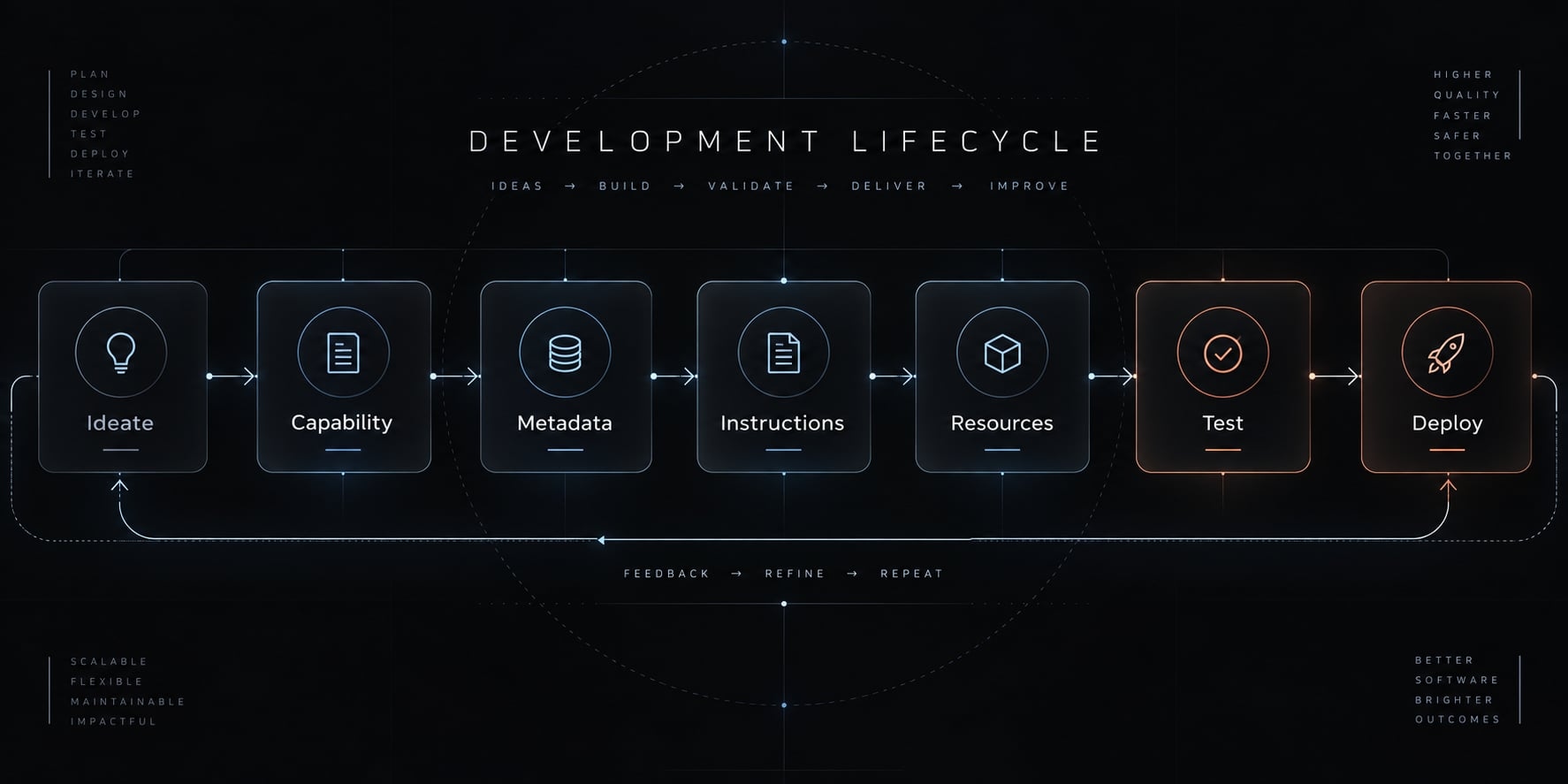
Step 1: Choose one bounded capability
For release-readiness, define:
- Trigger: A request for a pre-release review.
- Inputs: Release identifier, criteria, and evidence.
- Procedure: Compare evidence against each criterion.
- Output: Readiness decision, statuses, and blockers.
An SEO content brief is another bounded capability; “manage marketing” is not.
Step 2: Write precise activation metadata
Choose a stable, compliant name. Describe the task, usage context, and exclusions, following the stronger description in Section 3.
Confirm that the directory name matches name.
Step 3: Write the minimum effective instructions
Specify inputs, sequence, decision criteria, report format, approval boundary, and missing-information behavior.
Separate required criteria from optional recommendations. An unavailable required check blocks readiness; an unavailable optional check remains visibly NOT RUN.
Step 4: Separate references, assets and scripts
Component | Purpose | Avoid |
|---|---|---|
References | Policies and explanatory material | Duplicated, conflicting rules |
Assets | Templates and reusable output files | Unnecessary executable content |
Scripts | Deterministic checks | Undocumented side effects |
Step 5: Remove environment-specific assumptions
Check relative paths, working directories, runtimes, packages, network needs, credentials, and client-specific tool names.
Do not assume scripts execute from the skill directory. Document invocation and path resolution. Remove bundled secrets and hidden filesystem dependencies.
Step 6: Test in more than one compatible client
Skill validation requires positive and negative tests:
- Discovery and correct activation.
- Non-activation on unrelated requests.
- Resource loading and optional script behavior.
- Missing resources or runtime dependencies.
- Permission denial.
- Output against acceptance criteria.
Record PASS, FAIL, or NOT RUN for each test. Compare required report elements and decisions-not identical wording.
For example, unavailable Python should leave an optional version check unexecuted and reported honestly. It must not produce fabricated success. This is an expected test condition, not a reported test result.
If only one client was tested, limit the support claim accordingly.
Step 7: Version, document and release
Record an owner, source repository, release identifier, changelog, compatibility notes, limitations, and rollback guidance where needed.
These are release practices. They do not require inventing a top-level version field in SKILL.md.
Security, governance and real-world application
Skills are supply-chain artifacts: acquired instructions and code that can influence agent behavior. Review the whole package, not just its description.
Primary risk categories
Risk | Example | Control and limitation |
|---|---|---|
Instruction poisoning | Text attempts to redirect the agent or extract data. | Review instructions and preserve trust boundaries; static review cannot prove safety. |
Untrusted code | A check modifies unrelated files. | Restrict filesystem, process, and network access through actual runtime controls. |
Excessive permissions | A reviewer can deploy. | Apply least privilege: only necessary permissions. |
Secret exposure | Tokens enter reports or logs. | Limit secret access and redact output. |
Dependency compromise | A dependency executes malicious code. | Review and pin dependencies; pinning alone does not establish safety. |
Version drift | Teams use conflicting release criteria. | Track revisions and review updates. |
Unclear provenance | The package’s origin is unknown. | Verify source and signatures through a trusted process; origin is not proof of benign behavior. |
Malicious instructions may attempt to manipulate behavior. They do not legitimately override organizational or higher-priority instructions.
Portability and security checklist
- Review
SKILL.mdand every bundled file. - Verify skill provenance, license, and revision.
- Document dependencies.
- Apply least privilege.
- Use sandboxed execution with verified isolation controls.
- Inspect available logs without exposing secrets.
- Require enforced approval for consequential actions.
- Isolate failures.
Failure isolation means stopping the affected operation without continuing to deployment, publishing, or unrelated external actions.
If the client cannot log activation or resource reads, document that visibility gap. Security controls reduce risk; they do not eliminate it.
Frequently asked questions
What are portable agent skills?
Portable agent skills are standardized, self-contained packages of instructions and resources that allow AI agents to perform specialized tasks. By following an open format, these skills enable agents to reuse procedures, domain knowledge, and helper scripts across different platforms and development environments consistently.
How do portable agent skills differ from standard AI prompts?
While a standard prompt is often ephemeral and context-dependent, a portable skill is a structured package. It includes metadata, clear behavioral boundaries, and optional supporting files like scripts or documentation, making the capability version-controlled, reusable, and easier to test across multiple agent clients.
Can I use portable agent skills with the Model Context Protocol (MCP)?
Yes. Agent skills and MCP are complementary. Skills provide the procedural instructions and domain expertise, while MCP provides the standardized protocol for connecting agents to live tools, databases, and external data services. You can bundle both components into a single package for comprehensive agent capabilities.
Why do some portable agent skills fail to work across different clients?
Even with a standardized format, clients retain control over their specific execution environment. Portability issues often arise from differences in client-side permissions, sandboxing policies, local tool availability, or the degree to which a specific client implements support for optional features like script execution.
How can I ensure the security of third-party portable agent skills?
Security requires a layered approach. Always review the SKILL.md file and bundled scripts for malicious intent, use private, audited registries for enterprise deployments, and ensure your agent runs skills within isolated, sandboxed environments to limit network and filesystem access during execution.
Do I need a plugin system to use portable agent skills?
No. While plugins can help with distribution and installation, a portable skill is functional on its own as a directory of files. You should only introduce a plugin wrapper if you have specific needs for packaging multiple related components together or require a standardized distribution mechanism.
Read more:
- AI backend development workflow: 8 steps for reliable code
- Project-aware AI coding: A complete guide and evaluation
- AI generated code review checklist: A pre-merge guide
Conclusion
Portable agent skills make procedures easier to share by packaging instructions, metadata, and supporting resources. Reliable reuse still depends on discovery, available dependencies, permission controls, and observed behavior in each intended client.
A valid SKILL.md establishes a structural starting point. It does not prove that references resolve, scripts execute, or approvals are enforced. Package reuse and consistent behavior are related but separate outcomes. Document both, and keep unavailable checks visibly marked as not run.
Start with one low-risk capability, such as the read-only release-readiness review above. Create the minimal package, define acceptance criteria, and validate it across your intended clients before adding scripts or external integrations. Expand only when the added capability has a clear purpose and a testable boundary.