AI frontend development workflow: A practical guide to ship code
AI frontend development workflow: A practical process from planning to production
Faster code generation still leads to slower delivery if review and correction costs spiral. An effective AI frontend workflow must produce clear, verified changes rather than just high code volume. Designed for developers and technical founders, this guide provides a repeatable framework, copy-ready templates, and release gates from feature definition to production testing, ensuring AI accelerates implementation while human oversight retains control.
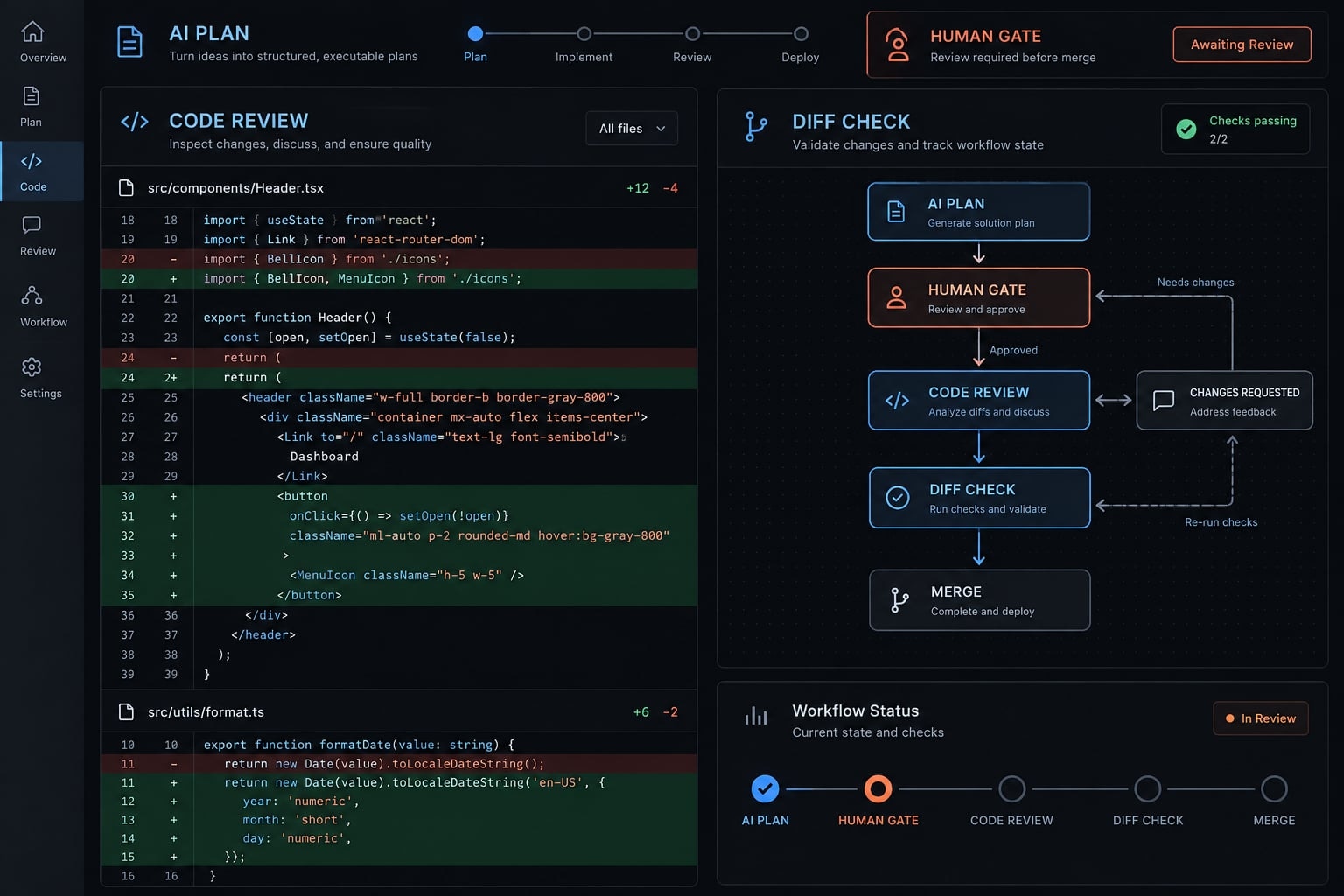
What an effective AI frontend development workflow looks like
An AI frontend development workflow is a repeatable process that uses AI to clarify requirements, propose implementation plans, and make bounded interface changes within an existing codebase. It combines relevant repository context, incremental implementation, automated checks, browser validation, and human approval so generated code becomes reviewed, maintainable software rather than unverified output.
Use this eight-action sequence:
- Define the feature and acceptance criteria.
- Prepare focused repository context.
- Request and approve an implementation plan.
- Build small, reviewable UI increments.
- Integrate data, state, and edge cases.
- Validate behavior and frontend quality.
- Review, release, and verify the change.
- Record findings and update reusable instructions.
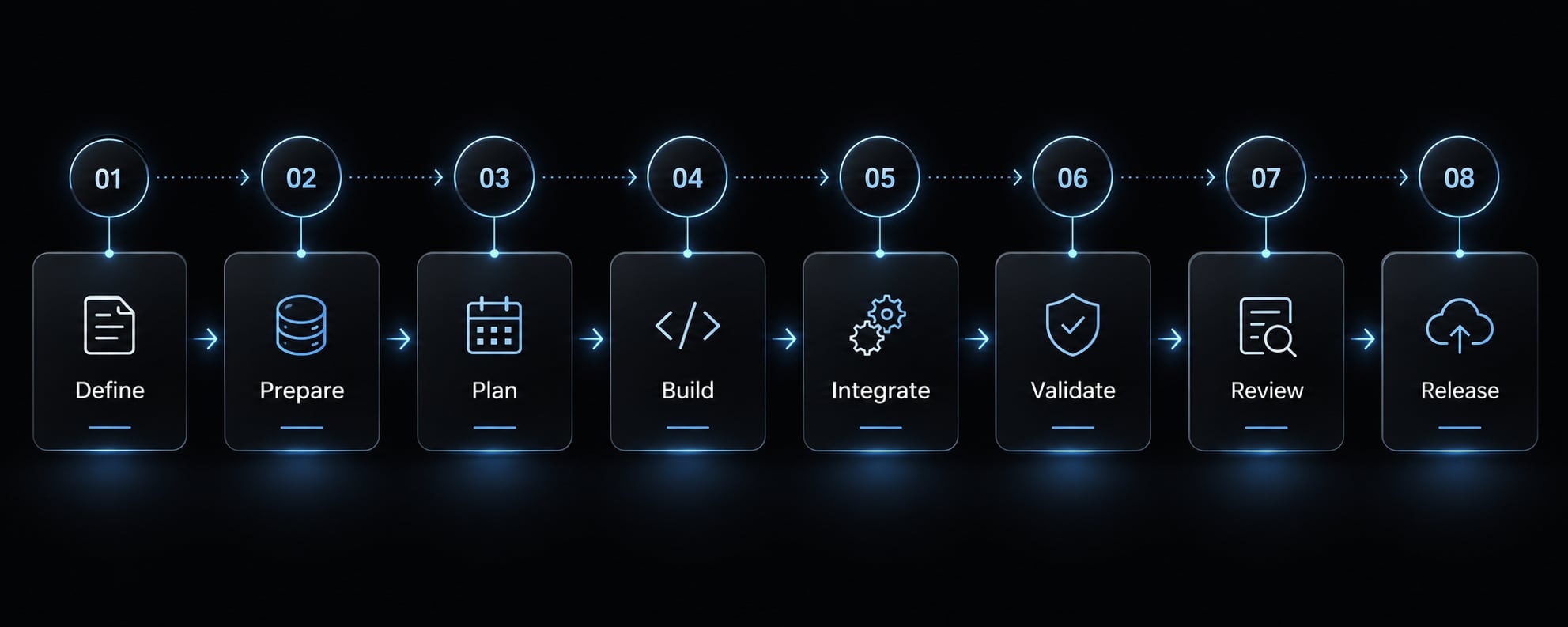
The four phases below group these actions into practical work sessions. Unlike one-shot generation, each phase produces something inspectable before the next begins.
The division of responsibility between AI and the developer
AI-supported task | Developer-owned decision |
|---|---|
Surface requirement gaps | Resolve product behavior and user experience |
Propose component architecture | Approve boundaries and design-system reuse |
Implement scoped changes | Understand correctness, privacy, and security implications |
Generate and execute tests | Decide whether coverage verifies intended behavior |
Identify review concerns | Assess findings and accept or reject changes |
Draft documentation and release notes | Approve release, verify production, and maintain instructions |
Accessibility and security remain human responsibilities even when an AI coding assistant supplies checks or explanations.
Human approval gates
- Requirements approved; material ambiguities resolved.
- Relevant context and edit boundaries verified.
- Implementation plan approved.
- Each meaningful diff - the set of code changes - reviewed.
- Required checks passed and manually assessed.
- Merge and release approved by a human owner.
A solo developer can perform these checkpoints; they are not necessarily independent reviews. Repository instructions guide AI behavior but do not substitute for security boundaries. Enforce control using tool permissions, branch protection rules, and mandatory code reviews.
Phase 1: Define the feature before asking AI to write code
“Add customer search” leaves essential behavior undefined. Who can search? What happens when requests fail? Does changing the query reset pagination?
A bounded request might specify: authorized support users can search customers by name, navigate results, and recover from failed requests. Loading, empty, error, and permission states must be defined. Customer editing and export remain out of scope.
This is spec-driven development: Agree on observable behavior before implementation. The customer-list examples in this guide are strictly illustrative and do not reflect production data or executed client work.
Minimum frontend feature brief template
Feature:User objective:Primary user actions:Required UI states:Responsive requirements:Accessibility requirements:Data source or API:Acceptance criteria:Out of scope:Definition of done:
Acceptance criteria describe feature-specific behavior. Example: “Submitting a new search resets the page to one; clearing the query restores the unfiltered list.”
The definition of done captures shared delivery requirements: required tests, accessibility review, approved code review, release approval, and production verification.
For required UI states, consider loading, empty, error, success, disabled, and permission-related behavior. Include only applicable states, but explain omissions when they affect user expectations.
Accessibility requirements should describe interactions, not just say “accessible.” Specify a labeled search field, keyboard-operable controls, visible focus, and understandable status feedback.
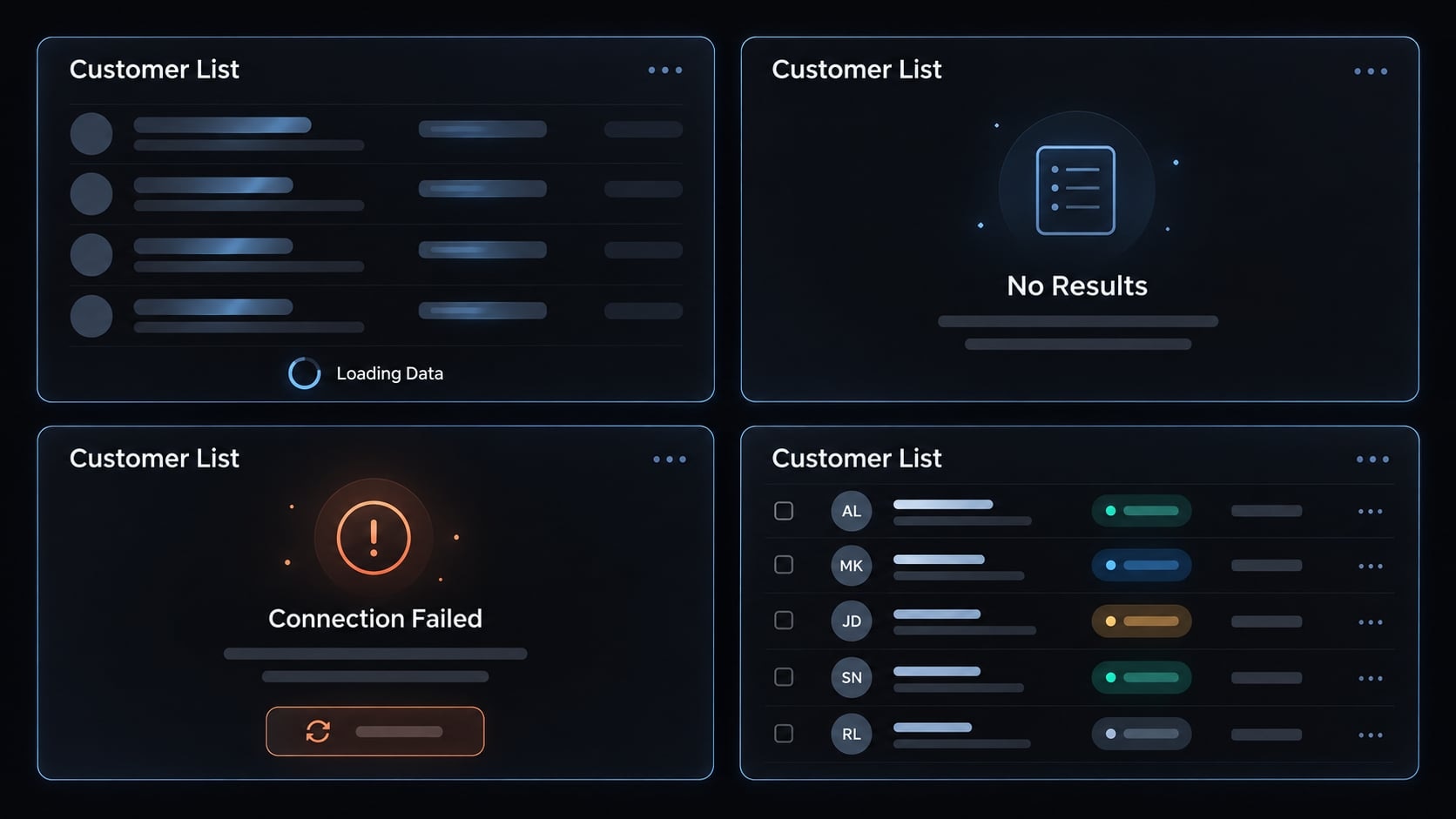
Ask AI to clarify, not assume
Use this instruction before requesting code:
List missing requirements, risky assumptions, and edge cases. Do not change architecture, shared components, or dependencies. Wait for approval where uncertainty materially affects behavior or scope.
Copy this brief into your next feature ticket. Resolve decisions about permissions and failure handling before implementation begins.
Phase 2: Give AI the minimum complete codebase context
Codebase context is the project information needed to implement a change correctly: stack, relevant files, approved patterns, interfaces, commands, and constraints. Useful context is current and relevant - not merely extensive.
For customer search, provide the existing list component, data-fetching pattern, API contract, and design-system controls. Include neighboring code only when it explains a convention the feature must follow.
Reusable repository context template
Project purpose:Stack and versions:Directory conventions and relevant files:Approved UI components:Styling approach:State and data-fetching conventions:API contracts or sanitized mock data:Accessibility baseline:Test commands:Build commands:Prohibited changes:Definition of done:
Populate commands from the repository’s configuration. Do not let the assistant invent package scripts or assume the framework version.
Useful repository instructions include:
- Reuse existing
Button,Dialogand form primitives where applicable. - Do not introduce a state-management dependency without approval.
- Follow the repository’s existing styling conventions.
These rules discourage duplicate implementations without treating one styling approach as universally correct.
Keep persistent conventions separate from task-specific requirements. Files such as CLAUDE.md, AGENTS.md and editor-specific rules have tool-dependent support, scope and precedence. Check your tool’s official documentation and settings to confirm which instructions it loads.
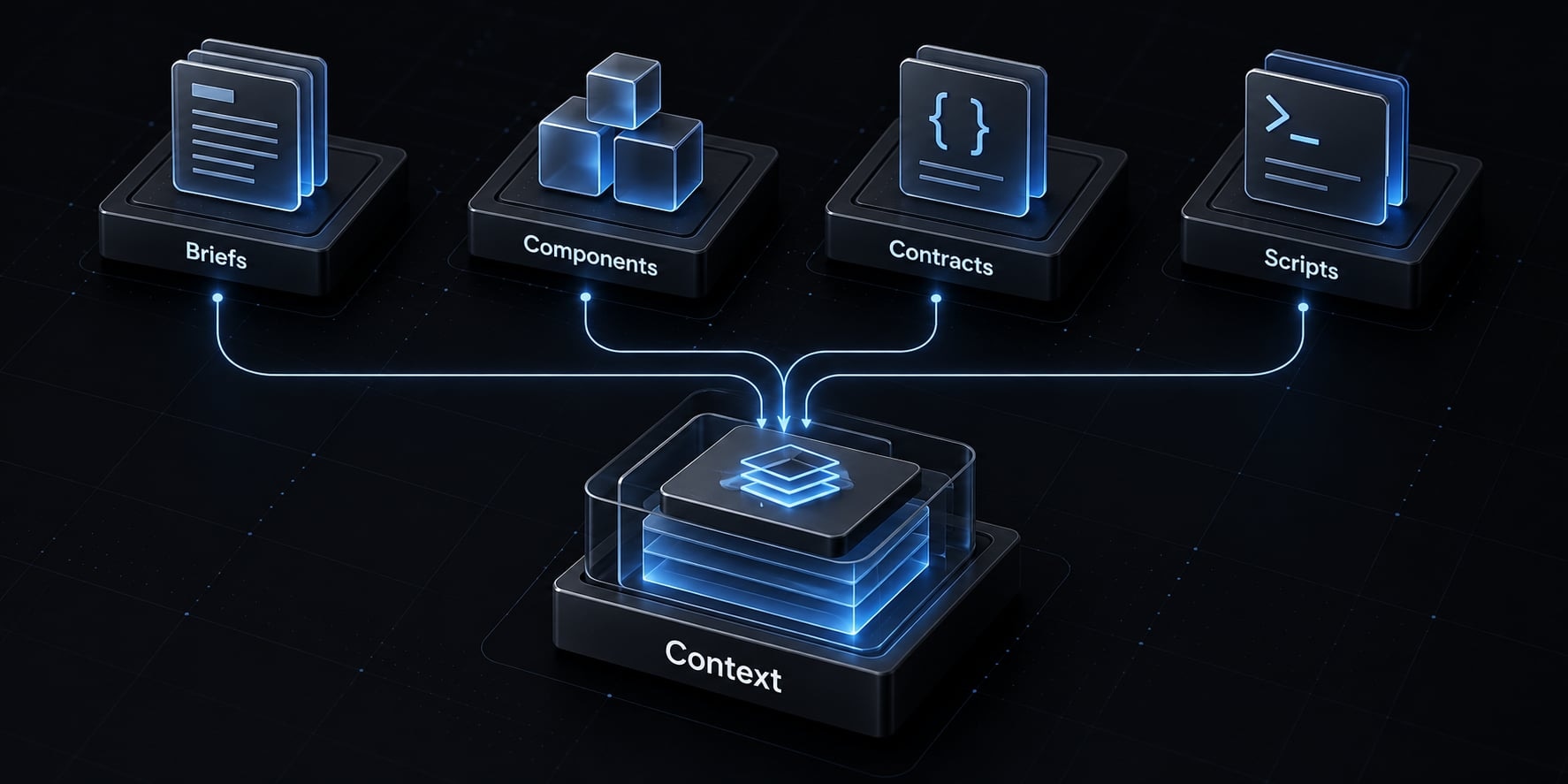
Context for Design-to-Code tasks
Screenshots communicate appearance, not complete behavior. Pair them with breakpoints, design tokens - shared visual values - component mappings, and interaction requirements. An optional Figma MCP integration can supply structured design context. MCP or Model Context Protocol, connects AI tools with external context and capabilities; it does not guarantee faithful implementation.
Avoid context overload
- Do: Supply relevant feature files and one or two approved patterns.
- Do not: Include generated files, unrelated assets, credentials, or customer records.
- Do: Refresh stale assumptions after requirements change.
- Do: Reconfirm instruction loading after changing tools or models.
Sensitive code belongs only in approved tools under approved data-handling settings. Use synthetic examples rather than personal or confidential data.
Focused codebase context reduces ambiguity, but cannot eliminate model errors. Save the template as a reusable starting point, then refresh it for each task.
Phase 3: Plan the change and implement it in small, reviewable increments
Approve the approach before approving edits. A short implementation plan exposes assumptions while they are still inexpensive to correct.
Ask for a plan before a patch
Propose a plan without editing files. List files to add or modify, existing components to reuse, data flow, state ownership, edge cases, tests, risks, and unresolved questions. Flag dependency or shared-component changes for approval.
Review scope, compatibility, duplicated functionality, and unnecessary dependencies.
For the customer list, reject a proposed custom button when an approved component already exists. Reject a new state library when the project’s current data pattern handles the feature. Ask for a revised plan rather than accepting avoidable cleanup work.
State ownership means deciding which component or data layer controls each value. Clarify ownership of the query, current page, results, and request status.
Build one concern at a time
A practical implementation sequence is:
- Establish component structure.
- Build the static interface.
- Add interactions.
- Connect state and API behavior.
- Implement relevant UI states.
- Check responsive behavior.
- Verify accessibility.
- Complete tests and documentation.
Accessibility and testing must influence the initial design. Their later positions represent focused verification, not permission to postpone them.
Each increment should be meaningful and testable. A search field with working submission is useful; arbitrary chunks defined by line count are not. Task chunking should reduce review ambiguity, not fragment related behavior across disconnected patches.
Use Git as a safety system
Work on a branch or isolated workspace. Before edits, inspect existing uncommitted changes and identify work that must remain untouched.
Use git diff after each meaningful increment. Create stable checkpoints after validation, and separate unrelated refactors from feature work.
If recovery becomes necessary, preserve unrelated changes and follow the repository’s approved procedure. Version control provides reversibility only when checkpoints and ownership are clear.
Stop and reassess when the assistant:
- Repeatedly modifies unrelated files.
- Adds unjustified dependencies.
- Reintroduces corrected mistakes.
- Produces fixes that create new inconsistencies.
- Generates code you cannot confidently explain.
Pause edits, inspect the diff, narrow the task, or refresh context. If repeated repairs make the implementation harder to understand, implement that portion manually.
Phase 4: Validate the interface, not just the generated code
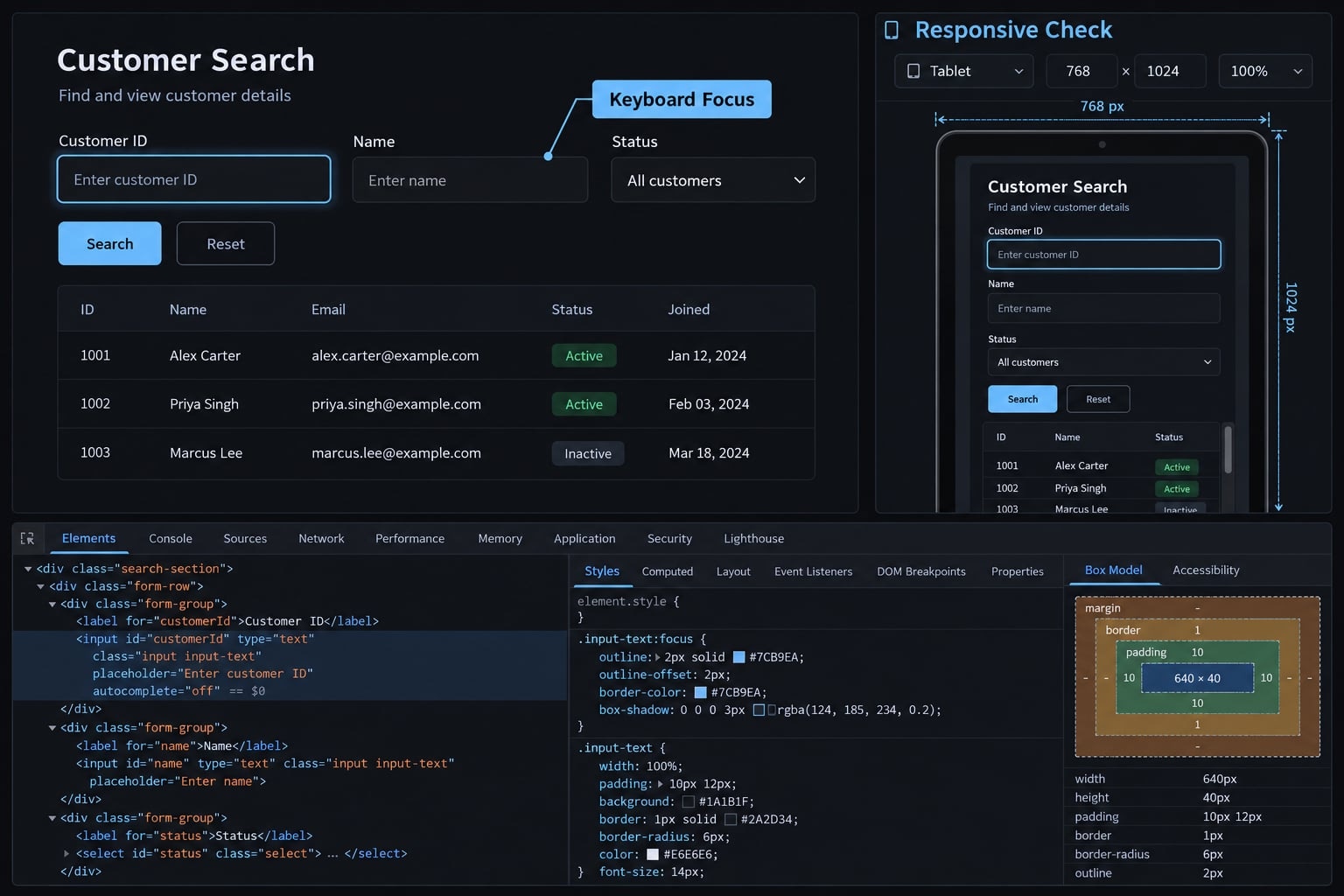
A successful build can still contain inaccessible controls, broken empty states, or narrow-screen overflow. Compilation confirms only part of frontend correctness.
Automated checks and manual evaluation answer different questions. Use both before accepting a change.
Frontend quality gate checklist
Quality area | What to verify |
|---|---|
Functionality | Main actions, validation, recoverable errors, and acceptance criteria. |
UI states | Applicable loading, empty, error, success, disabled, and permission behavior. |
Responsive design | Representative widths, overflow, long labels, and changing content. |
Accessibility | Semantic markup, labels, keyboard operation, focus behavior, and contrast. |
Design system | Reuse of approved components and design tokens. |
Maintainability | Clear boundaries, typing, naming, and state ownership. |
Testing | Meaningful behavior checks at appropriate test levels. |
Performance | Rendering, asset sizes, bundle changes, and relevant measurements. |
Security | Unsafe rendering, exposed secrets, input handling, and dependency changes. |
W3C’s WCAG 2.2 provides accessibility criteria; WAI evaluation guidance explains why tools alone cannot determine accessibility. This checklist and automated scans do not establish WCAG conformance.
Use web.dev’s Learn Performance guidance to investigate measured problems, not justify speculative optimization.
Browser-side permission controls do not enforce backend authorization. The server must independently authorize data access and actions.
Use AI as a reviewer, not as its own final approver
Review this diff against the feature brief and repository rules. Flag missing behavior, weak assertions, duplicate components, accessibility concerns, unrelated changes, and security-sensitive code. Explain evidence and uncertainty. Do not edit files.
A fresh session or separate model may add perspective, but can share the same blind spots. A human must assess findings.
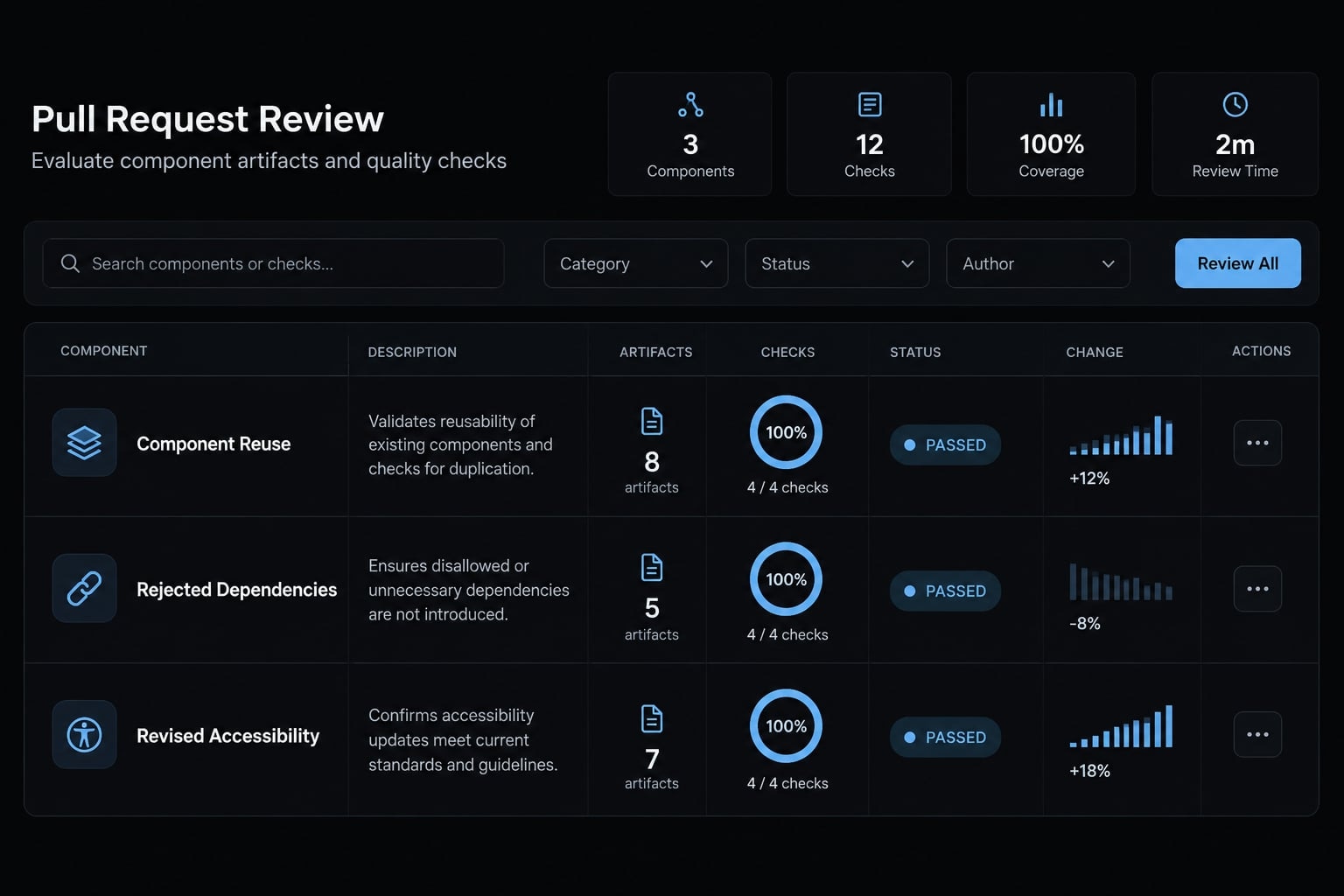
Review the diff before merge
- Every changed file has a reason.
- No unrelated cleanup or unapproved dependency change remains.
- Tests verify behavior, not render success alone.
- Checks actually ran.
- The reviewer can explain the accepted implementation.
For example, replace “search field renders” with a check that submitting a query updates results and resets pagination.
Record execution status as passed, failed, or not run. Generated tests are not evidence of successful execution.
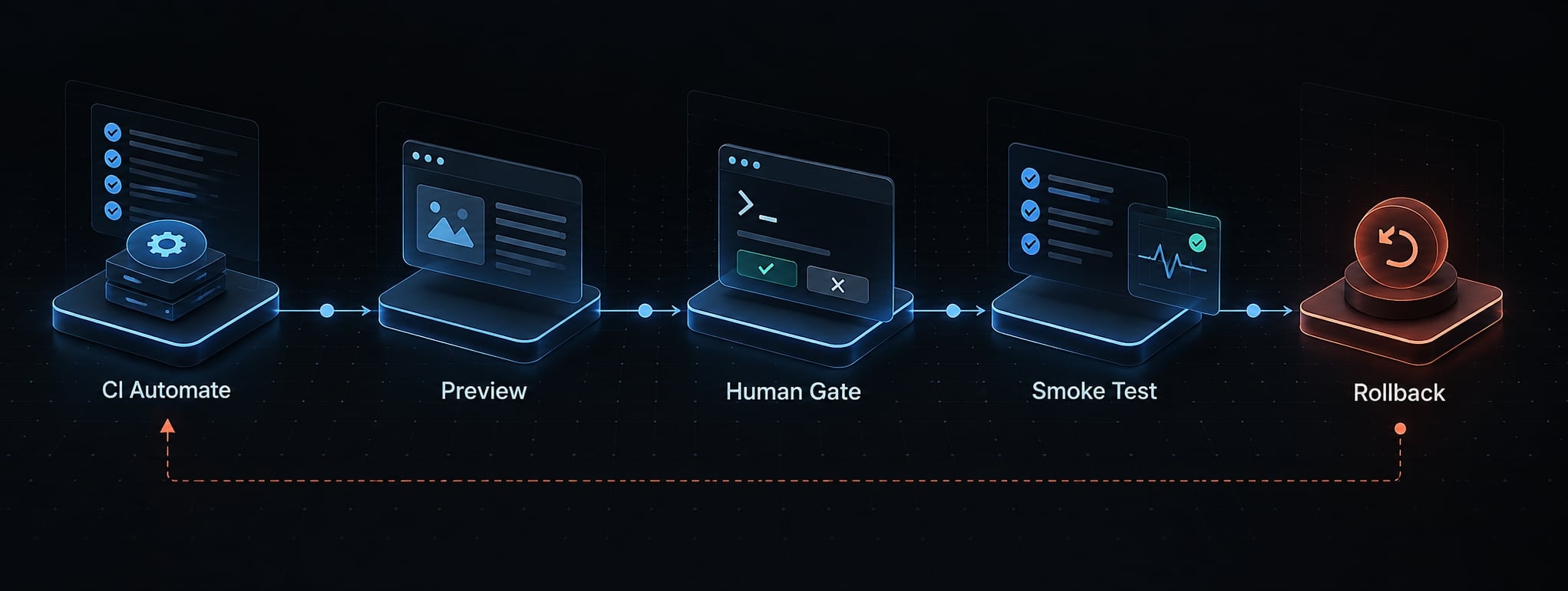
Automated checks and CI
CI, or continuous integration, runs configured checks on code changes. Consider:
- Lint.
- Type checking.
- Unit or component tests.
- Relevant browser tests.
- Automated accessibility checks.
- Build verification.
Use repository-defined commands and proportionate coverage. Playwright’s Best Practices recommends testing user-visible behavior; assertions should check outcomes rather than implementation details.
Before release, verify the feature in preview or staging with representative configuration and safe test data. Assign a named release owner for approval. After deployment, run production smoke checks - short checks of essential behavior - for search, pagination, and access handling. Monitor relevant errors and regressions. Identify the rollback or feature-disablement path before deployment, including who can activate it. Deployment automation must respect configured quality gates and release policy; passing CI or merging code does not establish production readiness.
Choose AI tools by workflow role, not by hype
Choose an AI coding assistant by the work it supports and the control it preserves. One tool may cover several stages; multiple tools are not required.
Evaluate repository awareness, diff visibility, review controls, design-system compatibility, and test integration. Also inspect privacy settings, data retention, permissions, and cost predictability.
Tool-to-Workflow mapping
Stage | AI role | Suitable category/examples | Human approval |
|---|---|---|---|
Requirements | Surface gaps | Conversational assistant | Scope and behavior |
UI planning | Explore layouts | UI generator or design-to-code tool | Interactions and component mapping |
Scaffolding | Draft bounded components | Editor assistant, such as GitHub Copilot | Structure and conventions |
Repository integration | Propose scoped edits | Repo-aware coding agent, such as Claude Code, Cursor, or Codex | Plan, permissions, and diff |
Testing | Draft checks; run permitted commands | Assistant with configured test access | Assertions and execution evidence |
Debugging | Interpret failures | Assistant with approved logs or browser access | Root cause and correction |
Review | Flag potential risks | Diff-aware review assistant | Final acceptance |
Categories overlap. These examples are not endorsements or benchmarks. Confirm supported modes against current vendor documentation before adoption; terminal and browser access depend on configuration and permissions.
Repository access does not guarantee project understanding. Likewise, a convincing UI-generator preview does not establish compatibility with your application.
When manual development is the better choice
- Security-sensitive or architectural decisions require direct ownership.
- Unresolved product requirements need stakeholder decisions, not generated guesses.
- Subtle interaction behavior requires hands-on judgment.
- A change is easier to implement than to verify after generation.
High-risk work can still use AI for bounded support, such as listing edge cases. Manual ownership means retaining understanding and authority - not abandoning assistance.
Example: Applying the workflow to a React or Next.js feature
This illustrative walkthrough uses an existing React application with a shared component library and established data-fetching hook. No implementation or tests have been executed for this example.
The feature is a searchable customer list with loading, empty, error, and pagination states.
Prepare and inspect six artifacts:
- Feature brief: Authorized users search by name; new searches reset pagination.
- Relevant context: Supply the list, approved controls, existing hook, and sanitized API contract.
- Approved plan: Keep query and page ownership explicit; preserve existing request conventions.
- Scoped changes: Implement the interface, then data behavior and recoverable states.
- Validation record: Propose checks for keyboard use, pagination, stale responses, errors, and narrow layouts.
- Review and release record: Explain accepted changes, record check results, and assign production verification.
Example human approval decisions
Proposal | Decision | Reason |
|---|---|---|
Create another button component | Reject | Existing component meets the requirement |
Add a state library | Reject | Current data pattern is sufficient |
Display only “Something went wrong” | Revise | Provide a safe retry path |
Use a clickable nonsemantic element | Revise | Preserve keyboard-operable controls |
Assert only that the list renders | Replace | Verify search and pagination behavior |
Reuse approved controls and the existing hook | Accept, subject to checks | Preserves established patterns |
Make the workflow reusable across projects
After a genuine review finding, update the relevant repository instruction. If an implementation duplicates controls, clarify component discovery and reuse; do not record hypothetical problems as observed findings.
Preserve feature templates, review checklists, and repeatable validation commands - not every conversation.
To help standardize this process, AgentKit provides scaffolding, reusable skills, and workflows for AI engineering systems, supporting Claude Code and Codex, with Cursor and DeepSeek Harness in beta. Its session hooks can load repository rules at startup, and its plan → cook → review workflow maps to the phases above. It does not replace project-specific verification or human code review.
Track time from approved brief to reviewed release, review and rework effort, and post-release defects. Compare similar work against a baseline before claiming improvement. Lines generated are not a meaningful primary productivity measure.
Frequently asked questions
What is an AI frontend development workflow?
An AI frontend development workflow is a structured, repeatable process where developers use AI coding assistants to manage tasks within the software delivery lifecycle. It integrates clear specifications, repository context, incremental implementation, and human approval gates to ensure code quality while scaling productivity.
How does AI change the role of a frontend engineer?
AI shifts the engineer’s role from writing syntax to becoming a technical director and code auditor. You focus on high-level architecture, design system consistency, and production validation, while the AI manages boilerplate, repetitive UI generation, and unit test scaffolding.
Why should I provide repository context to an AI assistant?
Providing context - such as project patterns, existing component libraries, and coding rules - prevents the AI from duplicating code or introducing dependencies that conflict with your architecture. Context-aware assistants generate code that adheres to your project’s specific constraints, significantly reducing manual cleanup and rework.
How do I ensure AI-generated code is production-ready?
Production readiness requires a multi-layer verification process: manual diff reviews, automated linting, type checking, and functional browser-based tests. You must treat AI-generated code as a proposal that only reaches production after passing your internal quality gates and manual release approval.
Should I let AI autonomously update my codebase?
No. You should maintain human control by requesting implementation plans before any code is generated. Review every diff for security, maintainability, and structural integrity. Always keep a version control system like Git ready to manage changes and roll back if the AI deviates from requirements.
Read more:
- Project-aware AI coding: A complete guide and evaluation
- Human in the loop AI coding: Optimize speed and quality
- Master a repeatable AI coding workflow for faster development
Conclusion
An effective AI frontend workflow shifts focus from raw code volume to delivering reliable, maintainable software. By transitioning to a structured, multi-phase process, engineering teams harness AI speed while keeping full ownership of architecture, security, and user experience. As tools evolve, developers pivot from manual syntax authoring to technical direction, using bounded briefs, strict review gates, and production verification to turn AI into a force multiplier rather than technical debt.