How to manage multiple MCP servers: Best practices & strategy
How to manage multiple MCP servers: Best practices & strategy
To effectively manage multiple MCP servers, resolve configuration sprawl before jumping to add a gateway. Inconsistent settings, credential drift, and overlapping tools can quickly make integrations hard to maintain. Start by centralizing your server inventory and configuration, then introduce additional routing infrastructure only when explicit access or shared routing needs require it.
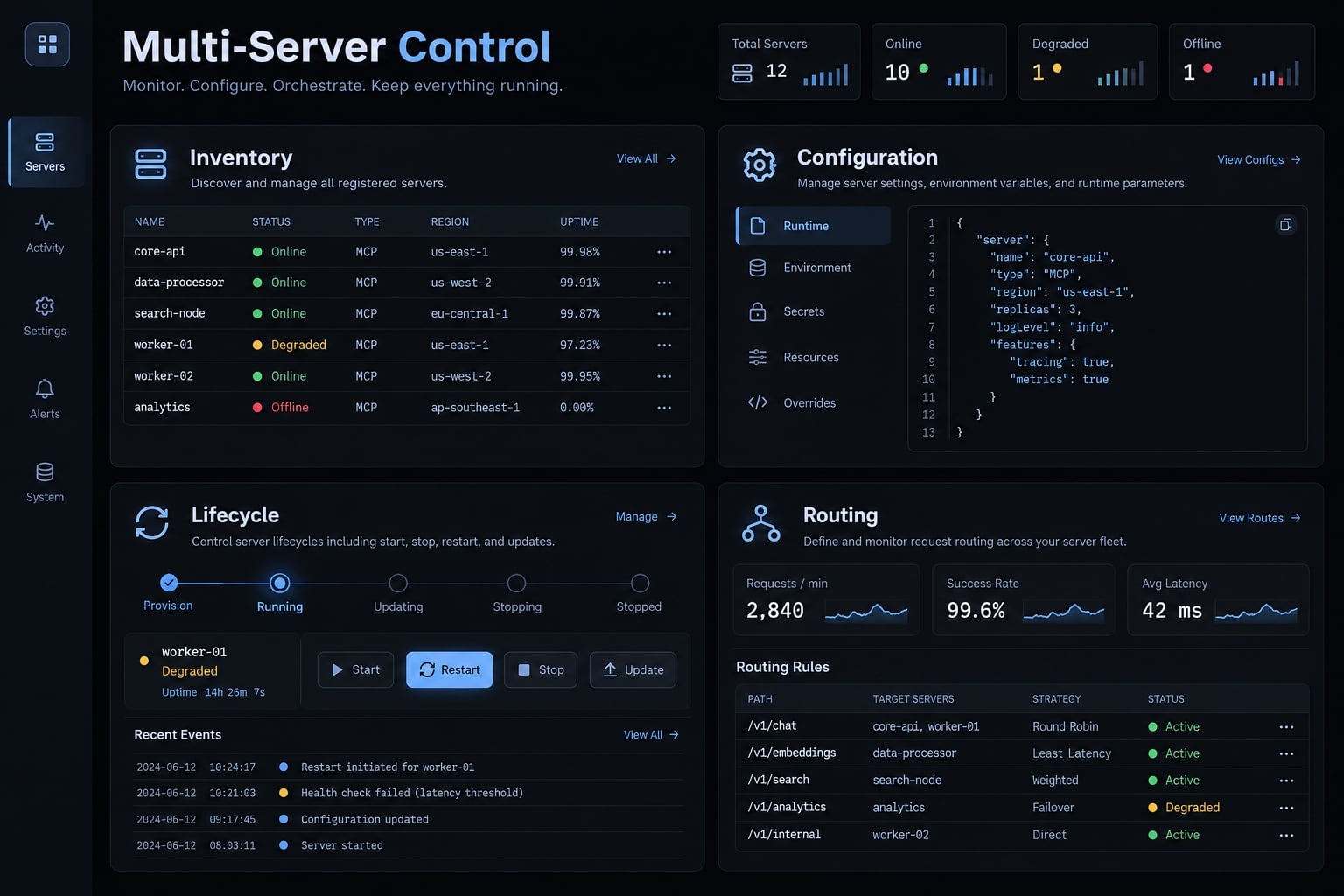
Quick answer: The simplest way to manage multiple MCP servers
Centralized MCP management starts with a canonical MCP server inventory, shared configuration without embedded credentials, and workflow-specific server profiles. Keep direct connections when they meet your needs. Validate each server independently, track ownership and functional health, and consider an MCP gateway only for demonstrated shared-routing or policy requirements—not as an automatic reliability upgrade.
- Record each server’s purpose, owner, source, and connection.
- Separate credential handling from versioned settings.
- Activate only the servers needed for each workflow.
- Test servers independently before combining them.
- Record health, changes, failures, and rollback instructions.
- Add routing infrastructure only with an accountable operator.
Understand the four layers of MCP server management
Centralized management does not require centralized traffic. These four layers are an operational framework, not an official MCP specification taxonomy.
Layer | What it controls | Problem solved |
|---|---|---|
Inventory | Identity, ownership, provenance | Unknown or abandoned integrations |
Configuration | Connections, settings, secret references | Configuration drift |
Lifecycle | Validation, updates, retirement | Uncontrolled changes |
Optional routing | Shared request mediation | Common routing requirements |
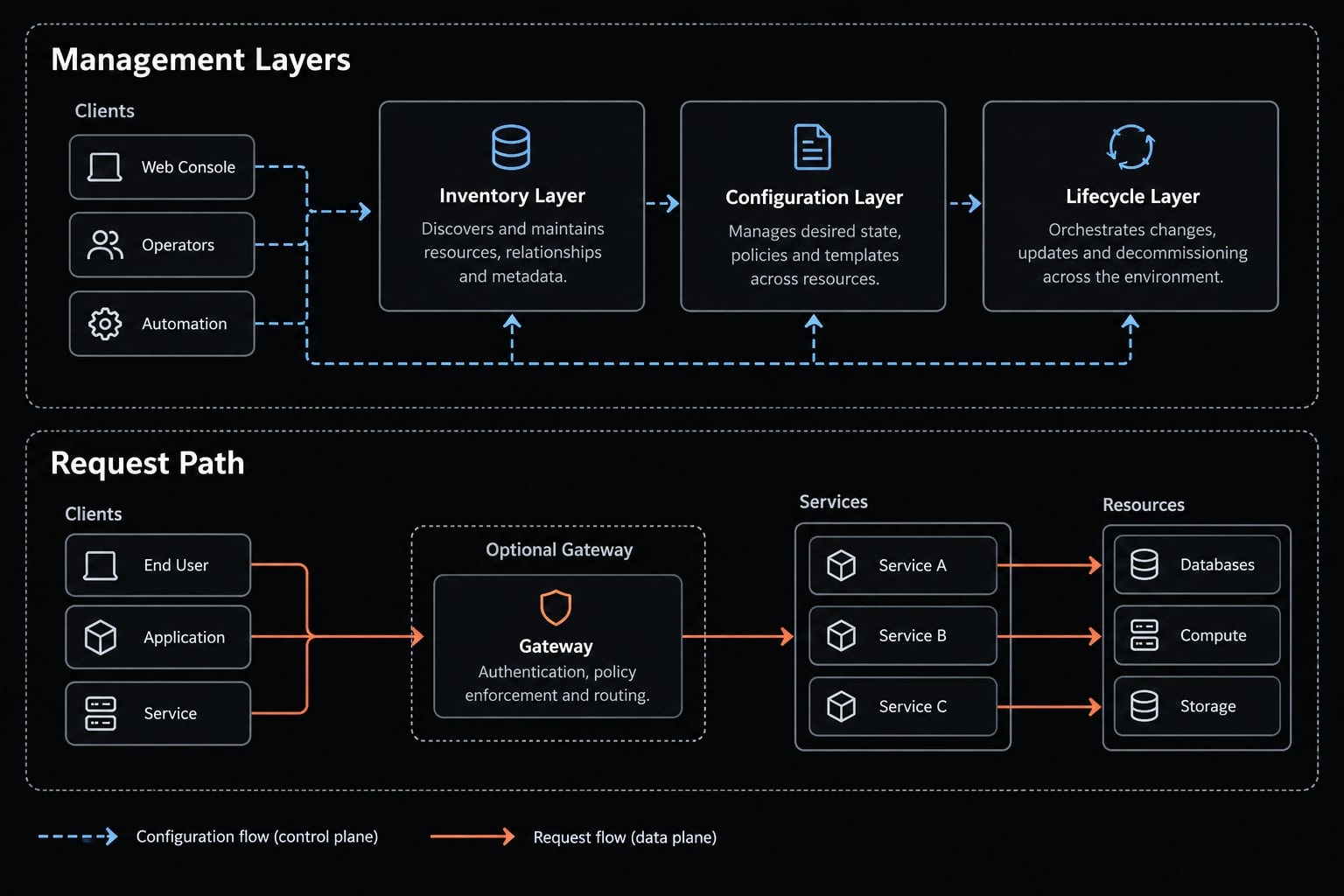
- Server inventory and ownership: Record ID, purpose, owner, source, version, environment, and transport. A maintained catalog is not automated service discovery. Runtime health requires observations, not a static “healthy” field.
- Configuration and secret management: Version non-secret settings; supply credentials externally. Copied configuration files encourage drift and accidental disclosure.
- Lifecycle and health management: Server lifecycle management covers activation, validation, updates, rollback, and removal. A client may launch a local process; a provider operates its remote deployment.
- Routing and policy enforcement: Shared request routing is optional. Enforcement depends on supported components and configuration; direct connections can also have access controls.
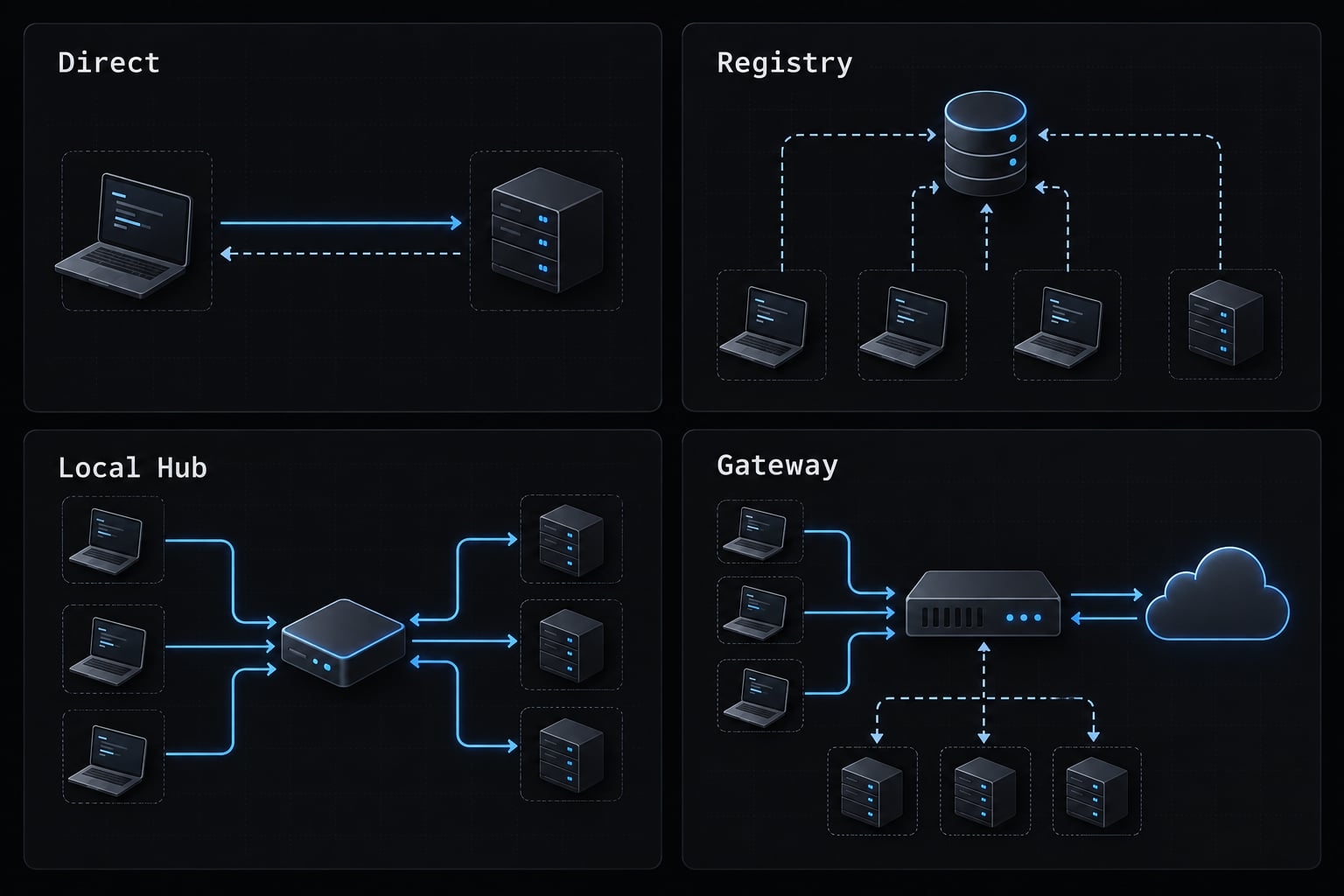
Choose between direct connections, a shared registry, a hub and a gateway
Choose by operational requirements, not server count. A large catalog alone does not establish a need for a proxy.
Direct multi-server configuration
A direct MCP connection lets the client communicate with each configured server. Infrastructure overhead stays low, but several clients may require repeated setup.
Shared server registry or configuration-as-code
A shared server registry provides canonical settings. Configuration-as-code means maintaining those settings through version control and review.
Scripts or adapters may generate client-specific files. There is no universal portable client configuration format. A registry does not inherently discover running services or test their health.
Local MCP hub or control center
An MCP hub may provide editing, activation, validation, or lifecycle visibility. These are implementation-dependent features, not a standardized product category. Some hubs proxy requests; others only manage configuration. Determine which behavior you actually need.
MCP gateway or aggregator
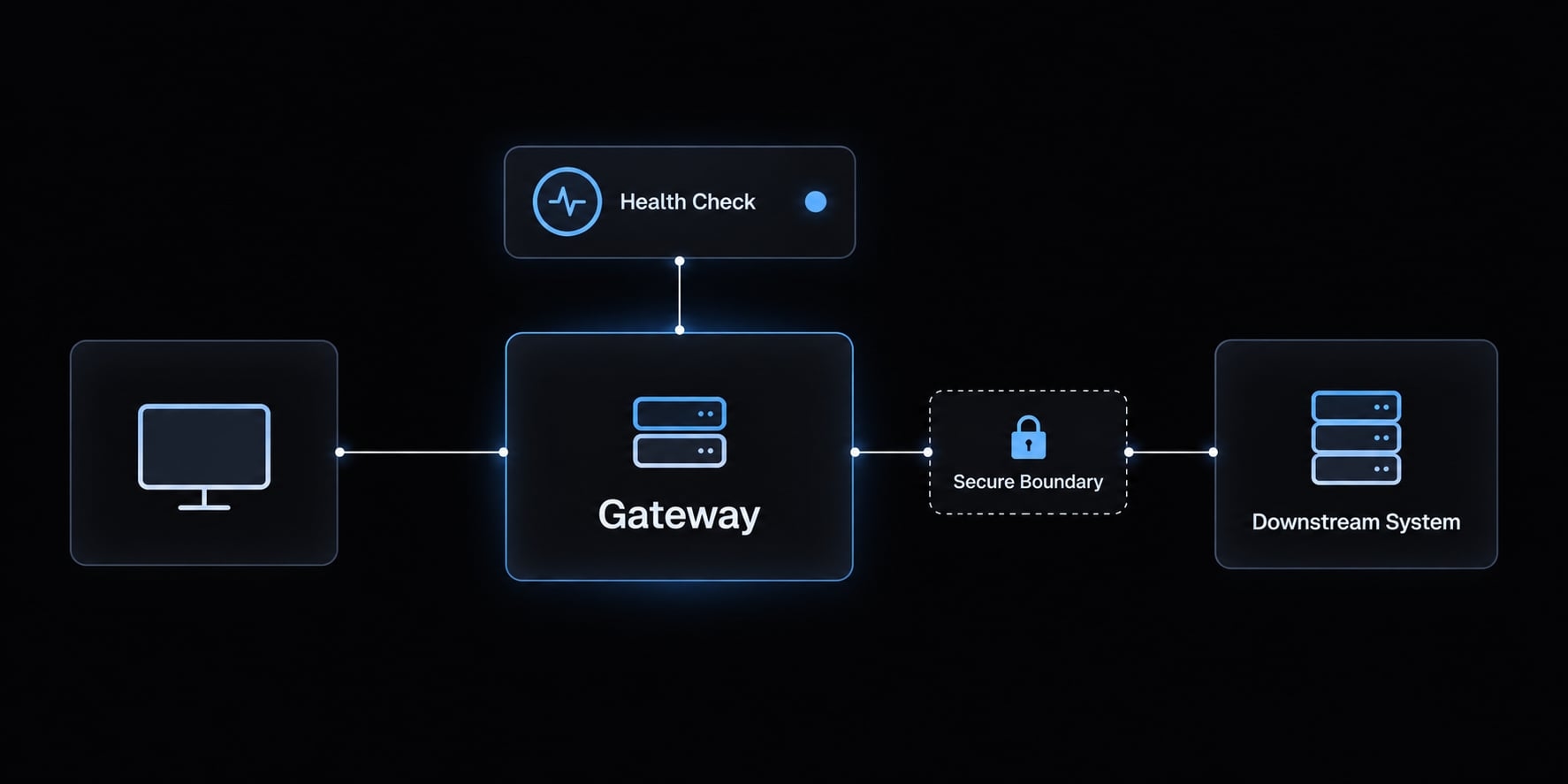
An MCP gateway commonly exposes a client-facing endpoint connected to backend servers. Verify aggregation, authorization, logging, and failure isolation individually.
It adds a network hop, availability responsibilities, and backend identity-mapping requirements. Without resilience controls, it can become a shared failure point.
Approach | Best fit | Main benefit | Main trade-off |
|---|---|---|---|
Direct | One developer, straightforward workflows | Minimal infrastructure | Repeated setup |
Registry | Small team using multiple clients | Consistent settings | Adapter maintenance |
Local hub | Desktop-centered configuration work | Convenient controls | Implementation dependency |
Gateway | Shared routing or supported centralized policies | Common mediation point | Additional operations |
Avoid a gateway when…
- Direct access already meets security and operational needs.
- Configuration duplication is the actual problem.
- Nobody can maintain its availability, credentials, updates, and logs.
Build a centralized multi-server configuration step by step
Consider an illustrative B2B SaaS team connecting source control, documentation, a read-only staging database, and CRM reporting across multiple AI clients.
- Inventory servers.
- Standardize identities.
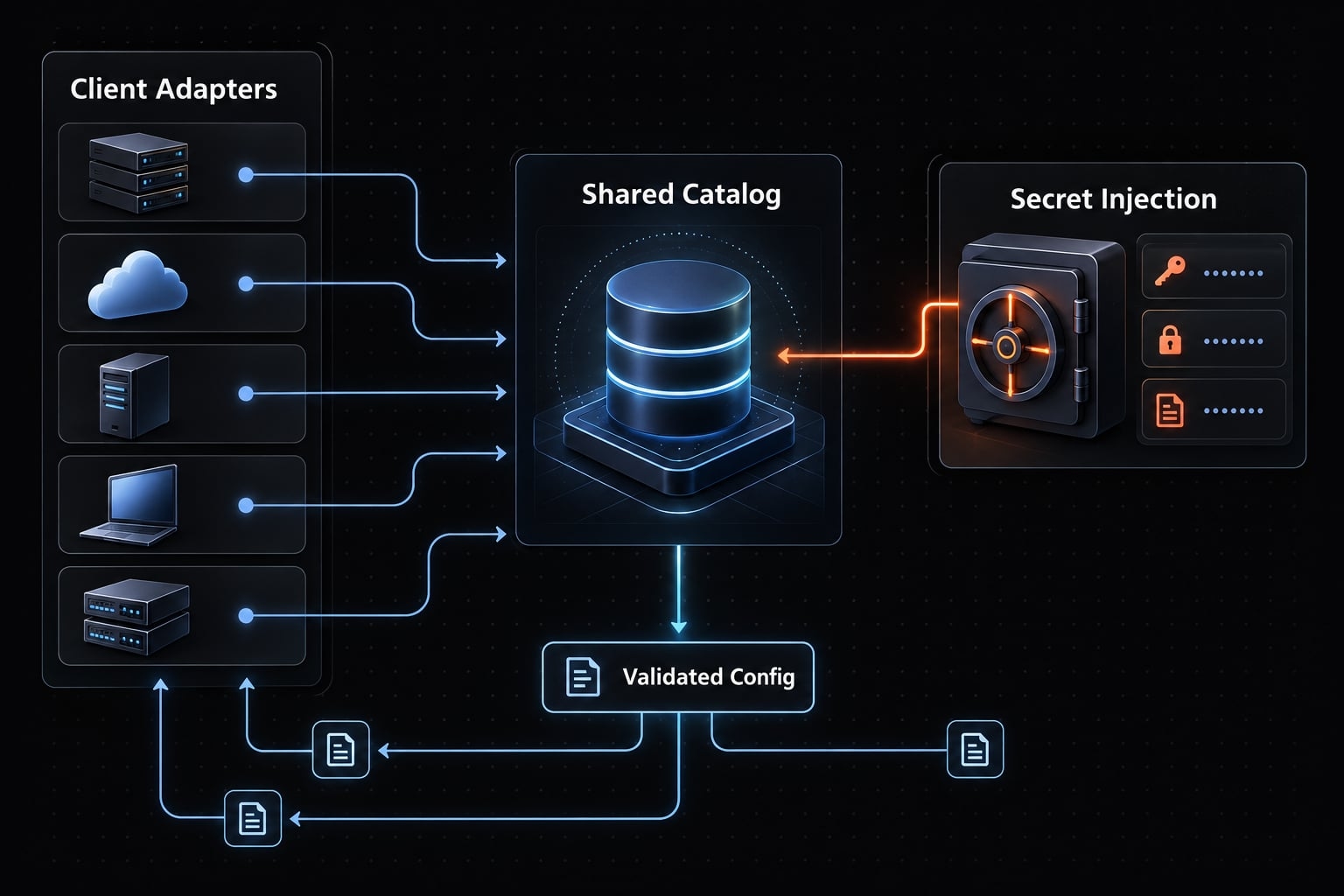
- Externalize secrets.
- Define workflow profiles.
- Adapt configurations.
- Validate independently.
- Control changes.
Step 1: Create a canonical server inventory
Group MCP server configuration fields into identity, provenance, connection, access, and compatibility. Include owner, purpose, pinned version where applicable, transport, command or endpoint, credential reference, permissions, environment, and supported clients. Keep health observations and timestamps separate from stable settings.
Conceptual inventory schema—not a drop-in configuration for any MCP client.
servers: - id: staging-db owner: product-platform purpose: Read-only staging database review source: internal/staging-db-mcp version: "1.2.3" # illustrative transport: stdio command: /opt/team/bin/staging-db-mcp secret_ref: secret-store/staging-db-reader permission_intent: read-only profiles: [database-review] environment: staging
Permission and profile fields describe intent; they do not enforce policy.
Step 2: Standardize naming and namespaces
Replace ambiguous exposed names such as search with domain-qualified names such as crm_search, where supported. Renaming may require server support or a proxy. Check naming restrictions and preserve original server and tool identifiers in logs.
Step 3: Separate secrets from configuration
Use supported injection methods with environment-specific credentials. Document rotation, revocation, and redaction. Environment variables can still leak through debugging, logs, or process inspection.
Do | Don’t |
|---|---|
Store secret references | Commit tokens |
Separate environments | Reuse production credentials |
Restrict credential scope | Default to administrator access |
Rotate and revoke | Leave abandoned access active |
Redact diagnostics | Print authorization headers |
Step 4: Create task-specific server profiles
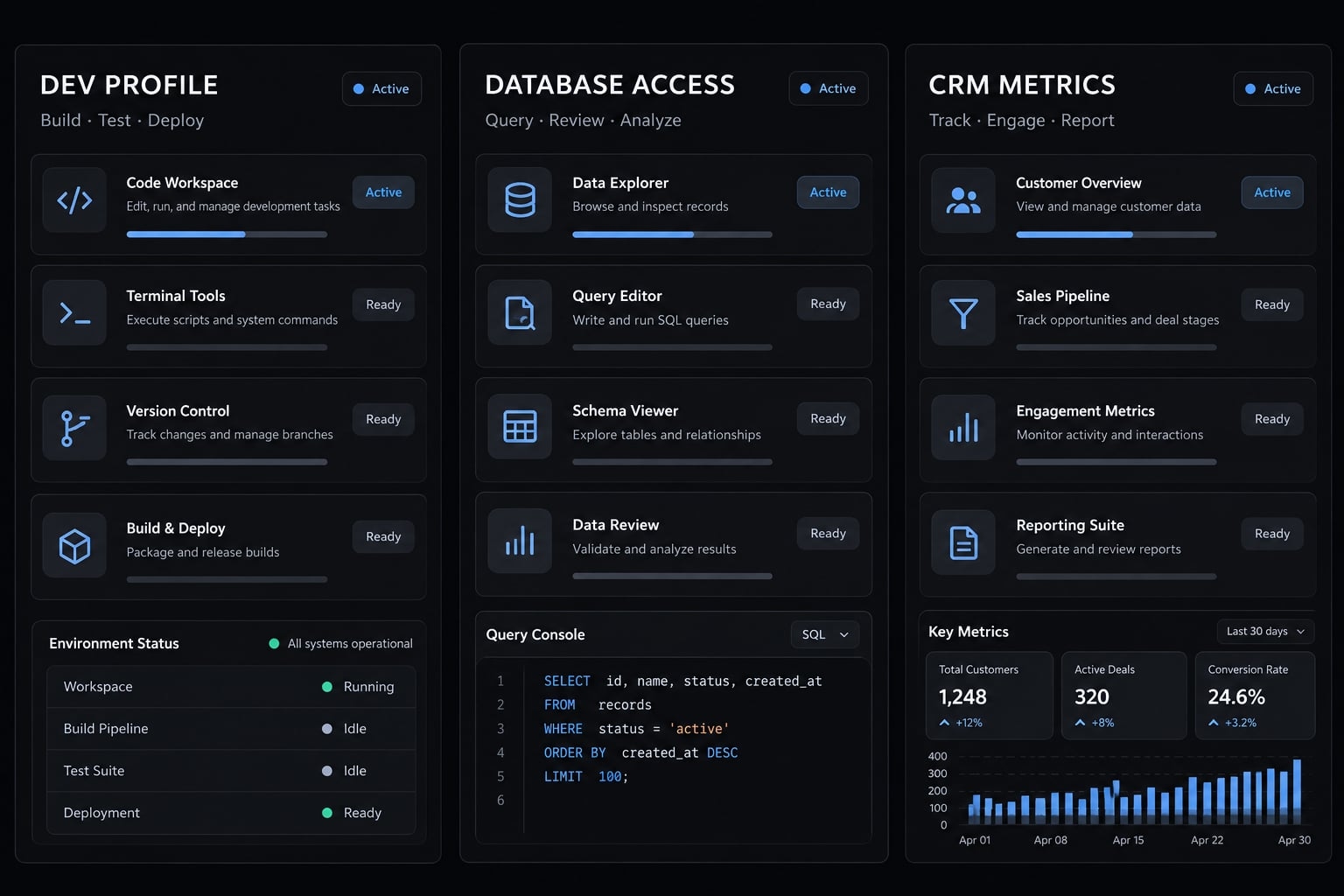
MCP profiles are a management pattern, not a universal protocol feature:
- Development: Source control and documentation.
- Database review: Read-only staging access.
- Marketing operations: Approved CRM reporting.
Separate development and production permissions regardless of profile names.
Step 5: Generate or synchronize client configurations
Use canonical source → client-specific adapter → validated configuration.
Check Claude Code, Codex, Cursor, and VS Code separately for configuration location, scope, transports, secret handling, approvals, and execution environment. Cross-client configuration requires explicit compatibility checks, not file copying.
Step 6: Test each server in isolation
Launch or reach it, complete initialization, discover capabilities, list tools if supported, then perform a safe read-only operation. Successful tool discovery does not prove downstream credentials work.
Step 7: Add change control and rollback
Review versions and access changes, validate outside production, record ownership and change history, and preserve a known-good configuration. Include compatible dependency versions in rollback instructions.
Secure and monitor a multi-server MCP environment
A gateway can centralize controls, but it does not automatically make an MCP environment secure. Backend permissions, provenance, credential boundaries, monitoring, and safe defaults remain your responsibility.
Apply least-privilege access
Least privilege means granting only necessary access. Prefer read-only permissions; separate destructive operations. Enforce authorization through the underlying service or supported policy layer. Approvals help where supported, but model instructions are not access controls. Treat tool-returned content as untrusted input.
Centralize credential handling
Authentication establishes identity; authorization determines permitted actions. A secret store is not centralized authentication.
Use identifiable user or service credentials where accountability matters. Do not forward tokens arbitrarily between gateways and backends; respect intended audiences and credential boundaries.
Establish health checks and failure isolation
Define statuses operationally:
- Healthy: Required safe functional probes pass.
- Degraded: Some required operations fail.
- Unavailable: Required connection or operation cannot complete.
- Unknown: No sufficiently recent evidence.
Use timeouts and bounded retries. Never blindly retry writes that could duplicate effects. Isolation exists only where the client, manager, or gateway implements it.
Capture useful logs and audit events
Observability supports diagnosis; audit logging records accountable actions.
Log | Do not log by default |
|---|---|
Timestamp, request ID, server/tool | Secrets, authorization headers |
Outcome, duration, error category | Full sensitive payloads |
Configuration version | Unnecessary personal data |
Appropriate identity and approval events | Unrestricted tool responses |
Apply retention limits and access controls.
Verify server sources and updates
Local servers are executable dependencies. Remote servers are external trust boundaries. Review provenance, maintenance, requested access, and update changes.
Reduce tool overload, context usage and selection errors
Tool relevance and distinctness matter more than server count. Context and latency effects depend on how the client exposes tools to the model.
Problem | Impact | Fix |
|---|---|---|
Irrelevant tools | Unnecessary exposure | Task-specific profiles |
Overlapping names | Ambiguous tool selection | Clear domains and descriptions |
Large changing catalog | Discovery complexity | Evaluate selective retrieval |
Enable only the tools required for the current workflow
Enable relevant servers or tools where supported. Separate read-only and write-capable profiles. Hiding a tool is not backend authorization.
Use clear tool descriptions and namespaces
Tool namespacing should distinguish CRM search from documentation search. Descriptions should explain domain, intended use, and access level. Names alone do not guarantee correct selection.
Add dynamic discovery only when the catalog requires it
Dynamic tool retrieval finds relevant tool definitions when needed rather than exposing everything upfront. It differs from discovering available servers.
Support varies, and retrieval introduces another potential failure point. Improve descriptions and exposure before adding it for context window management.
Delegate specialized tools to sub-agents
Sub-agent delegation can give a database-focused agent a narrower toolset. Preserve permissions and account for coordination overhead; delegation does not inherently create a security boundary.
Troubleshoot common multi-server MCP problems
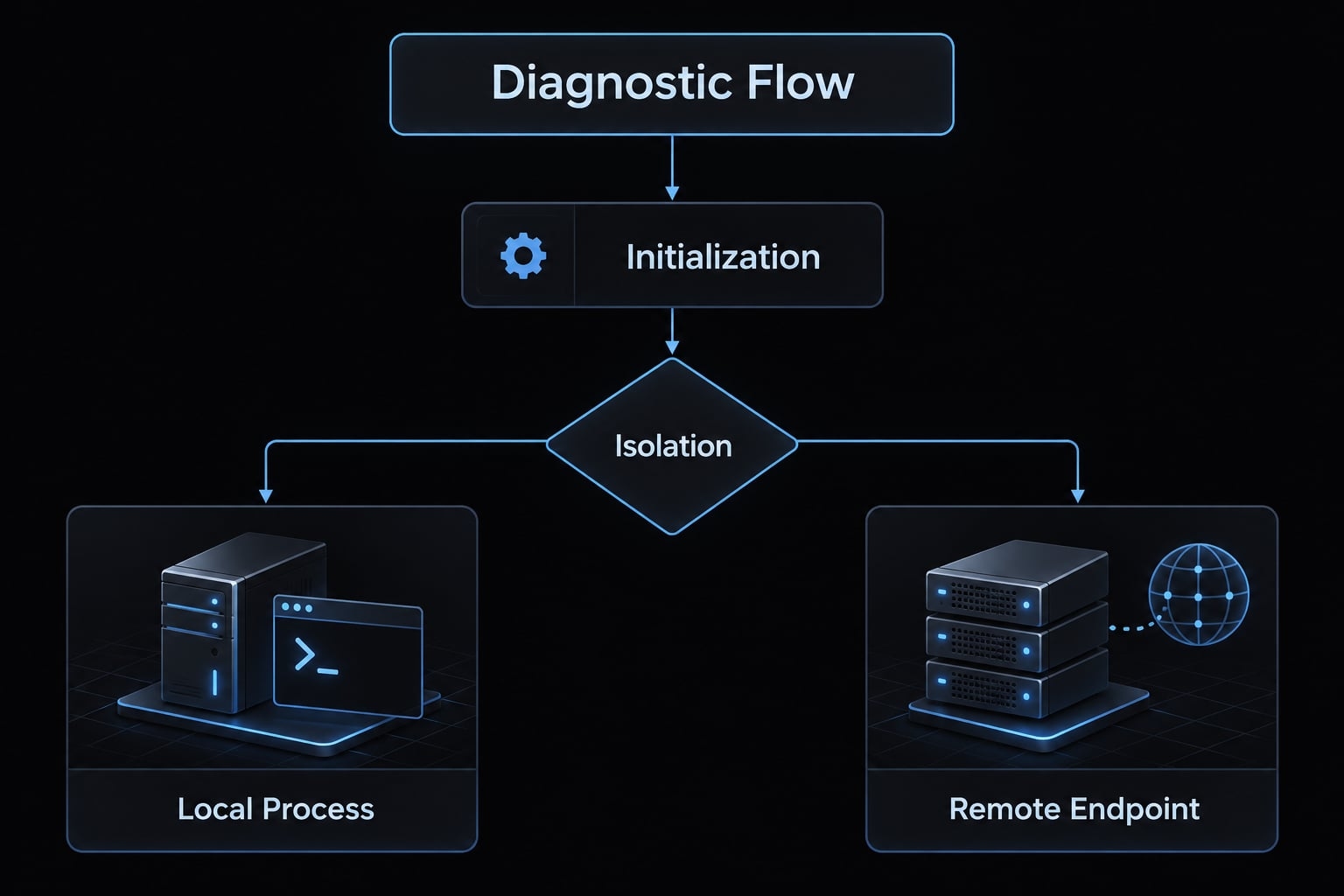
Isolate the failing server before changing architecture. MCP troubleshooting should identify the failing layer: process, connection, protocol, credentials, downstream service, or tool selection.
Server fails to start
- Check → executable, runtime, arguments, working directory, permissions, and required environment variables.
- Action → reproduce startup in the client’s execution context. These checks apply to locally launched servers; remote deployment failures belong with the service owner.
Server starts but the client cannot connect
- Check → Transport, endpoint or command, network access, initialization, and version negotiation.
- Action → Inspect protocol errors. MCP uses JSON-RPC messages; JSON-RPC is not a transport. Standard input/output (stdio) and Streamable HTTP are transports.
With stdio, diagnostic output on stdout can corrupt protocol traffic. Send diagnostics through a separate channel, commonly stderr.
Authentication works on one machine but not another
- Check → Client environment, secret source, token scope and expiry, applicable OAuth settings, operating system, and execution context.
- Action → Compare credential presence and metadata without revealing values. A GUI client may not inherit the terminal’s environment.
The agent selects the wrong tool
- Check → Overlapping names, unclear descriptions, active profiles, and duplicate capabilities.
- Action → Narrow exposure and clarify descriptions. A tool-name collision or selection error is different from a transport or routing failure.
One failed server disrupts the entire setup
- Check → Blocking startup, shared dependencies, timeouts, and retry policies.
- Action → Configure isolation supported by the actual client, manager, or gateway.
Follow this diagnostic order
- Isolate the failing server.
- Confirm local startup or remote reachability.
- Validate command, arguments, endpoint, and working directory.
- Verify credential injection without revealing values.
- Confirm transport and client compatibility.
- Inspect initialization, capabilities, and a safe test call.
- Check tool-name and description conflicts.
- Re-enable other servers incrementally.
- Review correlated logs before changing architecture.
Apply the production-readiness checklist
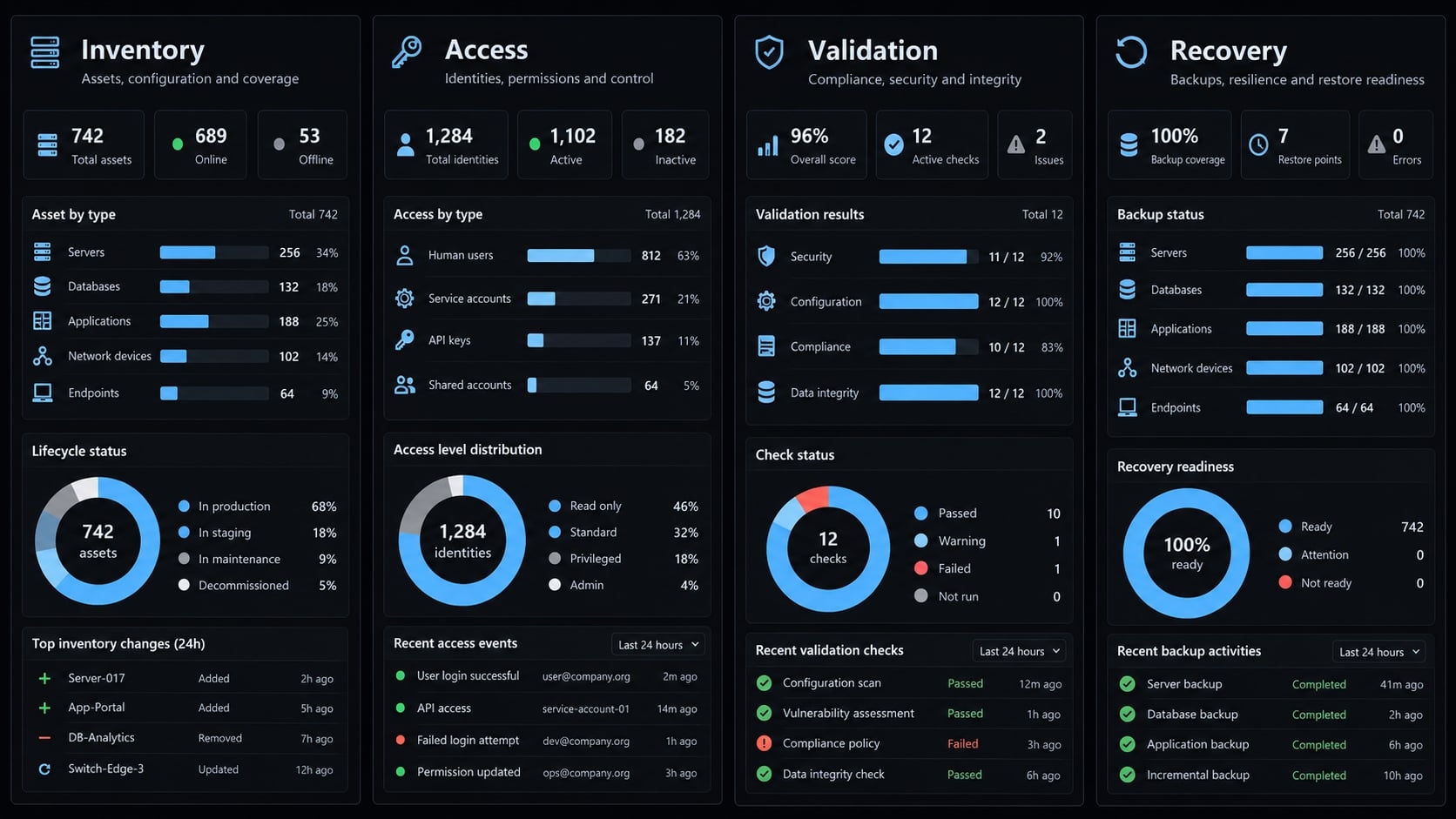
Use this checklist as an operational review aid—not a security certification or guarantee of production readiness. Assign an owner to unresolved items before expanding access. Centralized configuration helps only when permissions, security checks, and recovery procedures work in practice.
Multi-server management checklist
- Every server has a unique ID, owner, purpose, and recorded source.
- Non-secret configuration has one canonical source.
- Credentials are stored outside shared configuration.
- Development and production access are separated.
- Tool identities remain stable and traceable.
- Workflow profiles expose only necessary capabilities.
- Each server passes independent functional validation.
- Supported client versions and limitations are documented.
- Configuration and updates follow version-controlled review.
- Health observations and failures are visible.
- Timeouts and operation-appropriate retries are configured.
- Redacted logs have access and retention rules.
- Permissions and applicable approvals are enforced.
- A known-good rollback procedure is documented.
- Abandoned integrations and credentials are removed.
Optional centralized control workflow with AgentKit
AgentKit is an optional implementation path to evaluate for reducing repeated setup and coordinating supported configuration or workflow-management tasks. Match its current documentation and your installed build against this checklist. Avoid assuming that gateway capabilities, secret vaults, or universal client compatibility are available out of the box. Direct configuration remains suitable when it meets your requirements.
Start with centralized configuration, then add infrastructure as needed
To manage multiple MCP servers, establish a reliable inventory before adding infrastructure. Standardize names, version non-secret configuration, separate credentials, and use task-specific server profiles. Test every server independently, including a safe downstream operation. This makes configuration changes easier to review and failures easier to isolate without assuming every client behaves identically.
Add an MCP gateway when shared routing or supported policy requirements justify its maintenance and availability costs. A gateway cannot replace backend permissions, useful logs, or recovery procedures. Your next action is straightforward: copy the readiness checklist and review the existing server inventory before adding another integration.
Frequently asked questions
What is the simplest way to manage multiple MCP servers?
Maintain a canonical server inventory, keep non-secret configuration in one source, supply credentials externally, and enable only the servers each workflow needs. Direct connections are fine when they meet your requirements — add routing infrastructure only when a shared requirement justifies operating it.
When should I use an MCP gateway instead of direct connections?
When shared routing or supported centralized policy is the actual requirement, and someone can own its availability, credentials, updates, and logs. Server count alone is not the trigger — if duplicated configuration is the real problem, a registry solves it with less operational cost.
How do MCP gateways solve tool name collisions?
MCP gateways implement namespacing by transforming generic tool names into domain-specific identifiers. For example, a gateway can map identical search tools from multiple backends into distinct, qualified names like jira__search and github__search. This ensures the AI client can invoke the exact tool intended without ambiguity.
Does adding an MCP gateway improve security?
An MCP gateway provides a centralized perimeter for policy enforcement, audit logging, and credential management. It allows you to redact sensitive payloads, implement per-team allow-lists, and verify aggregation, authorization, logging, and failure isolation individually — a gateway does not automatically make the environment secure.
How can I reduce tool-related context usage?
You can reduce tool overhead by implementing dynamic tool retrieval or "Code Mode," where the gateway exposes only the tools relevant to the current task rather than dumping all available schemas into the prompt. Using task-specific profiles or delegating functions to sub-agents also keeps the available toolset manageable and accurate.
Read more:
- MCP server security: Risks, best practices & deployment guide
- Blender MCP with Claude Code: A secure AI scripting setup guide
- Claude Code Jira integration: MCP setup and safe workflows
Conclusion
Managing multiple MCP servers effectively requires establishing a clear inventory, standardizing configurations, and enforcing strict credential security before adding complex routing infrastructure. By testing each server independently, exposing only workflow-specific tools, and maintaining explicit change controls, teams can prevent configuration drift and isolate operational failures. Ultimately, centralized management ensures that AI-driven tools remain secure, reliable, and scalable without introducing unnecessary infrastructure overhead.