Claude Code Jira integration: MCP setup and safe workflows
Claude Code Jira integration: MCP setup, permissions and safe workflows
The Claude Code Jira integration via the Model Context Protocol (MCP) enables a seamless connection between Claude Code and your Jira workspace, bringing issue descriptions and acceptance criteria directly into your coding session. Repository changes and pull requests require separate tools and permissions. Therefore, most teams should start with an interactive, developer-supervised connection rather than an autonomous Jira-triggered agent. This guide covers route selection, MCP setup, connection verification, approval gates, and access revocation.
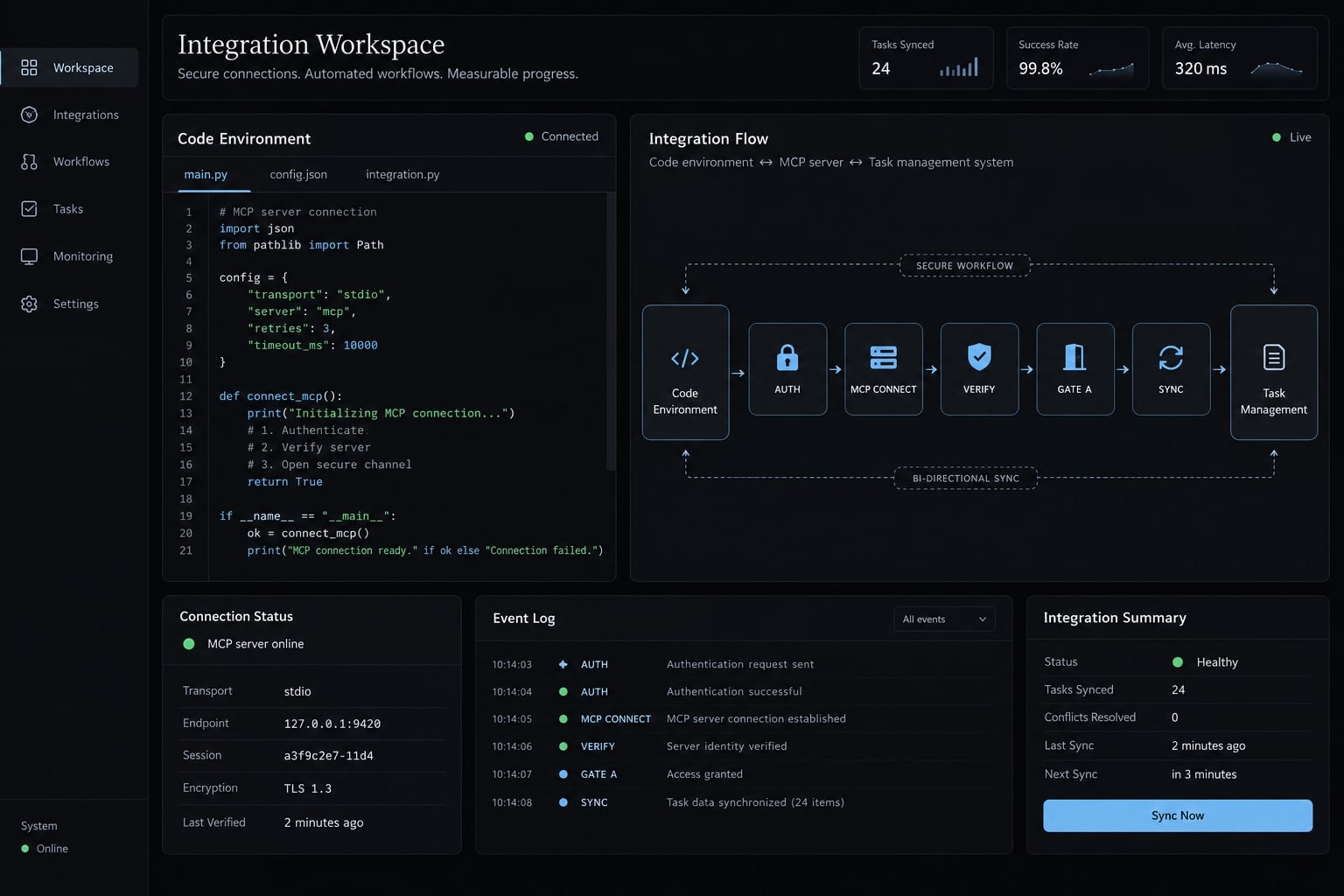
Validation status: These instructions are not a hands-on test report. The SSE configuration below requires compatibility confirmation against current documentation. The identity and availability of “Claude Agent for Jira” could not be independently verified for this article, so speculative installation instructions are excluded.
Choose the integration by execution model
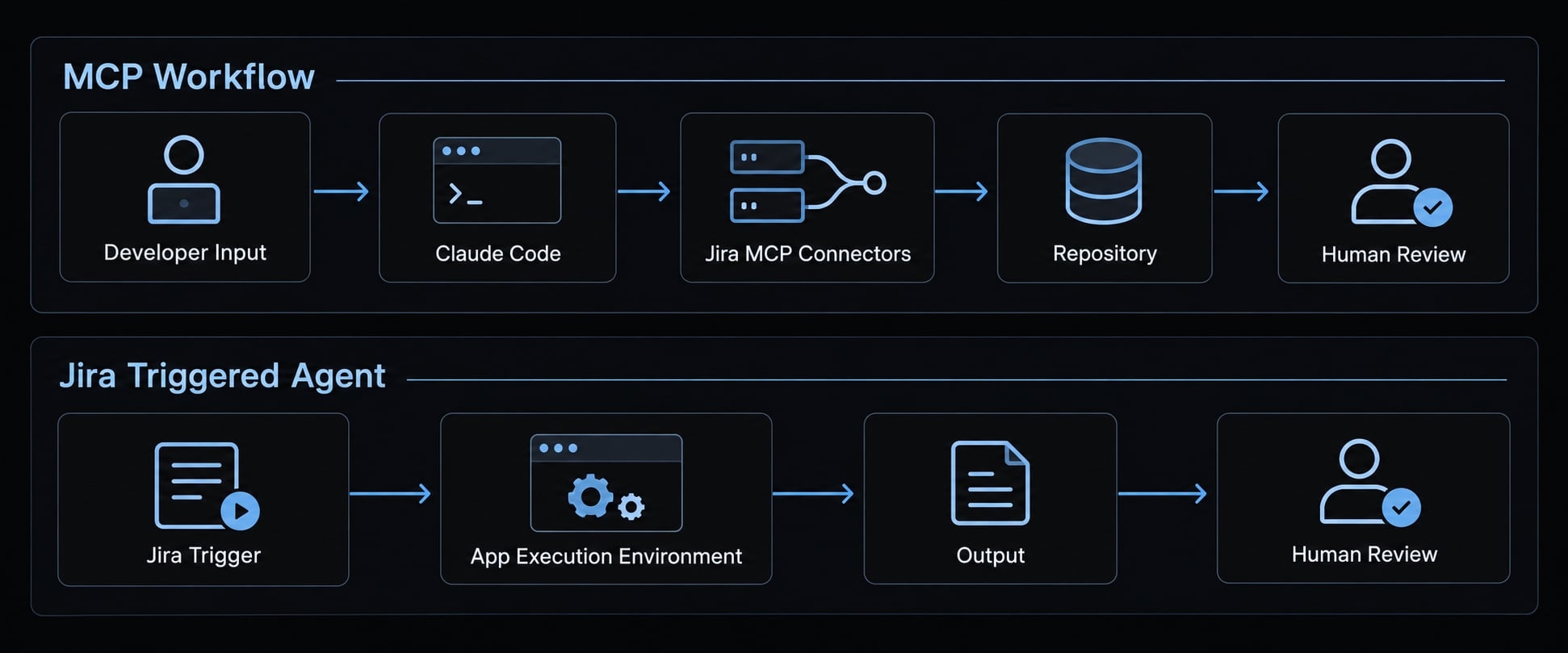
Use MCP when a developer should control the session that reads Jira and works on code. Evaluate Jira-triggered delegation separately, using the exact app’s documentation and permissions. MCP provides connectivity between Claude Code and exposed Jira tools. It does not inherently provide a hosted development environment, GitHub authorization, or automated approval.
Quick recommendation:
- Choose MCP for supervised issue analysis, implementation planning, and coding with Jira context.
- Consider Jira-triggered delegation only after verifying the app, publisher, execution environment, and supported triggers.
- Use both only when ownership is explicit and duplicate execution is prevented.
Decision criterion | Claude Code + MCP | Jira-triggered agent: verify separately | Recommended fit |
|---|---|---|---|
Starting point | Developer session | Documented Jira trigger | Choose where work should begin |
Execution model | Claude Code’s configured environment | App-specific execution service | Match supervision requirements |
Setup owner | Developer and Jira administrator | App administrator and platform owner | Name accountable owners |
Jira capabilities | Connector-exposed tools | App-documented actions | Check required operations |
Repository environment | Separately accessible checkout | Verify checkout and isolation | Confirm data boundaries |
PR tooling | Separate Git/GitHub tooling | Verify supported outputs | Preserve review gates |
Authentication | Connector-supported authorization | App-specific credentials | Minimize granted access |
Review controls | Tool approvals and repository rules | App controls plus repository rules | Require enforceable restrictions |
Principal risks | Excessive access, untrusted context | Those risks plus unattended execution | Start with bounded work |
Consider a SaaS team fixing an API validation defect. MCP suits a developer who wants to inspect requirements before editing. Delegating routine maintenance could suit an asynchronous agent, but only after its capabilities are established.
This is a decision about ownership and governance, not a comparison of model quality. Official Claude Code MCP documentation describes client-side connectivity; a separate app needs its own evidence.
Prerequisites and access checklist
Prepare identity, project access, and a review owner before configuring the connector. This guide targets Jira Cloud; do not assume Jira Data Center uses the same endpoint or authorization flow.
Requirement | MCP route | Jira-agent route |
|---|---|---|
Supported environment | Required: confirm Jira Cloud connector support | Required: verify app eligibility |
Claude Code installation | Required: installed, authenticated Claude Code CLI | Conditional: depends on app architecture |
Project and issue access | Required: authorized Jira identity | Required: documented app/user access |
Installation or consent approval | Conditional: organization policies | Required: administrator eligibility review |
Anthropic authorization | Required for Claude Code; not a Jira credential | Required: verify supported authorization |
GitHub authorization | Conditional: publishing repository changes | Conditional: documented repository workflow |
Pilot environment | Recommended: non-sensitive project and repository | Recommended before broader deployment |
Reviewer and rollback owner | Required for a controlled team pilot | Required before delegation |
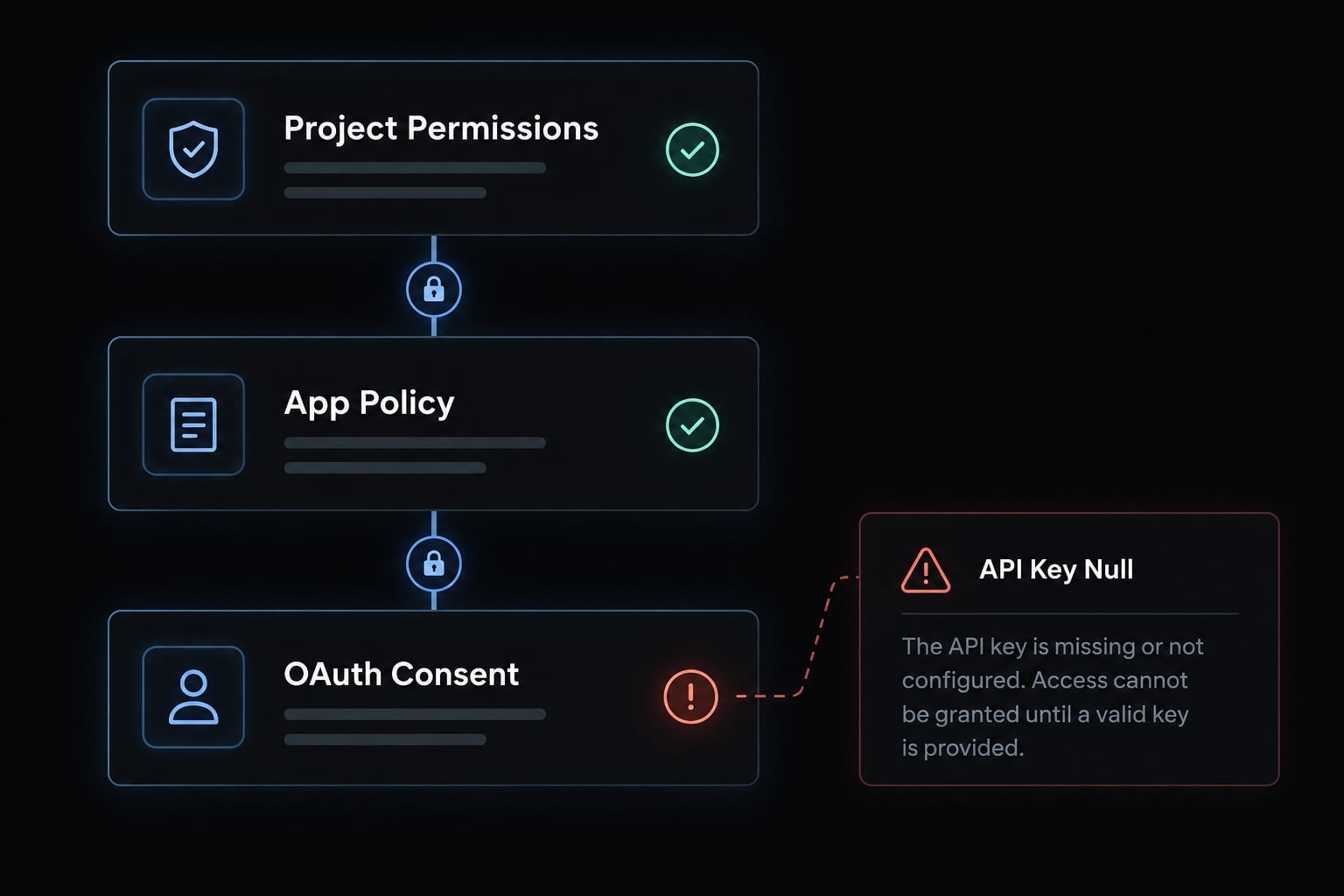
Jira Cloud permissions, organization app policies, and OAuth consent are separate checks. OAuth is delegated authorization: the user approves access without putting their password into the connector.
A successful authorization grant does not bypass project permissions or Jira issue security levels. Likewise, an Anthropic API key does not authorize Jira access.
A GitHub PAT (personal access token) is only necessary when the chosen GitHub workflow requires one. Do not create service accounts or long-lived tokens speculatively. Start with one issue that contains no customer data.
How to connect Claude Code to Jira through MCP
Register a compatible Atlassian connector, authenticate the intended identity, and validate one read before attempting writes. Follow this sequence:
- Confirm connector compatibility and the supported endpoint.
- Choose configuration scope.
- Register the MCP server.
- Open the authentication interface.
- Review and complete authorization.
- Inspect connection status and available tools.
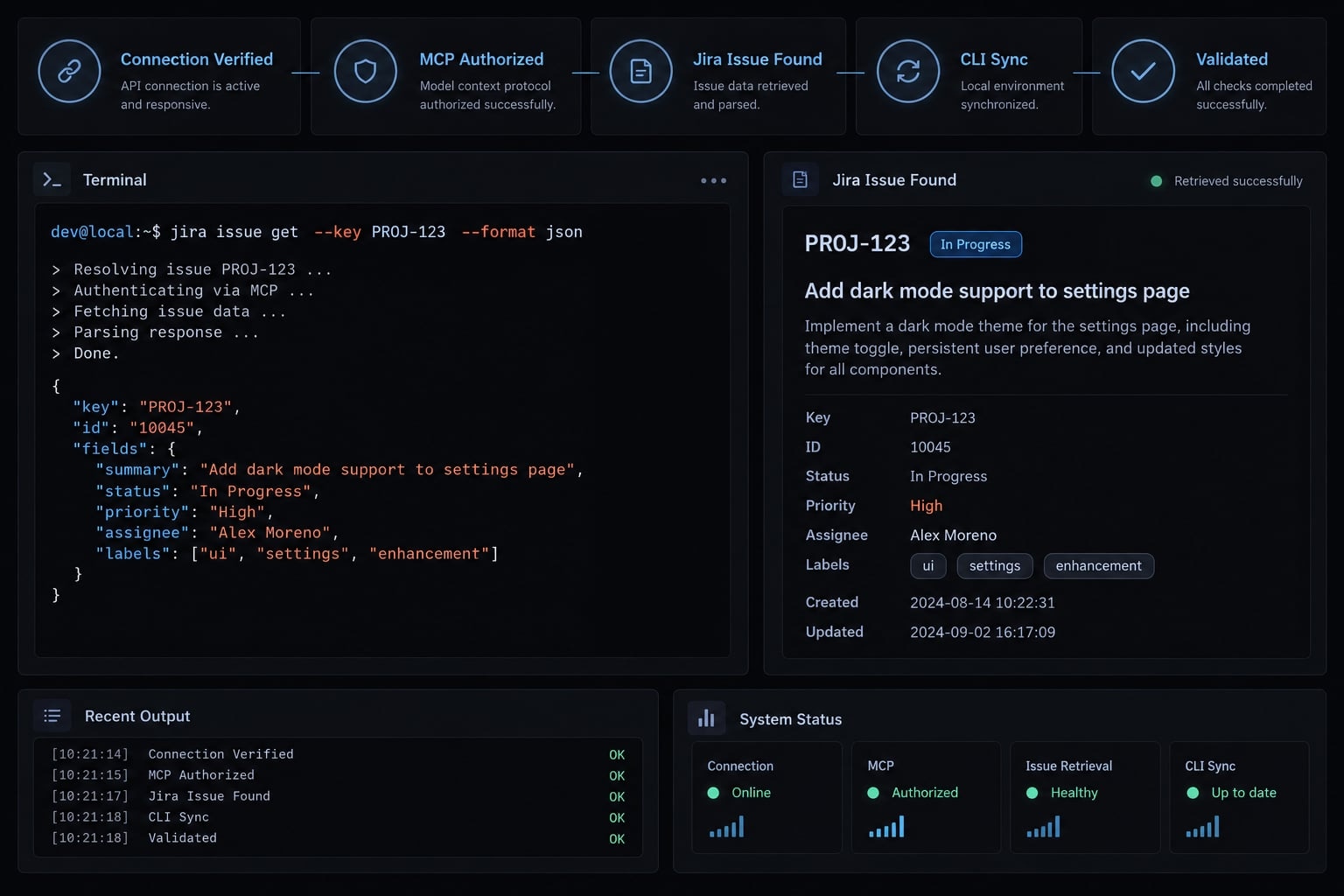
- Retrieve one permitted issue without modifying it.
Add the atlassian MCP server
The following is an untested SSE configuration example, not a claim that SSE remains the preferred transport. Confirm its continued support in Atlassian’s Remote MCP Server documentation before running it.
Also compare the syntax with your installed CLI’s help:
claude --versionclaude mcp add --help
If current documentation still supports the SSE endpoint and your CLI supports these flags:
claude mcp add --scope local --transport http atlassian https://mcp.atlassian.com/v1/mcp
In this example:
- Scope:
locallimits configuration availability to you in the current project context. - Transport: SSE, or Server-Sent Events, is the connection method selected here.
- Server name:
atlassianis the local configuration identifier. - Endpoint: The address identifies the remote MCP service.
Do not change only the transport flag to HTTP while retaining an endpoint intended for SSE. Use the endpoint-and-transport pair documented together by Atlassian.
Official Claude Code MCP documentation distinguishes local, project, and user configuration scopes. Configuration scope controls where the connection is configured-not which Jira issues it can access.
Shared configuration may expose command arguments or environment values. Review it before committing anything.
Authenticate with Atlassian
Launch Claude Code:
claude
In the interactive session, open:
/mcp
Use the server’s available authentication action. Complete the browser authorization flow under the intended Atlassian identity, checking the site wherever site selection is offered.
Inspect requested permissions. Consent may not let you deselect individual scopes. If the grant exceeds approved access and cannot be reduced, stop. The account must already have access to the pilot issue.
Verify the connection
Use a synthetic example key only after replacing it with your permitted issue:
Read Jira issue DEMO-142 from the approved pilot site.Return its key, summary, status, and acceptance criteria.Identify any fields you could not retrieve.Do not modify Jira or repository files.
Check the expected server, correct site, issue key, and field values against Jira. Confirm that the issue was not changed.
“Connected” does not prove that every tool or project is accessible. Record the date, CLI version, operating system, Jira deployment and plan, connector identity, transport, scope, authentication method, result, and limitations.
Keep that record as the pilot’s acceptance evidence. A read-only prompt expresses intent; it does not remove write permissions.
When to consider community connectors
Consider one only for a demonstrated capability gap. Review its maintainer, source code, dependencies, release health, secret handling, requested access, and operational owner. Local standard-input/output execution is not automatically safer: It can run connector code with the developer’s privileges.
Verify any Jira agent before installing it
Do not install an app based only on a familiar product name or an issue-to-PR demonstration. The supplied claims about Claude Agent for Jira are insufficient to establish its publisher, availability, credentials, or execution guarantees.
Consequently, this article does not prescribe Marketplace installation steps, API keys, assignment triggers, or GitHub token permissions for that product.
Establish product identity and supported behavior
Before evaluating a Jira-native workflow, obtain:
- The exact Atlassian Marketplace listing and publisher.
- Publisher documentation identifying supported Jira environments.
- The documented execution service and its relationship to Anthropic.
- Installation, authorization, and permission requirements.
- Supported triggers, outputs, and cancellation behavior.
- Billing, retention, regional availability, and support terms.
Treat references to Claude Managed Agents as unverified unless the app’s documentation explicitly establishes that relationship.
Assigning an issue, mentioning an account, creating a branch, and opening a draft PR are separate capabilities. Evidence for one does not prove the others.
Review credentials without guessing
Authorization to verify | Question to answer | Minimum control |
|---|---|---|
Jira access | Which identity reads and writes issues? | Restricted pilot visibility |
Model-service authorization | Which account or billing arrangement is required? | Named owner and usage oversight |
Repository access | App installation, OAuth, or token? | Selected repositories and documented permissions |
Execution access | Where are code and secrets available? | Isolation and cancellation review |
For supported token workflows, GitHub’s personal-access-token documentation recommends limiting access and permissions. Fine-grained tokens are preferable where compatible, but organization approval and feature support still matter.
Define the pilot before enabling triggers
Select one low-risk issue with acceptance criteria, a repository reference, test requirements, exclusions, and a reviewer. Compare actual behavior with documented behavior: issue retrieval, code changes, test execution, PR preparation, and Jira reporting. Mark failed or skipped steps explicitly.
A draft PR is an output, not proof of correctness. Draft status is also not a technical guarantee against later merging. Branch rules, repository permissions, and human review remain necessary. If these checks cannot be completed, keep the workflow interactive.
Practical Claude Code and Jira workflows
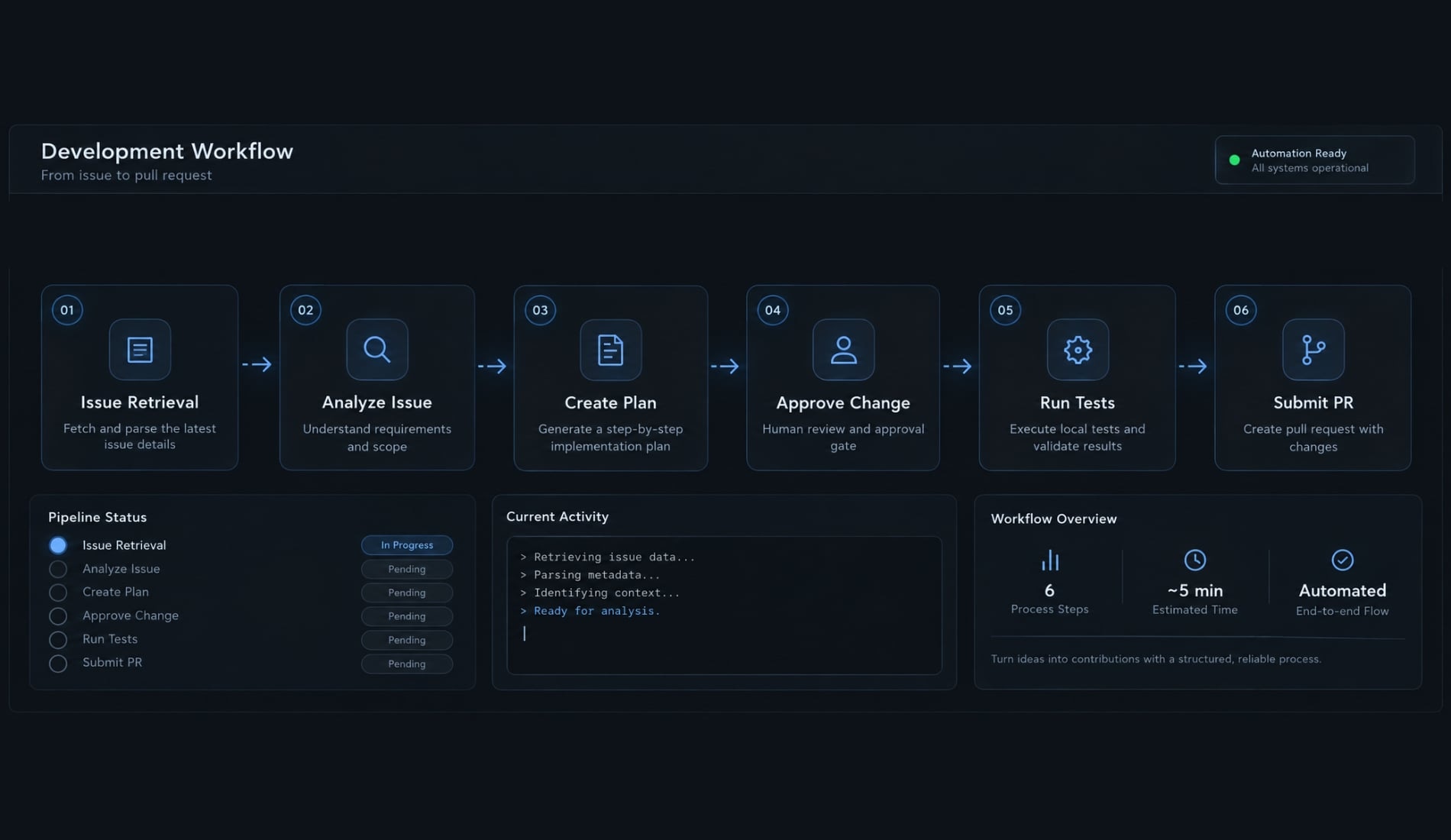
Separate understanding, planning, editing, and publishing. This keeps Jira ticket context useful without silently expanding authorization. The following illustrative Jira-to-code workflow uses DEMO-142: an API accepts an invalid date range instead of returning the agreed validation error.
Read and analyze the issue
Read DEMO-142 from the approved Jira site.Summarize the defect, acceptance criteria, dependencies,and clarification questions.Separate retrieved facts from assumptions.Do not modify Jira or repository files.
Ask for specific linked material only when necessary. Fetching every comment, attachment, and parent issue increases both exposure and irrelevant context.
Create an implementation plan
Using DEMO-142 and the current repository, propose animplementation plan covering relevant files, tests,risks, dependencies, and unresolved questions.Do not edit files yet.Pause if acceptance criteria are ambiguous.
Review the plan before coding. Jira access does not prove the current checkout is the correct repository or branch.
Gate A: Approve local implementation and tests
Implement only the approved plan for DEMO-142.Run the agreed validation tests.Report passed, failed, and skipped checks with evidence.Do not push, create a PR, update Jira, merge, or deploy.Stop if implementation requires expanding the approved scope.
Evidence should include test commands, outcomes, and relevant limitations. “Tests passed” is insufficient when the intended test suite was not run.
Gate B: Authorize external writes separately
After reviewing the diff and test results:
Push the reviewed branch and prepare a draft PR usingthe approved repository tooling.Include the Jira reference, change summary, test evidence,and known limitations.Do not update Jira, merge, or deploy.
Approve any Jira comment or status transition separately, after reviewing its proposed text. Prompts communicate intent. Tool permissions and repository controls determine what is technically possible.
Convert requirements into work items
For planning, use: Extract requirements → propose hierarchy → add acceptance criteria → check duplicates → approve creation.
Available issue types and parent-child relationships depend on Jira configuration. Preview the proposed items before invoking write tools.
Security, governance and troubleshooting
Enforce restrictions outside the prompt, and plan revocation before expanding access. A successful connection is only one part of a controlled deployment.
Minimum security baseline
Apply eight controls:
- Start with least-privilege access appropriate to the pilot.
- Restrict Jira visibility and repository authorization.
- Keep secrets out of repositories, prompts, logs, and screenshots.
- Review tool permissions and approval settings.
- Require branch protections, CI (automated build and test checks), and human review.
- Record credential ownership and auditable actions.
- Define expiration, rotation, and revocation procedures.
- Verify each service’s retention, processing, and regional terms.
MCP prompt injection can originate in Jira descriptions, comments, attachments, linked Confluence pages, external URLs, and third-party tool output.
Such content may contain instructions designed to redirect the agent. Treat it as task data-not authorization to reveal secrets, alter policy, or perform unrelated actions.
Official MCP security guidance addresses these trust boundaries. Repository instructions such as CLAUDE.md can guide behavior, but they do not replace access controls.
Secure API credential management also requires tracking who can revoke each credential. Do not assume blanket zero-data-retention eligibility or regulatory compliance across participating services.
Common problems and safe next actions
These are diagnostic scenarios, not observed failures from a test run.
Symptom | Likely cause | Safe next action |
|---|---|---|
MCP server missing | Wrong project context or configuration scope | Inspect registration in the intended directory |
Authentication does not start | Transport mismatch, client support, or browser restrictions | Check documented compatibility and authentication interface |
Issue not found | Wrong site, identity, key, or issue security | Check access in Jira using the same identity |
Tools fail after connection | Expired grant, policy restriction, or unavailable capability | Inspect the error and documented tool support |
Reads work; writes fail | Missing write permission or unsupported operation | Confirm necessity and authorized capability first |
Repository inaccessible | GitHub authorization is absent or restricted | Check repository permissions separately from Jira |
Branch push rejected | Branch policy or insufficient authorization | Use an approved feature branch; preserve protections |
PR creation rejected | Tooling, authorization, or organization policy | Review GitHub access and the exact error |
Only one developer sees configuration | Local or user-scoped registration | Share reviewed configuration, not credentials |
Excessive context or output | Broad queries and unnecessary linked content | Request specific issues, fields, and bounded results |
Authentication can succeed while issue access fails. Check identity and visibility before requesting broader permissions.
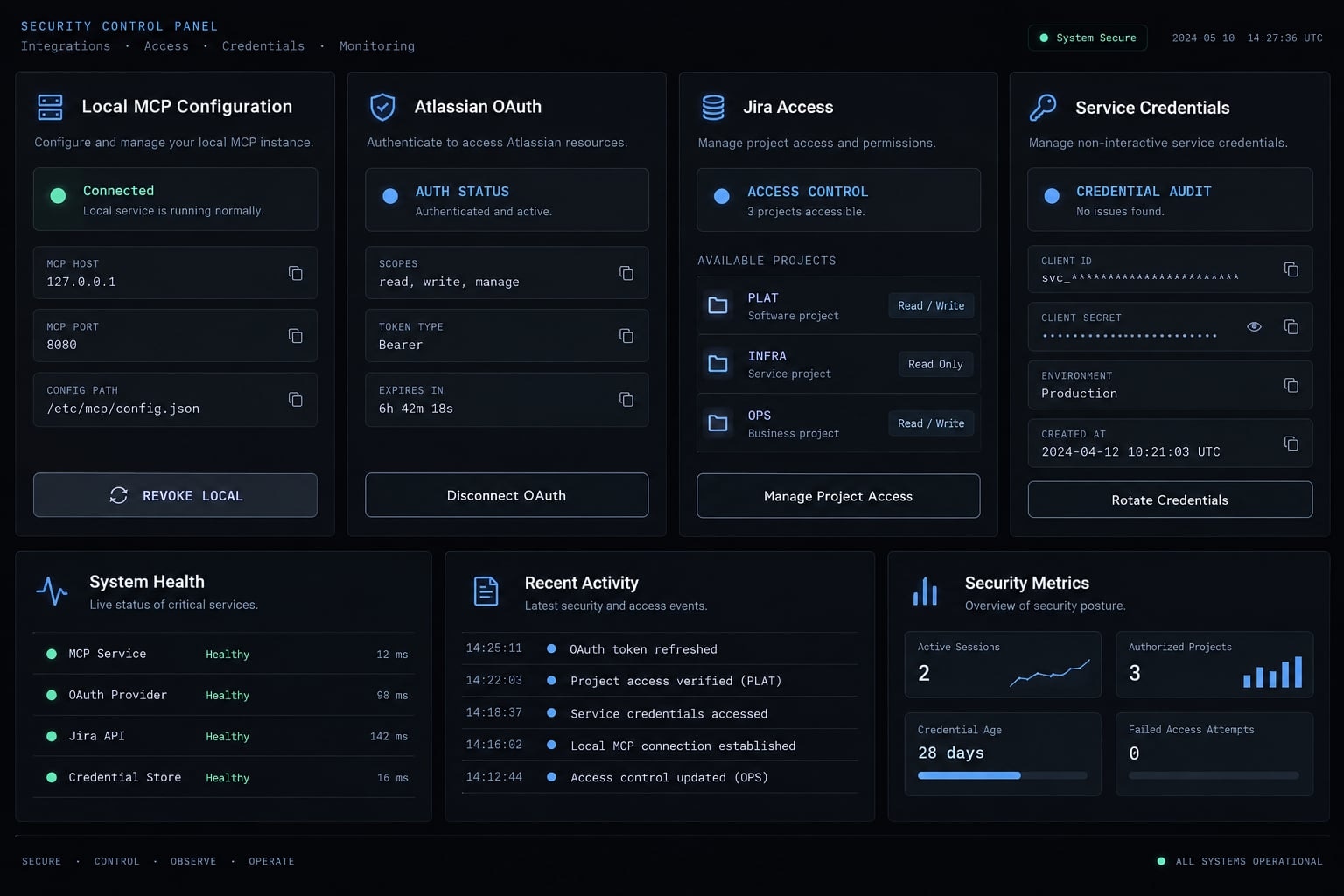
Rollback and access revocation
- Stop active sessions or jobs and disable new triggers.
- Remove the relevant MCP configuration from its actual scope.
- Revoke applicable Atlassian OAuth grants.
- Revoke dedicated Anthropic and GitHub credentials, checking shared dependencies first.
- Disable or uninstall any associated app; confirm remaining authorizations.
- Review branches, PRs, Jira changes, and audit records.
Removing local configuration does not revoke remote authorization. Uninstalling an app may also leave separately issued credentials valid. Run this revocation checklist during the pilot, not only after an incident.
Frequently asked questions
What is the difference between Claude Code MCP and the Claude Agent for Jira?
Claude Code MCP connects the terminal CLI to Jira for interactive, developer-led tasks like querying tickets or fetching acceptance criteria. In contrast, the Claude Agent for Jira is a cloud-based integration that enables asynchronous, Jira-initiated automation, such as autonomous branch creation and pull request generation from within the Jira interface.
Can I use Claude Code to modify my Jira issues?
Yes, provided your authenticated identity has the necessary Jira project permissions and the MCP server is configured to allow write operations. Always use the /mcp tool list to verify which specific Jira tools are enabled and authorize each modification request within your terminal session to ensure controlled changes.
Is the Claude Agent for Jira available for all Jira instances?
No. The Claude Agent for Jira is not supported on HIPAA or FedRAMP-compliant Jira instances. Additionally, it requires specific Jira Cloud plans and is currently managed through the Atlassian Marketplace. Always verify your specific organization’s compliance status and plan requirements before attempting installation.
How do I ensure security when connecting Claude Code to Jira?
Implement the principle of least privilege by restricting your Atlassian OAuth scope and GitHub repository access. Treat all retrieved Jira content as untrusted input to prevent prompt injection, and enforce mandatory human review through branch protections and CI/CD pipelines for any code generated by the agent.
Does removing the Claude Code MCP configuration revoke my Jira access?
No. Deleting the local MCP configuration stops the CLI from accessing Jira, but it does not necessarily revoke the underlying Atlassian OAuth grant. To fully secure your workspace, manually revoke the specific authorized application or API tokens through your Atlassian account settings and GitHub credential management pages.
What should I do if my Claude Code session fails to fetch Jira data?
First, verify that your authentication token is still active by running claude mcp list. Ensure your network allows the necessary transport protocols (SSE or HTTP) and confirm that your Atlassian user account has explicit read permissions for the specific project and issue key requested in your terminal session.
Are Claude Agent for Jira actions executed autonomously?
While the agent can autonomously analyze code, create branches, and open draft pull requests, it cannot merge code into your default branches. All agent-generated work remains in a "draft" state, requiring manual code review, test verification, and human approval before any changes are integrated into your codebase.
Read more:
- Claude Code Slack MCP: Setup guide and best practices
- Playwright Claude Code integration: A complete setup guide
- Connect GitHub MCP to Claude Code: Step-by-step guide
Conclusion
A successful Claude Code Jira integration relies on keeping connectivity, authorization, execution, and human approval strictly separate. While MCP brings Jira ticket context directly into developer-supervised sessions, it does not grant automatic write access or deliver code autonomously.
Before scaling across your team, validate the setup on a single low-risk issue in a controlled pilot-verifying permissions, testing evidence, and access revocation-and treat autonomous, Jira-triggered agents as distinct products requiring independent security evaluation.