Vibe coded websites: What they are, how they work, and where they break
Vibe coded websites are getting attention because they let people turn plain-English prompts, screenshots, and rough ideas into working website drafts surprisingly fast. This approach completely changes the game for small teams and founders. You get to go from concept to a tangible prototype without the friction of a blank page or full development cycles. But speed creates its own confusion. This article explains what vibe coding actually means, how vibe coded websites are usually built with tools like v0, Bolt, and Cursor, and where the process still needs careful review before anything goes live.
What are vibe coded websites?
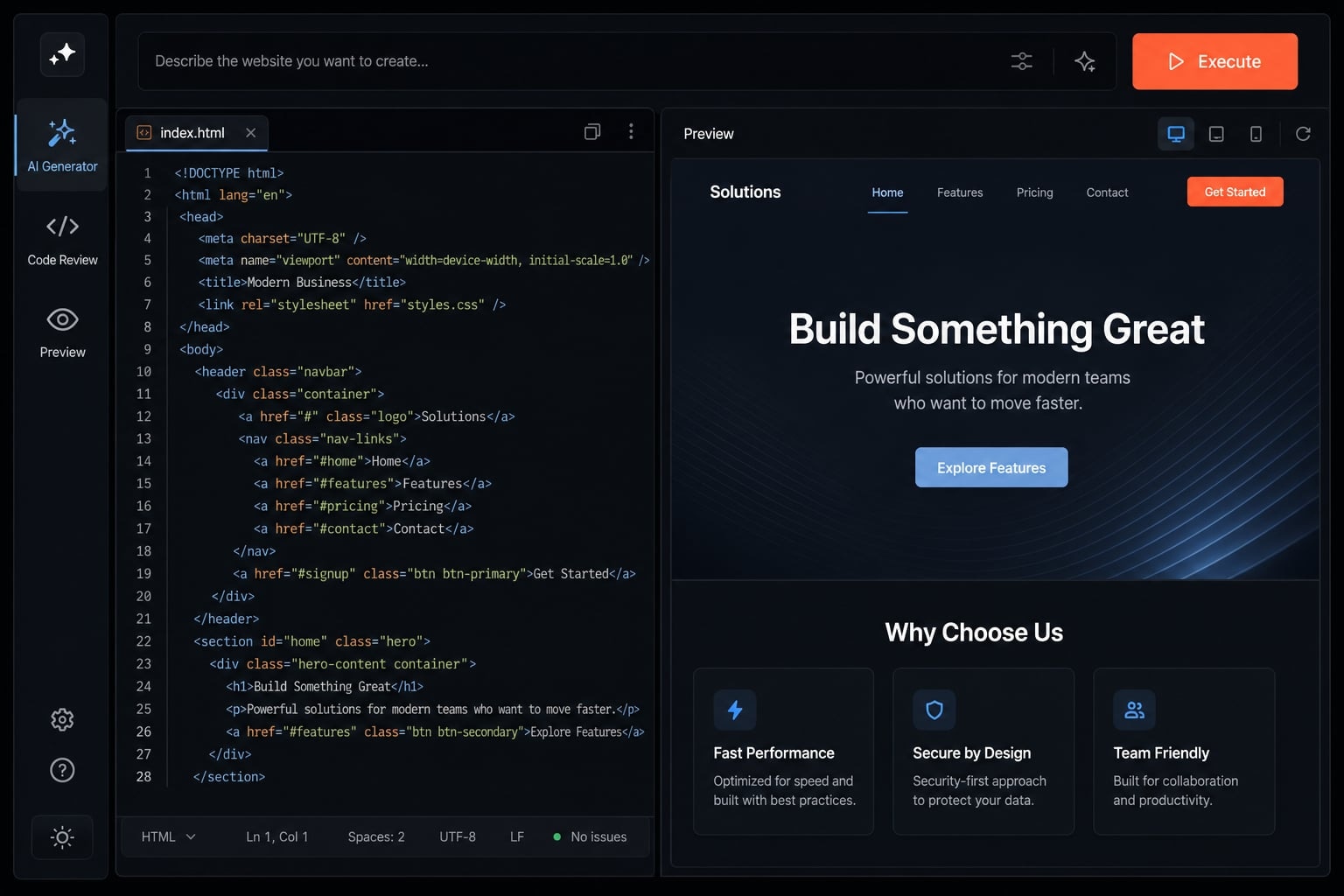
Vibe coded websites are websites created through prompts, screenshots, sketches, wireframes, or reference examples that an AI tool uses to generate layout, structure, and code. The process feels conversational, but the output still often needs human review before it is reliable enough for launch.
In plain terms, vibe coding is a form of AI-assisted web development where you describe what you want instead of manually building every part yourself. You might say, “Create a clean SaaS landing page with a hero section, three feature blocks, testimonials, and a waitlist form,” and the tool generates a first version.
That is why the phrase is spreading so quickly. It lowers the barrier to making something visible. For non-developers, it feels closer to natural language website building than traditional web work. For technical users, it can speed up the draft stage through prompt-driven development.
What matters is keeping expectations realistic. Most vibe coded websites are best understood as fast first drafts or iteration layers. They can look complete very quickly, but visual completeness is not the same as operational readiness. In practice, the initial output is often enough to validate an idea, test a message, or align a team-even if it isn't production-ready just yet.
What “vibe coding” usually looks like in practice
Here is the most common workflow for building vibe coded websites:
- Start with an idea, screenshot, sketch, wireframe, or reference site.
- Ask the AI tool to generate a first version.
- Review the output and identify what feels off.
- Use repeated iteration to refine copy, spacing, structure, CTA placement, and layout.
- Export or continue editing until the site is close enough for QA.
Vibe coding vs templates, no-code, and traditional coding
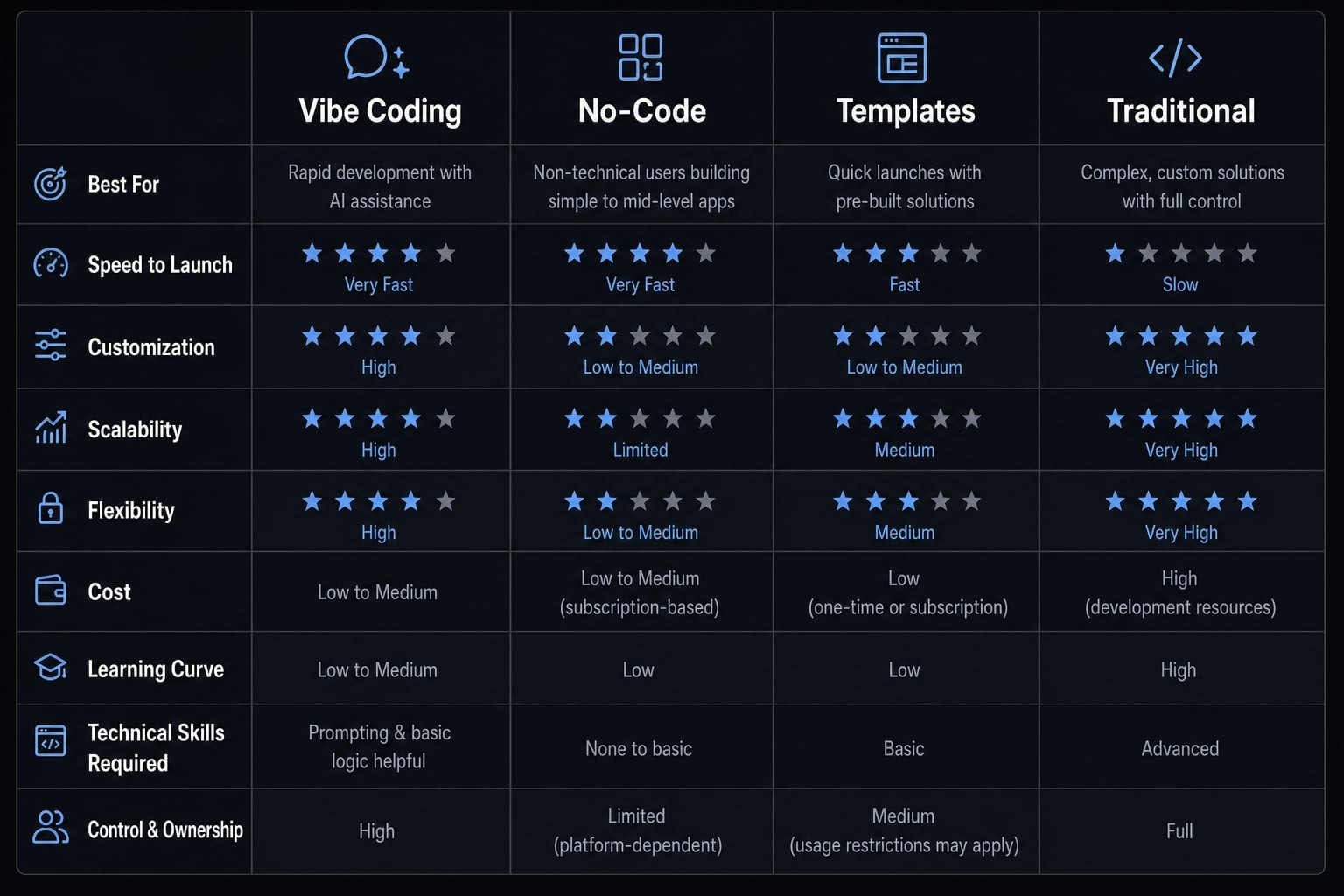
Approach | How it works | Best for | Main limitation |
|---|---|---|---|
Templates | Start from a pre-built structure and customize it. | Fast standard websites. | Can feel rigid or generic. |
No-code platforms | Assemble pages visually using blocks and settings. | Non-technical users who want control without code. | Limited flexibility in unusual layouts or logic. |
Vibe coding | Generate a site through prompts, references, and conversation. | Fast drafts, experiments, landing pages. | Output may look polished but still need review. |
Traditional coding | Build directly in code with full manual control. | Custom sites, complex logic, production systems. | Slower upfront and requires technical skill. |
Why people are using vibe coding to build websites
- The main appeal is speed. With the right AI website tools, a founder or small team can move from rough concept to usable draft in hours instead of days. That shortens the path to feedback, which is often more valuable than polishing a perfect design too early.
- The second reason is lower friction. If you want to build website with AI, you do not need to start by learning every interface, framework, or page builder convention. You can describe the outcome first, then refine from something visible. That makes rapid prototyping easier for non-developers and semi-technical operators.
- There is also a collaboration benefit. A marketer, founder, or product lead can create a draft that makes the idea concrete. Instead of debating abstract requirements, the team can react to a working page. That improves alignment and reduces slow back-and-forth during early website planning.
- This approach is especially useful when perfection is not required on day one. If the goal is concept validation, a waitlist launch, a campaign page, or message testing, an AI-generated website can create enough momentum to learn quickly. It can also improve website launch speed when the team needs a presentable first version before committing to a custom build.
Common use cases where vibe coding works well
Good-fit projects usually include:
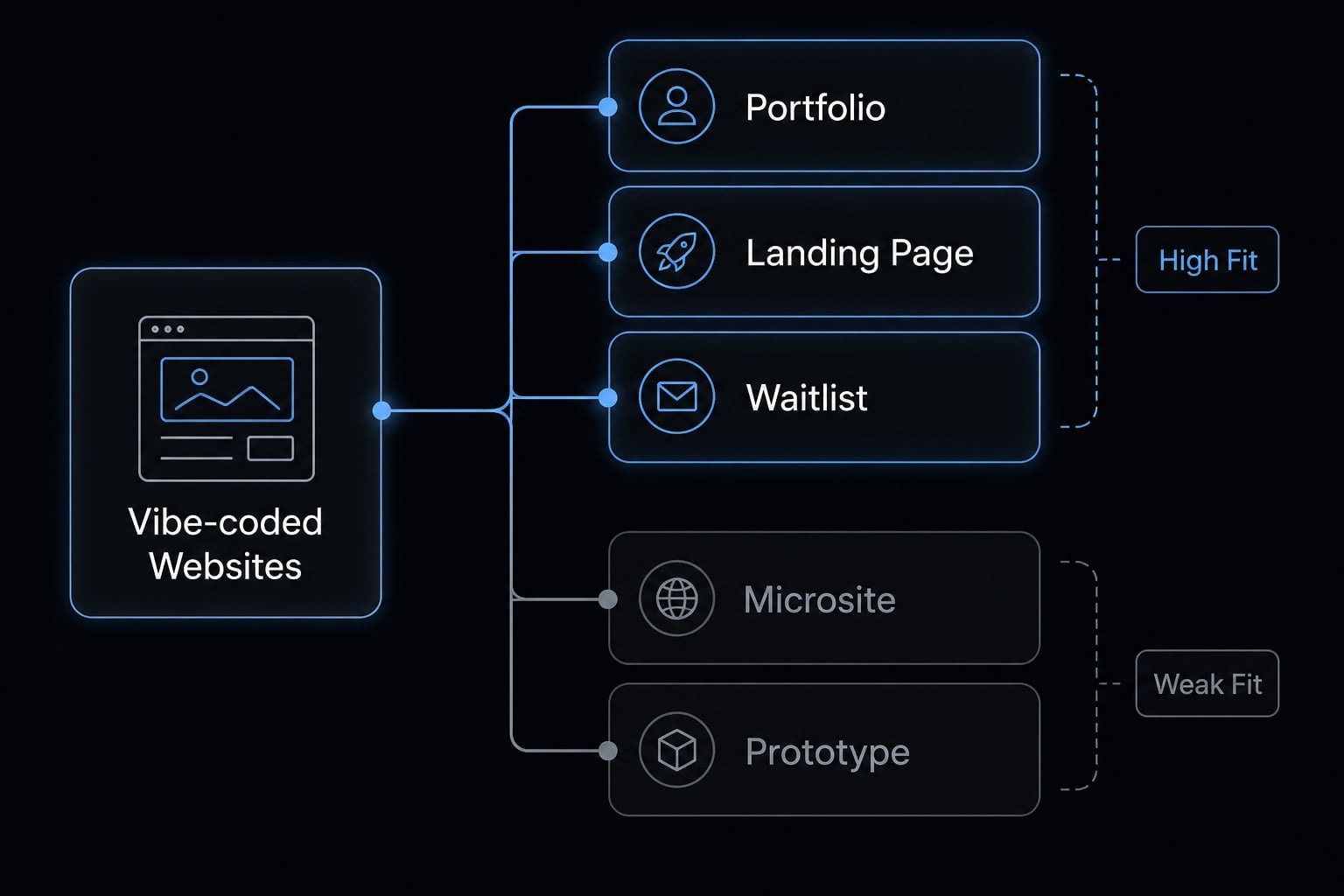
- Personal portfolio or AI-built portfolio website.
- SaaS homepage or AI-generated landing page.
- Waitlist page for a new product.
- Agency website.
- Event microsite.
- Internal prototype or demo site.
Why founders and small teams are especially interested
Founders and lean teams tend to care about faster experimentation more than perfect process. They often have limited engineering bandwidth, unclear early requirements, and pressure to ship something visible. Vibe coding helps shorten time-to-first-version, lowers commitment before a custom build, and gives everyone a concrete draft to review.
That said, this works best for simpler website categories. It is a strong fit for early presentation and experimentation, not every product or application scenario.
How vibe coded websites are usually built: A simple step-by-step workflow
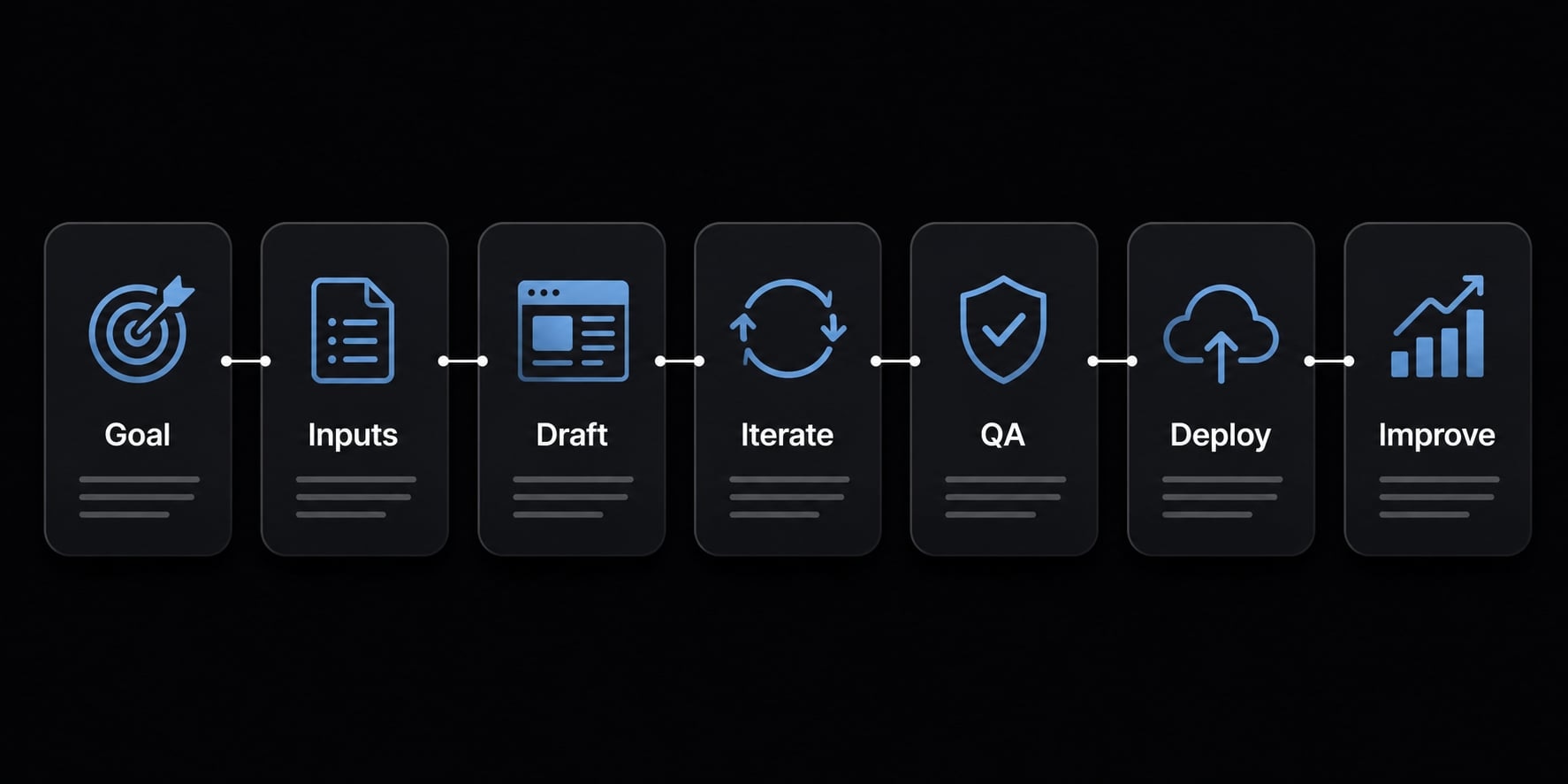
- Define the website goal.
- Gather reference inputs.
- Generate the first draft.
- Refine with precise prompts.
- Review last-mile issues.
- Export and deploy.
- Improve after launch.
This is the most typical AI website workflow for mainstream users. The exact tool may change, but the sequence is usually similar whether you start in v0, Bolt, Lovable, or another prompt-based builder.
Step 1: Define the website goal before prompting
Before you ask a tool to generate anything, define the website goal clearly. Decide what type of site you are building, who it is for, what action you want visitors to take, and which pages or sections are required. Weak inputs usually produce generic outputs. A specific goal gives the AI better direction and gives your team a clearer standard for revision.
Step 2: Gather input materials the AI can work from
Good input materials improve the first draft more than most users expect.
Use items like:
- Screenshots.
- Rough wireframes.
- Sketches.
- Brand colors.
- Draft copy.
- Style references.
- Competitor examples, if relevant.
In practice, most vibe coding starts with incomplete materials. That is fine. The point is to give the tool enough context to generate something closer to your intent.
Step 3: Generate the first draft with an AI tool
The best way to generate first draft output is usually to ask for structure before polish. Start with page layout, content hierarchy, CTA placement, and basic mobile awareness. This is where code scaffolding happens: the AI gives you an initial frame to react to.
Keep expectations grounded. The first result is usually the beginning, not the end. A good first pass saves time, but it rarely gets every spacing, interaction, and content decision right.
Step 4: Iterate with precise prompts
This is where most of the value comes from. Iteration is the core loop in vibe coding, and better precise prompts almost always lead to better output. Instead of saying “make this better,” ask for specific changes to typography, spacing, section order, CTA wording, image treatment, or copy hierarchy.
This is the practical side of prompt engineering: giving the tool clear constraints, priorities, and direction. Good prompt engineering is less about clever wording and more about reducing ambiguity.
Use a prompt formula like this:
“Build a [site type] for [audience]. Use [style]. Include [sections]. Primary CTA: [action]. Prioritize [mobile clarity / simplicity / speed].”
Examples of productive changes include:
- Reduce padding between feature cards.
- Move testimonial section above pricing.
- Rewrite hero copy for a more technical audience.
- Make the primary CTA more visible on mobile.
- Use a cleaner typography hierarchy for scannability.
Step 5: Review the last-mile issues
A site can look polished and still fail basic website QA. This is the stage many users underestimate.
Review this checklist before publishing:
- Responsive behavior across screen sizes.
- Forms and interactions.
- Spacing consistency.
- SEO basics.
- Metadata setup.
- Analytics installation.
- Accessibility basics.
This is where many vibe coded websites reveal the gap between “looks finished” and “is finished.”
Step 6: Export, host, and publish
A common path is code export → GitHub → Vercel. This is where website deployment becomes more structured. Version control matters because it helps you track changes, roll back mistakes, and collaborate more safely. Hosting matters because the site still needs a stable environment to go live.
For non-developers, this is often the point where outside help becomes useful. The site may be mostly there, but the deployment steps still require care.
Step 7: Refine after launch
After launch, review mobile usability, test forms again, check speed, and update based on real usage. The goal is not endless pre-launch tweaking. It is getting a solid version live, then improving it with evidence rather than guesswork.
Best tools for building vibe coded websites
There is no single best tool for every user. The best AI tools for vibe coding websites depend on your skill level, where you are in the workflow, and whether you need generation, refinement, or deployment support.
Some tools are better at visual generation. Others are stronger once you want to edit code directly. A sensible workflow usually combines a generation layer with a deployment layer rather than expecting one tool to do everything equally well.
Tool selection by use case
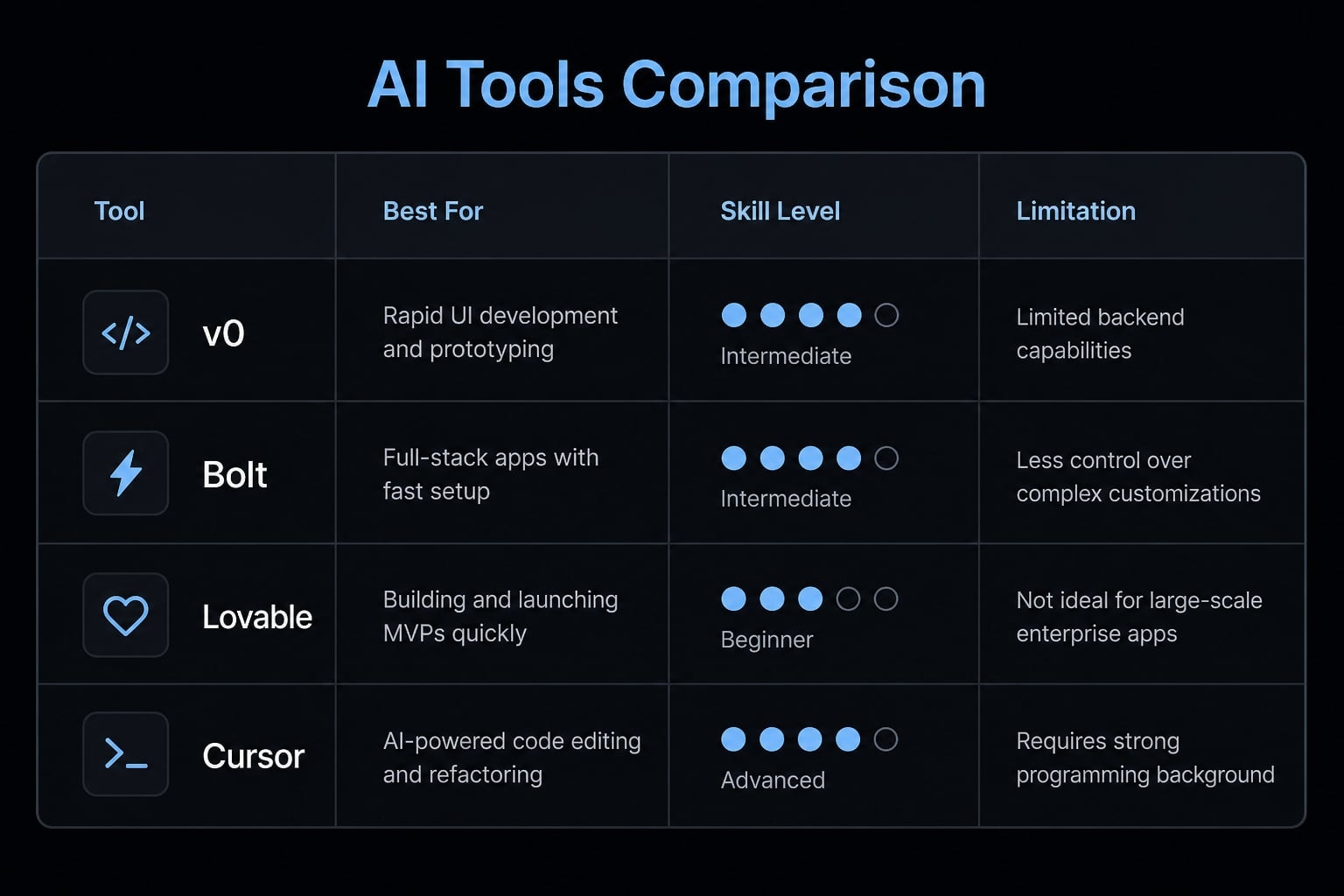
- v0: Strong for UI generation, page sections, and component-first website drafts.
- Bolt: Useful for quick full-site or app scaffolding when you want something working fast.
- Lovable: Helpful for generating presentable early versions with low setup friction.
- Cursor: Better for deeper refinement, direct code editing, and structured iteration.
- GitHub + Vercel: Common stack for storing code, managing versions, and publishing.
Which type of user should start where?
- Non-developers: Start with generation-first tools like v0, Bolt, or Lovable
- Semi-technical founders: Use a generation tool plus GitHub and Vercel for deployment
- Developers and small product teams: Combine AI generation with direct code review and editing in Cursor
For most readers looking for beginner-friendly AI website tools, the easiest path is to start with generation, then bring in more structured editing only when the draft is worth refining.
Tool | Best for | Skill level | Main limitation |
|---|---|---|---|
v0 | UI sections, component generation, landing page drafts | Beginner to intermediate | Often needs refinement for full-site completeness |
Bolt | Fast full-site scaffolding | Beginner to intermediate | Can require cleanup for structure and polish |
Lovable | Low-friction visual generation | Beginner | Less ideal when deeper code control is needed |
Cursor | Code refinement and direct editing | Intermediate to advanced | Better after a draft already exists |
GitHub + Vercel | Version control and deployment workflow | Intermediate | Not generation tools; may require setup help |
The real limits of vibe coded websites
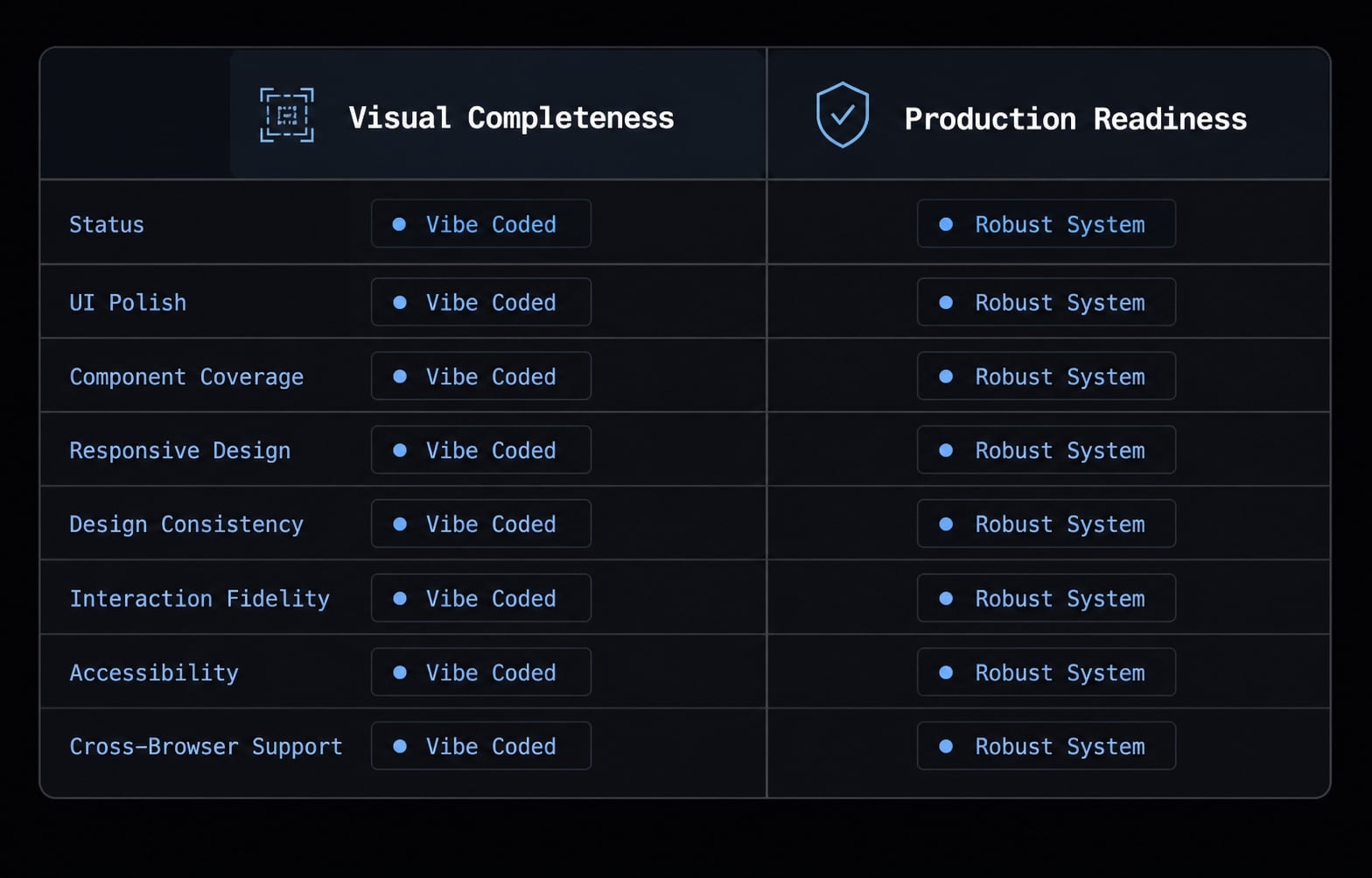
The most important distinction is this: A website can look finished long before it is actually finished. That is the core reason vibe coded websites are useful and risky at the same time.
AI can generate a polished layout, clean sections, and persuasive-looking structure very quickly. But visual quality alone does not make a production-ready website. Fast output is not the same as reliable output. This is where many teams misjudge what the draft really represents.
The “70–85% done” reality
In practice, AI often gets you 70-85% done surprisingly fast. That is why the process feels impressive. But the remaining 15-30% is where reliability, precision, and business risk show up. That is the heart of the last-mile problem and where AI-generated code quality becomes harder to trust without review.
Common last-mile issues readers should expect
Use this website QA checklist as a reality filter:
- Broken mobile behavior.
- Form submission issues.
- Spacing and layout inconsistencies.
- SEO and metadata omissions.
- Performance gaps.
- Accessibility gaps.
These issues are common because AI is good at generating plausible structure, but less dependable when small operational details matter.
When human review becomes non-negotiable
This is where human review stops being optional. If the site includes payments, authentication, complex logic, high-traffic behavior, or revenue-critical flows, senior developer oversight becomes necessary. A polished draft is not automatically a production-ready website, especially when failure affects trust, revenue, or customer data.
Looks done | Is done |
|---|---|
Clean layout | Tested responsiveness across devices |
Visible form | Verified form submission and error handling |
Page title present | Complete metadata and SEO setup |
Nice visuals | Acceptable performance and load behavior |
Content on page | Accessibility review completed |
Examples of vibe coded websites and what they teach us
The most useful vibe coded website examples are not dramatic success stories. They are patterns that show where this approach fits well and where it starts to strain.
Pattern 1: Portfolio and creator websites
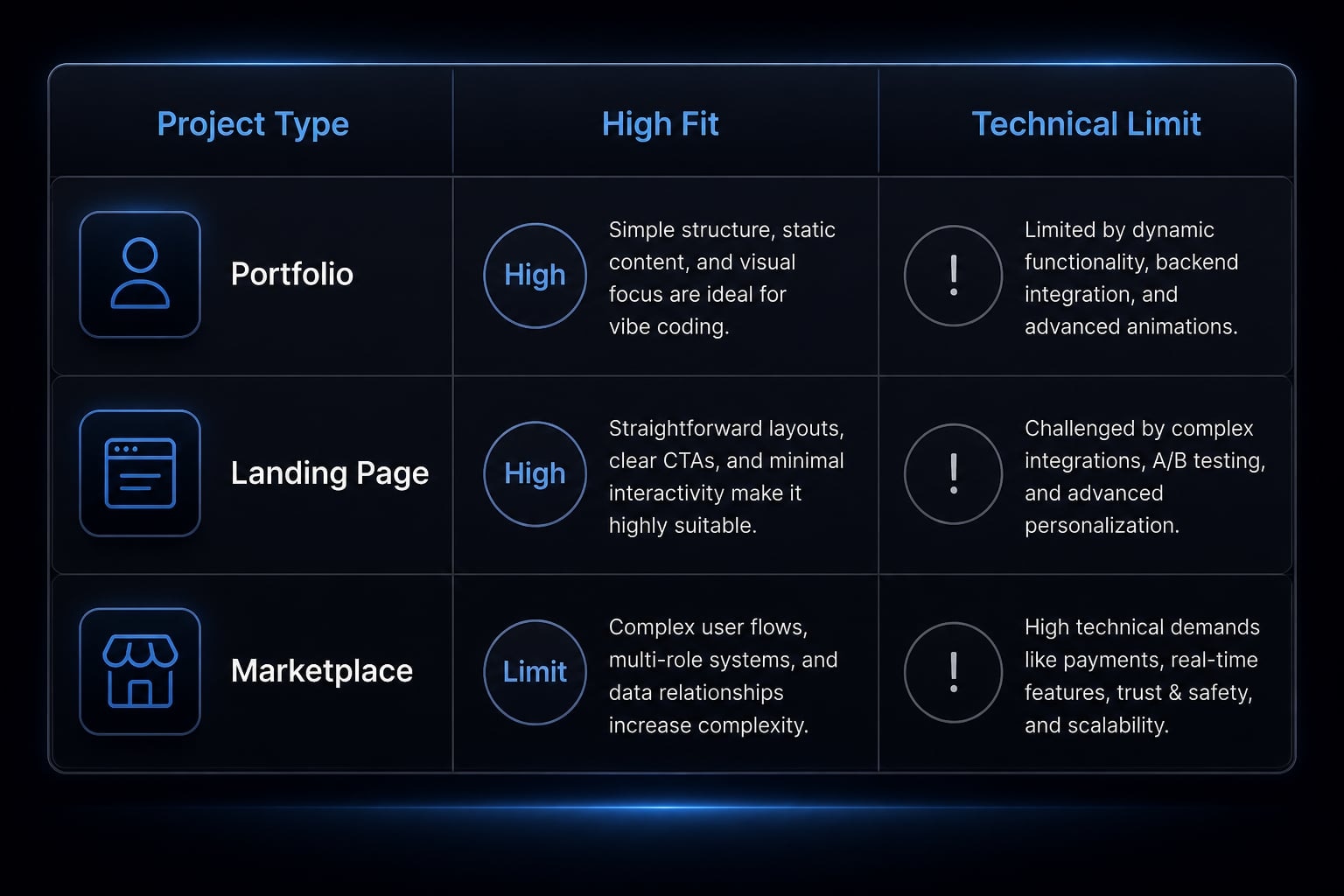
An AI-built portfolio website is often a strong fit because the structure is manageable and visually driven. Pages are usually limited, the content model is simple, and fast iteration matters more than deep system logic. This makes it easier to test layouts, image presentation, and personal branding quickly.
Pattern 2: SaaS landing pages and launch sites
An AI-generated landing page is another strong use case. Teams can test messaging, CTA placement, hero layouts, and section order without waiting on a full custom build. These are good real vibe coding examples because they benefit from speed, brand experimentation, and frequent copy updates.
Pattern 3: Complex sites still need technical judgment
More complex builds such as portals, marketplaces, booking flows, and auth-based experiences are different. These can still begin with vibe coding, but they usually exceed pure prompt-based comfort zones. The reason is simple: once state, logic, validation, and reliability matter, technical judgment becomes part of the product, not just the finish.
A more reliable way to scale vibe coding beyond one-off prompts
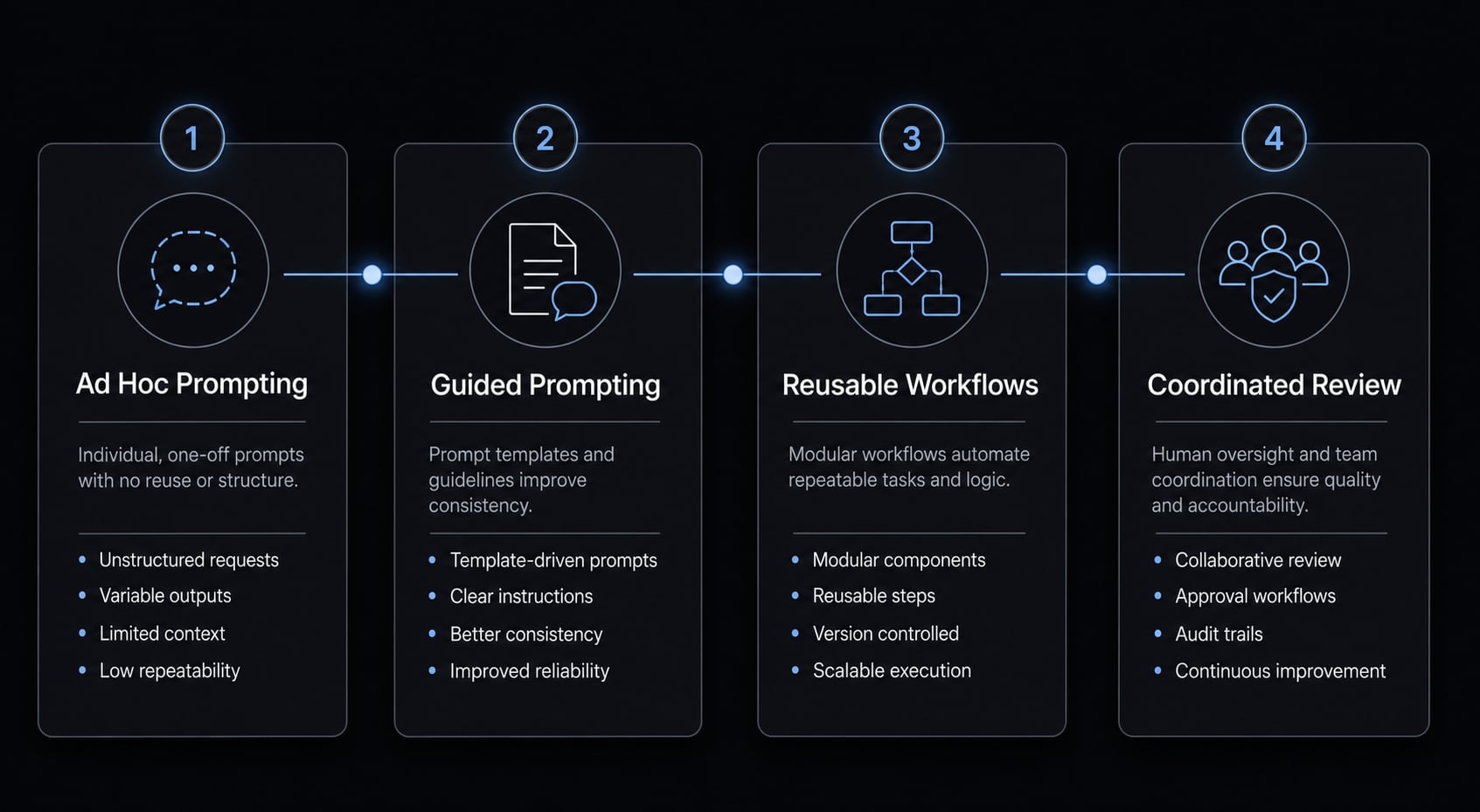
One-off prompting works well for experimentation. It works less well when a team wants consistency, reuse, and control across repeated website or content tasks. That is usually where improvised vibe coding starts to break down.
Where improvised vibe coding starts to break down
Common issues include:
- Repeated manual prompting.
- Inconsistent design or output quality.
- Weak handoff across functions.
- Lost context between iterations.
- Difficulty reproducing good results.
This is why repeatable AI workflows matter. Once multiple people are involved, the challenge is no longer just generating a page. It becomes standardizing how prompts, review steps, approvals, and outputs work together.
How AgentKit fits this stage
At that point, AgentKit is better understood as workflow infrastructure, not a shortcut button. It helps teams support repeatable AI workflows through reusable prompting patterns, automated workflows, review structure, and AI agent coordination across development and marketing tasks. The benefit is operational consistency: Less time rebuilding context, less drift across outputs, and a more controlled AI development workflow.
That matters when a team wants prompt standardization without losing human control. The goal is not full autonomy. The goal is better repeatability, cleaner coordination, and fewer avoidable mistakes as AI-assisted work scales.
Frequently asked questions
What are vibe coded websites?
Vibe coded websites are digital platforms built using natural language prompts rather than manual coding. By describing design, layout, and functionality to AI tools, users generate functional website drafts. However, these AI-generated outputs typically require human review and refinement to ensure they are fully production-ready and performant.
How do vibe coded websites work?
The workflow begins by providing AI tools with reference materials like sketches, wireframes, or screenshots. The AI translates these inputs into code. The user then iterates through the design by issuing precise prompts to adjust elements like typography, spacing, component placement, and site interactivity until the result aligns with their vision.
What are the best tools for vibe coding websites?
Commonly used AI tools include v0 for component and layout generation, Bolt or Lovable for full-site scaffolding, and Cursor for deep code refinement. These tools are often complemented by professional deployment stacks like GitHub and Vercel to manage, version-control, and host the final code.
Can I build a production-ready website with vibe coding?
Vibe coding is excellent for rapid prototyping and generating polished drafts quickly. However, it often hits a "last-mile problem" where the code requires manual intervention for security, complex logic, auth flows, and cross-browser responsiveness. A senior developer or experienced user is usually needed to bridge the gap to production.
What are the main limitations of vibe coded websites?
The primary limitations include inconsistent mobile responsiveness, brittle form handling, missing metadata, and potential security vulnerabilities. AI often produces code that "looks finished" but lacks the structural integrity, performance optimization, and accessibility checks required for professional, high-traffic, or revenue-critical business applications.
When should a human developer review vibe coded code?
Human oversight is essential whenever a website involves payments, user authentication, proprietary data handling, or high-traffic scaling. Because AI can generate incorrect or insecure code with high confidence, professional review is required to ensure the site is stable, GDPR-compliant, and optimized for long-term maintenance.
Is vibe coding the same as no-code development?
No, they differ significantly. No-code platforms use visual drag-and-drop interfaces to assemble pre-built elements. Vibe coding uses natural language to generate custom code files. While no-code is constrained by the platform's features, vibe coding offers more flexibility but requires more technical verification and maintenance to keep the code functional.
Read more:
- Vibe code mobile app: Build ideas faster with AI development
- 7 practical vibe coding examples: Build apps faster with AI
- Vibe coder meaning: How AI is changing software development
Conclusion
Vibe coded websites are best used as a fast path to visible drafts, rapid experimentation, and easier iteration across portfolios, landing pages, microsites, and early-stage website concepts. Their real strength is speed: They reduce build friction and make it easier to move from idea to something concrete.
But fast generation is not the same as launch readiness. Production quality still depends on review, website QA, and human judgment, especially when forms, logic, traffic, or revenue are involved. If your team wants to go beyond one-off prompting and build with more consistency, start with a clearer workflow, a reusable prompt structure, and more repeatable AI workflows. For a more controlled next step, explore how AgentKit helps teams organize AI-assisted website and growth work without rebuilding the process each time.