How to use Claude Code with Google Vertex AI: Setup guide
How to use Claude Code with Google Vertex AI
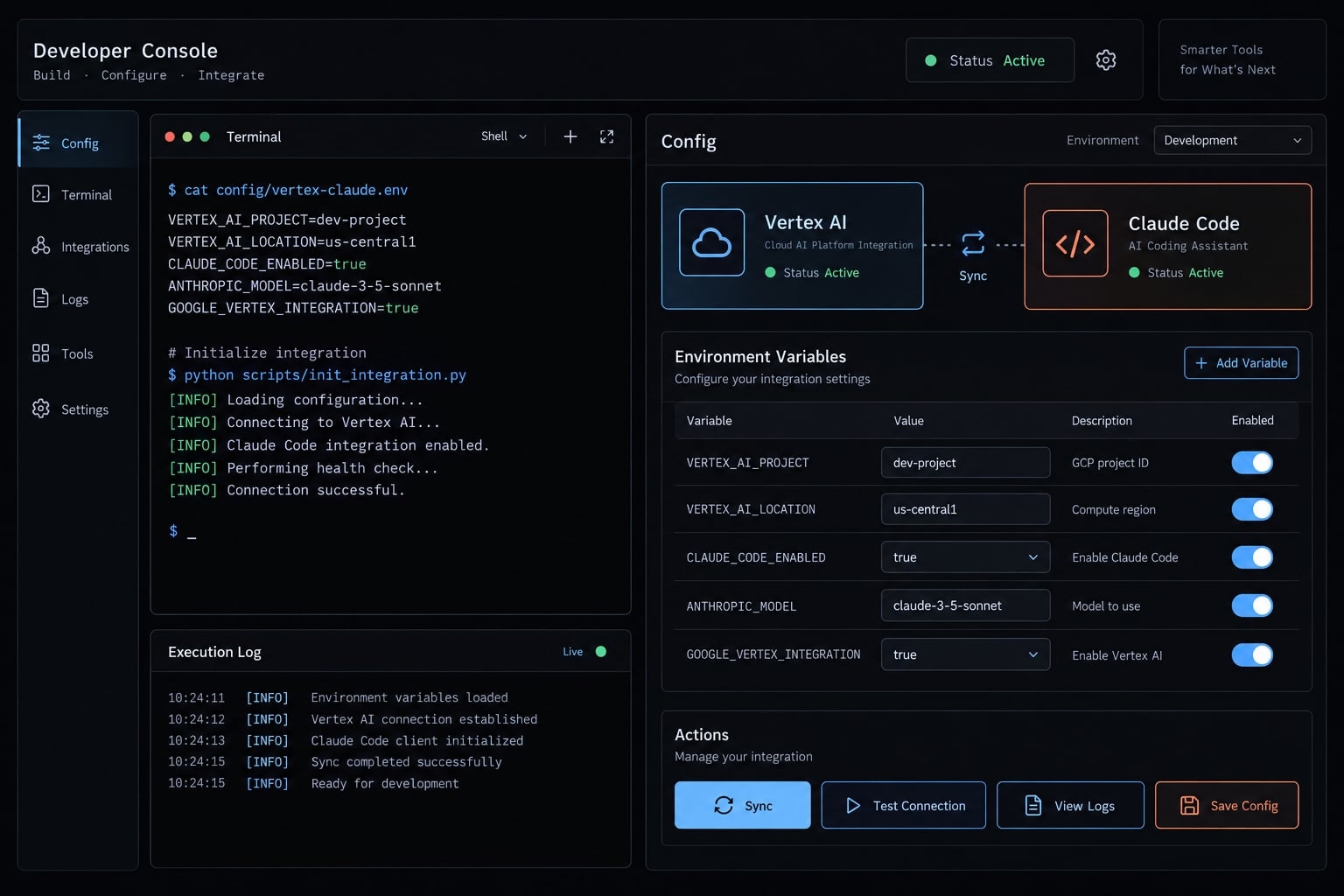
Claude Code supports Google Vertex AI for supported Claude models. Set CLAUDE_CODE_USE_VERTEX=1 to select that provider, then configure Google Cloud credentials, the request project, and a supported location. The flag alone does not enable the API, grant permissions, activate model access, or provide capacity. This guide covers the Claude Code CLI, not a custom SDK application or hosted agent deployment. The goal is a basic, non-sensitive request through your intended configuration, followed by checks that distinguish authentication problems from project, model, and endpoint failures.
Can Claude Code use Google Vertex AI?
Yes. Claude Code on Vertex AI uses Google Cloud’s supported inference route for Claude models while the CLI runs in your local or CI environment. It does not deploy the CLI into Google Cloud, and it does not make Claude Code a generic client for Gemini or arbitrary Model Garden models.
The flag selects the provider. Companion settings, ANTHROPIC_VERTEX_PROJECT_ID and CLOUD_ML_REGION, identify the request project and location.
Configuration concern | What the flag does |
|---|---|
Provider selection | Selects the Vertex AI integration |
Authentication | Does not create Google Cloud credentials |
API and IAM access | Does not enable services or grant permissions |
Model access | Does not activate a model |
Quota and capacity | Does not reserve or increase capacity |
Conceptual routing diagram:
Claude Code in your environment │ supported Claude model requests ▼Google Vertex AI → Supported Claude model
This diagram covers model inference - not every tool action, telemetry event, or network connection.
Prerequisites for Claude Code on Vertex AI
A successful Google Cloud login is only one prerequisite. Confirm the following against the project and identity Claude Code will actually use.
Requirement | Ready when |
|---|---|
Google Cloud account | You have approved access to the organization or project. |
Billing-enabled project | Billing is active for the intended request project. |
Vertex AI API | The API is enabled in that project. |
Supported Claude model | Required Model Garden access and terms are satisfied. |
Google Cloud CLI |
|
Credentials | The process can obtain valid user or workload credentials. |
Invocation permissions | The runtime identity has approved inference access. |
Location and capacity | The model supports the endpoint and requests can be served. |
Claude Code installation | A supported CLI version is installed. |
Minimal Google Cloud preparation
Run these Bash commands after replacing the project placeholder:
# Select the project for subsequent gcloud commands.gcloud config set project "YOUR_PROJECT_ID"# Enable the Vertex AI API in the explicit target project.gcloud services enable aiplatform.googleapis.com \ --project="YOUR_PROJECT_ID"# Create local Application Default Credentials.gcloud auth application-default login
API activation requires an authenticated gcloud session and suitable administrative permissions. Ordinary gcloud auth login and ADC (Application Default Credentials) are distinct credential setups.
Required IAM access
IAM (Identity and Access Management) controls what the authenticated identity may do. roles/aiplatform.user is a common predefined runtime role, subject to organizational policy.
It does not confer every billing, API-enablement, or permission-administration capability. A SaaS developer can therefore authenticate successfully but lack access to the team’s model.
Choose your setup path: Local development or automation
Use local ADC for interactive development. Use an approved workload identity for unattended execution. Both paths still require explicit provider, project, and location configuration.
Local development
- Complete the prerequisites.
- Run local ADC authentication.
- Set the variables in the next section.
- Start Claude Code from the configured shell.
- Submit a non-sensitive request and verify the route.
Browser-based authentication suits a developer workstation. It is inappropriate for a job that must run without a person present.
Automation
For managed Google Cloud runtimes, use an attached service account through the supported ADC mechanism. For external CI/CD (continuous integration and continuous delivery), prefer Workload Identity Federation where supported.
Validate credentials inside the actual runner or container. Credentials available on a developer’s host may not exist inside that environment.
This guide uses manual configuration so each setting is explicit and reviewable.
Manual setup with CLAUDE_CODE_USE_VERTEX
Set the provider, request project, and location explicitly. Credentials must also be available to the process that launches Claude Code.
Minimal environment variable configuration
Bash: Replace both placeholders before running. Select a location supported by your intended Claude model.
export CLAUDE_CODE_USE_VERTEX=1export ANTHROPIC_VERTEX_PROJECT_ID="YOUR_PROJECT_ID"export CLOUD_ML_REGION="SUPPORTED_MODEL_LOCATION"claude
Bash export syntax is not PowerShell syntax. These variables affect the current shell and processes launched from it.
Variable | Purpose | Value to supply |
|---|---|---|
| Provider selection |
|
| Request project | Approved Google Cloud project ID |
| Endpoint location | Location supported by the selected model |
Persistent configuration in settings.json
Claude Code supports environment settings in ~/.claude/settings.json. Merge this structure into an existing file; do not overwrite unrelated configuration.
{ "env": { "CLAUDE_CODE_USE_VERTEX": "1", "ANTHROPIC_VERTEX_PROJECT_ID": "YOUR_PROJECT_ID", "CLOUD_ML_REGION": "SUPPORTED_MODEL_LOCATION" }}
Keep access tokens, private keys, and credential-file contents out of this file. Even non-secret project identifiers may reveal internal infrastructure details.
Authentication options by environment
Environment | Guidance |
|---|---|
Local workstation | Use local ADC |
Managed Google Cloud runtime | Use an attached service account through ADC |
External CI/CD | Prefer supported Workload Identity Federation |
Legacy external environment | Use approved key files only when keyless alternatives are unavailable |
GOOGLE_APPLICATION_CREDENTIALS can reference supported credential configuration files, including federation configurations - not only service-account keys. An unexpected value can cause ADC to select unintended credentials.
Inspect shell variables, user/project settings, managed settings, and competing provider flags when configuration differs from expectations. Do not assume an exported value is necessarily the effective setting.
Keep interactive credential-refresh commands out of unattended jobs.
Configure the project, region, model and verify the connection
Project, model, and endpoint must form a supported combination. Diagnose dependencies in this order:
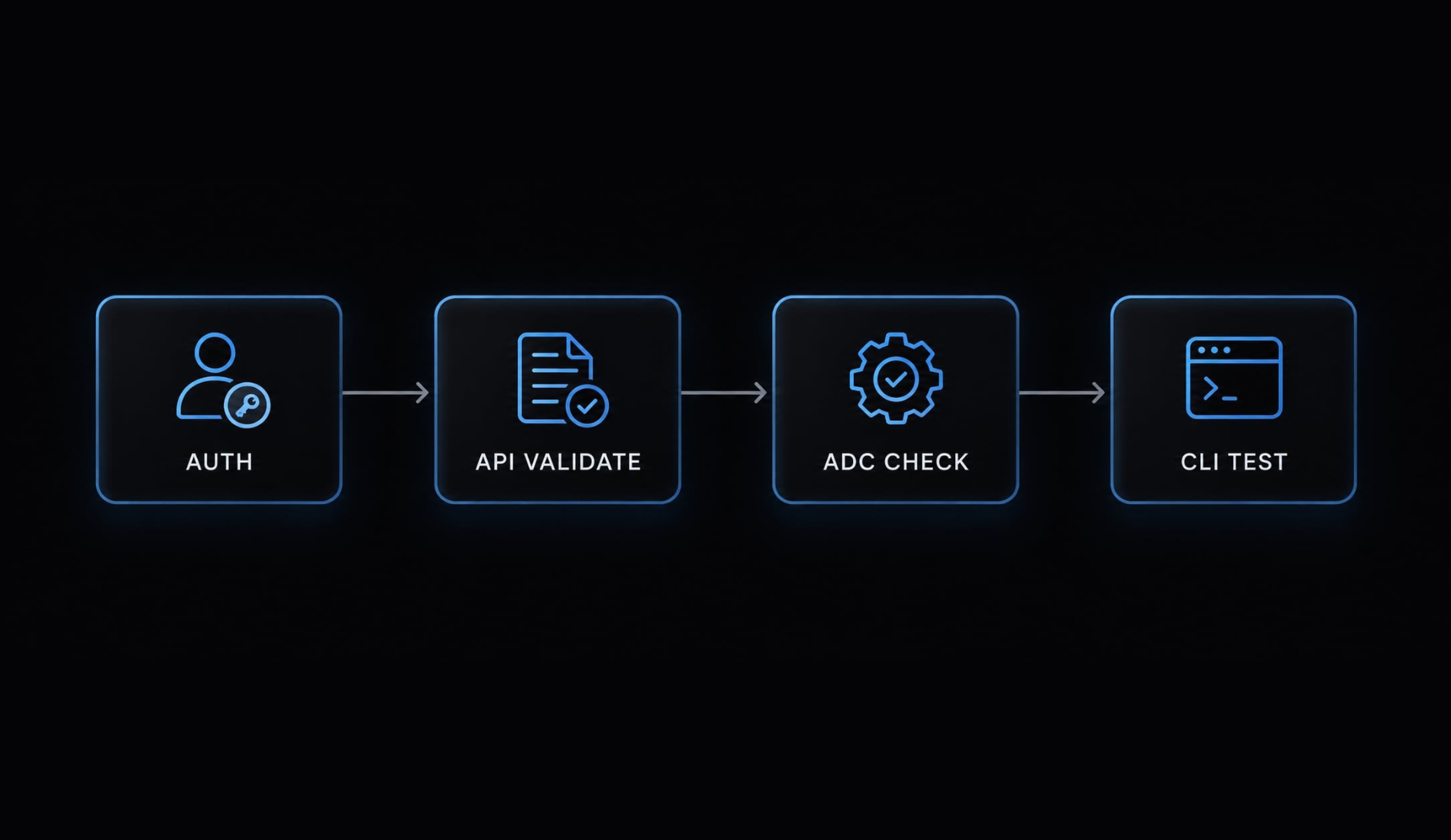
Identity → Project → API → IAM → Model access → Location → Quota/capacity → Claude Code configuration
Choosing an endpoint
Choice | Selection rule |
|---|---|
Regional endpoint | Choose a region listed for the exact Claude model |
| Use only when current model and integration documentation explicitly support it |
Do not make global an unconditional default. Likewise, selecting a regional endpoint does not independently establish regulatory compliance or constrain all Claude Code activity.
Check Google Cloud’s “Claude models on Vertex AI” documentation for current model IDs, locations, availability, and applicable pricing.
Optional model pinning
Where supported, select an explicit Vertex model ID using Claude Code’s documented model option:
claude --model "EXACT_VERTEX_MODEL_ID"
Replace the placeholder with the current Vertex identifier, not an assumed direct Anthropic API identifier. Pinning reduces model-version drift; it does not guarantee identical outputs.
Verification checklist
Run these commands sequentially to verify your environment setup:
gcloud services list --enabled \ --project="YOUR_PROJECT_ID" \ --filter="config.name:aiplatform.googleapis.com"# Suppress the access token; successful exit indicates token acquisition.gcloud auth application-default print-access-token >/dev/nullclaude -p "Reply with exactly: connection-check"
Check | What it establishes |
|---|---|
| Accounts configured for the Google Cloud CLI |
| Active |
Explicit-project service query | Whether Vertex AI API is enabled |
ADC credential check | Whether the checked environment can obtain credentials |
Basic Claude Code request | Whether the configured workflow completes a request |
The first two table checks do not prove Claude Code’s identity or request project. The ADC check also does not establish model authorization.
Corroborate a successful response with effective provider settings and available project-side usage metrics or appropriately configured logs. Output alone does not prove routing.
Common Claude Code Vertex AI errors and fixes
Error codes identify categories, not guaranteed causes. Check foundational dependencies first, apply the smallest relevant fix, then repeat the basic request.
Error-to-fix matrix
Symptom | Likely cause | First check | Next action |
|---|---|---|---|
Google Cloud credentials error | Missing, expired, or overridden credentials | Actual process environment and ADC source | Restore the intended credentials inside the workstation, container, or runner. |
Unexpected project or billing attribution | Request and quota-project settings differ | Provider project and ADC quota project | Correct the relevant setting; changing the active CLI project alone may not suffice. |
API disabled | Service unavailable in the target project | Explicit-project enabled-services query | Ask an authorized administrator to enable the API. |
403 permission denied | IAM or access-policy restriction | Runtime identity and project policy | Correct the specific permission or policy boundary; do not grant Owner as a shortcut. |
Vertex AI 404 or model unavailable | Model ID, access, or endpoint mismatch | Exact identifier and supported location | Correct the combination and confirm model entitlement. |
Vertex AI 429 | Quota exhaustion or temporary capacity constraint | Quota metrics and concurrency | Use bounded backoff, reduce concurrency, and request quota only when relevant. |
Repeated browser login | Refresh helper or credential persistence problem | Configured helper and credential storage | Fix persistence; use workload authentication for automation. |
Unexpected provider | Conflicting flags or settings | Shell, user, project, and managed configuration | Remove conflicting configuration and restart the process. |
Enterprise restrictions can include organization policy and VPC Service Controls, which govern access boundaries. Region changes are not a universal remedy and may conflict with organizational requirements.
Recommended diagnostic order
- Identity.
- Request project.
- API enablement.
- IAM and policy.
- Model access.
- Location.
- Quota or capacity.
- Effective Claude Code configuration.
Do not publish access tokens while gathering evidence. Retry transient failures within a bounded limit; repeated retries cannot fix missing permissions.
Operational notes for SDK Users, Teams and CI/CD
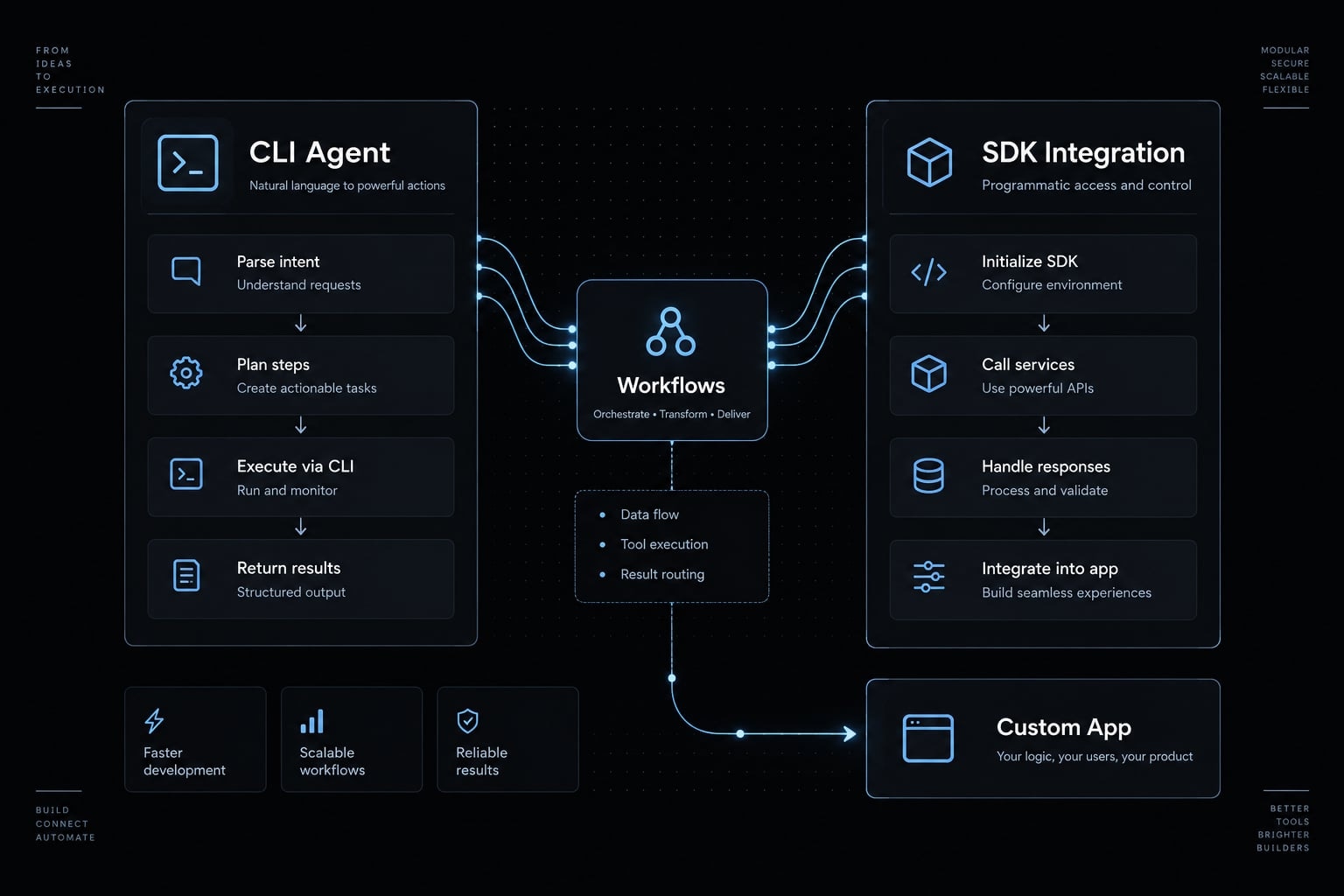
Claude Code configuration is not a custom SDK implementation. Share approved defaults, but let each environment obtain credentials through its authorized identity.
Claude Code CLI vs. Anthropic Vertex SDK
Concern | Claude Code CLI | Anthropic Vertex SDK |
|---|---|---|
Main use | Coding-agent workflows, interactive or noninteractive | Custom application integration |
Configuration | CLI settings and environment | Application client configuration |
Custom code | Not required for basic setup | Required |
Authentication | Supported Google Cloud credential mechanism | Supported Google Cloud credential mechanism |
Model selection | CLI configuration or model option | Application request configuration |
Team configuration checklist
For a B2B SaaS rollout, validate one non-production project before sharing defaults.
- Share sanitized provider, project, and location settings.
- Use approved identities and least privilege.
- Pin model versions where useful.
- Record Claude Code and Google Cloud CLI versions.
- Test with non-sensitive prompts.
- Monitor usage, applicable quotas, and concurrent sessions.
- Keep tokens and credential files out of source control.
- Review settings and model support during upgrades.
- Use workload-based CI/CD authentication rather than browser login.
Budget alerts notify; they are not hard spending caps. Model availability, quotas, capacity, and pricing can change independently of your saved configuration.
Frequently asked questions
Can I use Claude Code with Google Vertex AI?
Yes, Claude Code supports routing model requests through Google Vertex AI. By setting the CLAUDE_CODE_USE_VERTEX=1 environment variable, you direct your Claude Code CLI sessions to use your Google Cloud project's Vertex AI infrastructure.
What are the prerequisites for setting up Claude Code with Vertex AI?
Before configuration, ensure you have:
- A Google Cloud project with billing enabled.
- The Vertex AI API (aiplatform.googleapis.com) enabled in that project.
- Access to your desired Claude models via the Google Cloud Model Garden.
- Appropriate IAM permissions (e.g.,
roles/aiplatform.user). - A valid Google Cloud CLI environment or Application Default Credentials (ADC).
Which environment variables do I need to configure?
To enable the integration, set the following:
CLAUDE_CODE_USE_VERTEX=1: Enables Vertex AI provider routing.ANTHROPIC_VERTEX_PROJECT_ID: Your Google Cloud project ID.CLOUD_ML_REGION: The geographic region (e.g., "global") for routing requests. These can be exported in your shell profile or managed within your~/.claude/settings.jsonfile.
Does setting up Vertex AI change Claude Code's core functionality?
No. The agentic capabilities, tool-use systems, and prompt logic remain identical. The configuration strictly alters the model inference provider. Claude Code does not support non-Claude models (such as Gemini) through this setting.
How do I troubleshoot "403" or "404" errors when using Vertex AI?
- 403 Errors: Ensure your GCP identity holds the
roles/aiplatform.userIAM role in the target project. - 404 Errors: Verify that the model ID exists in your specified
CLOUD_ML_REGIONand that model access has been enabled in Model Garden.
Read more:
- How to create a Claude Code skill: Step-by-step tutorial
- Context engineering for Claude Code: Better agent results
- Claude Code specialized agents: Boost your coding efficiency
Conclusion
To use Claude Code with Vertex AI, set CLAUDE_CODE_USE_VERTEX=1, specify ANTHROPIC_VERTEX_PROJECT_ID, and set a supported CLOUD_ML_REGION. Always verify credentials, API enablement, IAM permissions, and model availability before executing production workflows.
Teams standardizing Claude Code across environments can add toolkits such as AgentKit for shared subagents and safety hooks; these operate at the Claude Code level and do not change the Vertex AI provider configuration.