
Article 21 in the AgentKit v3 onboarding series. About a 15 minute read. This is the full user guide and goes deeper than article 6: why you need a vault, how to use it from the CLI and the desktop app, the vault.agentkit.best dashboard, multi-device sync, and the design principles you must understand so you don't end up thinking "the vault keeps blocking me, I'm turning it off" 😅
To be fair up front: a vault is not a miracle cure. It solves exactly one problem, which is the agent can use the key without holding the key. It cannot save you if you paste a key into the chat yourself, and it cannot save you from a program that received a key and sent it somewhere. Those limits are spelled out in section 9.
Every command in this article is pasted from the real--helpofak 3.0.0, run in a temporaryHOME. The sync and dashboard parts come from the source code, the docs and the public vault.agentkit.best pages as of 04/20/2026.
1/ Why you need a vault: numbers, not feelings
I often hear "it's my machine, the repo is private, what's the worry". Let's look at the numbers.
Secret leaks are growing, and AI makes them grow faster. GitGuardian's State of Secrets Sprawl 2026 (2025 data):
28.65 million new hardcoded secrets were pushed to public GitHub in 2025, up 34% year over year, the largest jump they have recorded.
Secrets for AI services (OpenAI, Anthropic, Gemini...) reached 1,275,105, up 81%.
Claude Code-assisted commits had a 3.2% secret leak rate, double the 1.5% baseline.
24,008 secrets sat in MCP config files on public GitHub, 2,117 of them still valid.
Over 64% of secrets confirmed valid in 2022 were still valid when retested in January 2026. Leaked, and nobody rotated them.
Internal repos are about 6 times more likely to contain hardcoded secrets than public ones. So "private repo" is no shield.
Agents read .env even when told not to. The Register (01/2026) tested Claude Code v2.1.12: the .env file was in the ignore list, and the agent still read it and printed the secrets to the console. A blog post from 04/2026 describes an AGENTS.md that said plainly "do not read this file", and the agent read it anyway. On the Cursor side, a staff member confirmed on the forum that .cursorignore blocks indexing but cannot block terminal commands like cat or grep that the agent runs itself.
Attackers already know how to use your own agent. The s1ngularity attack (Nx, 08/2025): malicious Nx versions on npm called the Claude, Gemini and Q CLIs directly with flags like --dangerously-skip-permissions and --yolo to hunt for secrets on the machine. GitGuardian counted 2,349 credentials taken from 1,079 developer machines, mostly GitHub tokens, plus npm, AWS, OpenAI and Anthropic keys.
Prompt injection pulls secrets out through tools. General Analysis (07/2025) built a demo: instructions hidden in a support ticket, a Cursor agent connected to the Supabase MCP reads the ticket, queries the integration_tokens table and writes the tokens back into the ticket for the attacker. Supabase countered that no customer has actually been hit, and that the demo ran with a high-privilege setup. Both sides are right: the flaw is in the permission setup, but high-privilege setups are what developers do every day.
One line to take away: wherever an agent can read files, a plaintext secret is already half leaked. A vault won't stop you from doing something silly, but it takes the plaintext out of the agent's reach.
2/ What AK Vault is
AK Vault is the umbrella name for these layers:
| Layer | What it is | Status |
|---|---|---|
Local vault ak secrets |
Secrets kept in the OS keychain (or an age-encrypted file); the agent asks, you approve, every read is logged | ✅ shipped in ak 3.0.0 |
E2E sync ak secrets sync, ak secrets devices |
Syncs the vault between machines; the server holds only ciphertext | 🧪 preview, hidden from the top-level --help command list, not GA |
| Web dashboard vault.agentkit.best/app | The browser is a device of the vault and decrypts inside the page | 🧪 pre-release |
| Remote MCP vault.agentkit.best/mcp | Lets cloud AI tools (ChatGPT, Claude...) find and use secrets through one of your machines | 🧪 pre-release |
| Secrets page in the AgentKit desktop app | UI for the local vault: add, approve, read the audit | ✅ in the 3.0.0 desktop app |
How it works, in one loop:
the agent writes ${secret:NAME} into a command
  → the secrets-inject hook calls ak secrets resolve
  → resolve identifies the agent by hashing its binary
  → matching grant?  yes: substitute the value, write an audit row
                     no:  REFUSE, file a request in the inbox
  → you answer in your own terminal (ak secrets approve) or the desktop app
The agent only ever sees the name ${secret:NAME}. The value is substituted at run time, in memory.
3/ Using the CLI, step by step
Step 1: move .env into the vault
Preview the plan first, then import:
ak secrets import-env ./my-app --dry-run   # directory: finds .env and .env.*, up to 3 levels deep
ak secrets import-env ./my-app
ak secrets import-env .env.production      # or a single file
A few things --help states that you should know:
Values are never printed, logged or put into
--json; you only get imported/skipped counts.Keys already in the vault are skipped unless you add
--force.A directory import skips
.env.example,.env.template,.env.bak, symlinks, hidden directories and dependency directories. A key present in two files is a conflict, skipped everywhere; no file silently wins.The environment comes from the file name (
.env.production→production), the project from the directory.import-envnever touches the source file. After importing you must clean up.envyourself. If you don't, you haven't really done anything 😁
Step 2: add, find, check
ak secrets set OPENAI_API_KEY                       # non-echoing prompt
echo -n "$VALUE" | ak secrets set OPENAI_API_KEY --value=-   # or pipe from stdin
ak secrets list
ak secrets search stripe --environment production --json
ak secrets describe OPENAI_API_KEY --json           # full profile, never the value
ak secrets get OPENAI_API_KEY                       # value shows as [redacted]
set refuses --value=<value> on the command line, because it would land in shell history and ps.
To check whether the key in the vault is the one in your old .env without printing either:
ak secrets compare OPENAI_API_KEY --value-file ./key-to-check.txtThe answer is only match or differs. Values under 16 characters (not counting a public prefix like sk_live_) are refused, and each comparison is a row in the audit, so don't even think about looping it to guess a key.
Add metadata so it's easy to find and you get rotation reminders:
ak secrets set STRIPE_API_KEY --force --rotate-ttl 30d --provider stripe
ak secrets rotate STRIPE_API_KEY
Step 3: let the agent use it
The agent writes a reference, not a value:
curl -H "Authorization: Bearer ${secret:OPENAI_API_KEY}" https://api.openai.com/v1/modelsThe secrets-inject hook (shipped in the core kit) scans only Bash.command and WebFetch.url. The first time, with no grant, the command is refused and the request waits for you.
The agent can also ask ahead of use:
ak secrets request OPENAI_API_KEY --purpose "deploy billing" --jsonrequest never reads a value and never writes a grant on its own. It just drops a letter in the inbox.
Step 4: you approve, in your own terminal
ak secrets approve                                   # walk through every waiting request
ak secrets approve OPENAI_API_KEY --state once       # exactly 1 release
ak secrets approve OPENAI_API_KEY --state ttl --ttl 30d
ak secrets approve OPENAI_API_KEY --state deny
Four answers, learn them well:
Answer (--state) |
Meaning |
|---|---|
deny |
Refuse this request, store nothing; it asks again next time |
once |
Exactly one release |
ttl (default) |
Allow for a while, expires on its own. Default 24h, change with --ttl 12h, 30d, 2w |
persist |
Allow until you revoke it yourself |
Step 5: run a program with a secret (exec scope)
When you want one program to receive the secret in one environment variable:
ak secrets run --env STRIPE_API_KEY=STRIPE_API_KEY -- stripe customers list
ak secrets run --env GH_TOKEN=GH_TOKEN --purpose release -- gh release list
Each VAR=REF pair needs an exec grant pinned to the program's real path (symlinks resolved) and content hash. Without one, a request is filed and you answer with ak secrets approve --env STRIPE_API_KEY. The program is started directly, never through a shell; shells and launchers are refused; the environment is rebuilt from scratch (system PATH, a few variables like HOME and LANG, plus the granted ones); output has the values struck out before it reaches you.
Step 6: see who read what, revoke when needed
ak secrets grants
ak secrets audit --secret OPENAI_API_KEY
ak secrets audit --decision deny --json
ak secrets revoke OPENAI_API_KEY --agent sha256:<fingerprint>
ak secrets revoke --agent sha256:<fingerprint> --all     # panic button
ak secrets trust claude                                  # see which binary is trusted
ak secrets trust claude --refresh                        # re-pin after updating the agent
revoke takes away permission, not the copy the agent already read. --help says it plainly: revoke is step one, ak secrets rotate <ref> is step two.
Step 7 (optional): one variable name, several accounts
ak secrets alias set CLAUDE_API_KEY CLAUDE_API_KEY_1   # use account 1
ak secrets alias set CLAUDE_API_KEY CLAUDE_API_KEY_2   # switch to account 2
ak secrets alias list --json
An alias grants nothing. Grants go on the target secret (CLAUDE_API_KEY_1), and aliases do not sync between machines.
Let the agent do it right: the ak-vault skill
In Claude Code or Codex:
/ak-vault import this project's .env files into the vault, then switch the config to ${secret:...}The skill first reads the choice you recorded (ak config prefs resolve --json, key secretStore.choice). If you chose to keep .env files or use 1Password, it follows that and does not push the vault on you. It never prints a value, asks at most once, and for commands that are blocked under an agent it hands you the command to run instead of looking for a way around.
4/ Using the desktop app
Open the app with ak gui (or download the desktop app at agentkit.best/agentkit-app). The Secrets page sits in the System group and exists only in the desktop app; the browser dashboard started with ak config start does not have it.
What you can do:
Add secret, Rotate, Delete, Import .env. Import adds only new names by default; with Replace names that already exist on, you must preview first.
Reveal makes you type a reason, and the reason goes into the audit. If you copy, the clipboard is cleared when the dialog closes.
Export does not export from the window. It only shows the
ak secrets exportcommands to run in a terminal.The Grants panel lists which agent may read which name, with its Exec scope (variable, path, short hash). Granting and revoking by hand stay in the terminal.
The Waiting for you panel: answer requests agents left waiting.
The approval dialog has 4 buttons: Deny, Allow once, Allow for a while (15 minutes, 1 hour by default, or 8 hours), Always allow. The D, O, S, A shortcuts only "arm" after about 0.6 seconds, so a keystroke meant for another window can't answer a request you haven't read. Deny has focus by default. Decide later or Esc leaves the request waiting.
Watch out: "for a while" defaults to 1 hour on desktop, whileak secrets approvein the terminal defaults to 24 hours. Same name, different number. For long jobs, choose in the terminal with--ttlto be sure.
A few more things worth having:
Every time a secret is released to an agent, the app shows an in-app notice with a Revoke this agent's grants button. When the window isn't focused there is an OS notification Secret released (never with the value or the purpose).
Audit log filters by name, decision (Allowed/Blocked/Denied) and source (Agent/Terminal/Desktop). Same ledger as
ak secrets audit.The Vault sync panel is read-only: sync state, conflicts, devices. Every sync action is still a terminal command; the panel gives you a copy button for each.
If an agent launched the desktop app itself, the app refuses the answer and records it as a deny.
5/ Common use cases
| Situation | What to do |
|---|---|
Old repo full of .env files |
ak secrets import-env ./ --dry-run → import → clean up .env → switch config to ${secret:NAME} |
Agent calls an API with curl |
Write ${secret:NAME} in the command, approve the first time with approve --state ttl |
Deploy with a provider CLI (stripe, gh, wrangler...) |
ak secrets run --env VAR=REF -- <program>, approve the exec scope |
| Several Claude/OpenAI accounts | ak secrets alias set to switch |
| You suspect the agent reads too much | ak secrets audit --since 24h, then revoke --all + rotate |
| Everything refused after updating Claude Code | Binary hash changed; run ak secrets trust claude --refresh in your own terminal |
Check whether a key in an old .env still matches |
ak secrets compare REF --value-file <file> |
| Server/container without a keychain | --backend=file (age-encrypted vault), see ak secrets recovery |
| Want secrets on a second machine | Sync 🧪 in section 7, dev/test keys only |
6/ The vault.agentkit.best dashboard 🧪
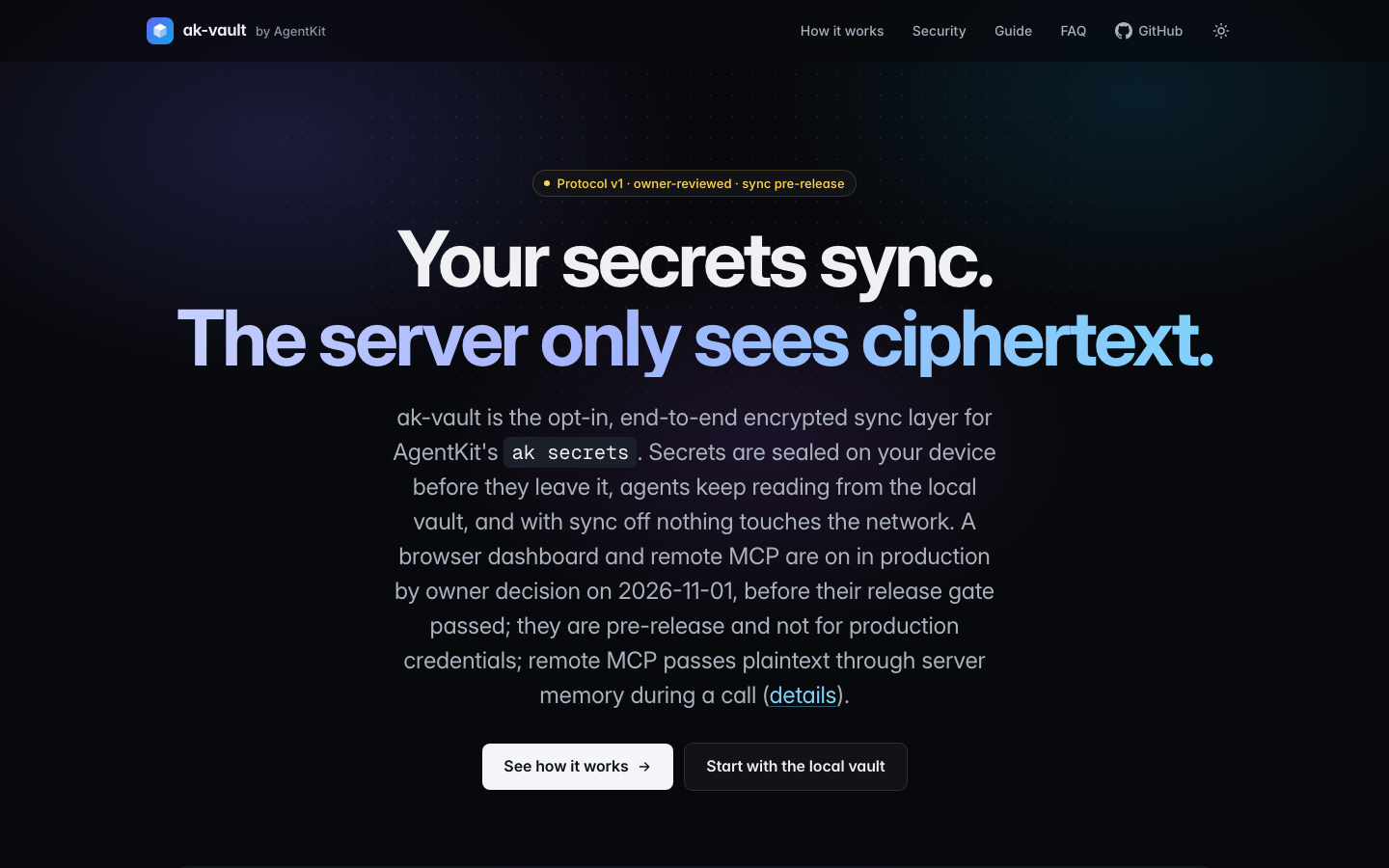
The vault.agentkit.best home page is a landing page with a guide, how-it-works, security and FAQ. It states its own status: protocol v1 has been reviewed by the owner, not independently, and cloud sync is pre-release.
The /app dashboard (pre-release, not for production credentials):
The browser is a device of the vault, like a second laptop. It creates device keys inside the browser, keeps them in IndexedDB as non-extractable keys, and decrypts inside the page. The server still receives only ciphertext.
No passphrase: every visit is a fresh sign-in. Lock, or leaving the page, drops the session and the decrypted view from memory.
On first sign-in the page shows a join code starting with
akj1-. You runak secrets devices approve <join code>on a machine that already owns the vault, compare the 6-digit code on both screens, and only pressyif they match.It can: list, filter, find a name, set a value, delete, view signed revision history, restore an old value as a new revision, resolve conflicts. The Members and access tab is read-only.
It never shows, copies or stores a value: the value field is write-only and cleared after saving.
Only a vault owner can add a browser; an editor of a shared vault cannot.
There is a remote approval panel: Allow once, Allow for 15 minutes / 1 hour / 8 hours, or Deny. The answer is signed by the browser, and the requesting machine checks the signature before using it.
Remote MCP /mcp (pre-release): add https://vault.agentkit.best/mcp in your AI tool's connector settings, sign in to AgentKit and choose scopes:
vault-mcp:read: see names and descriptions, never values;vault-mcp:write: add, replace, delete; can write but never read back;vault-mcp:use: ask to use a secret and run commands you approved on your machine.
Reading and using require one of your machines running ak secrets sync now --watch --relay. With no machine online the answer is no_device_online. The --relay command is refused when an agent runs it.
⚠️ Remote MCP is not E2E. During a call, plaintext passes through the server's memory after TLS ends (not stored, not logged, per ADR 0002). If you need "the server never sees plaintext", don't use remote MCP. And never paste a secret into the chat for an AI tool: use the secrets_prepare_write flow and type the value yourself on the dashboard.To disconnect: in your AgentKit account, Connected apps, disconnect AgentKit Vault (AI tools).
7/ Multiple machines and cloud sync 🧪
Sync is opt-in. With sync off, ak secrets makes no network requests. resolve always reads the local store and never waits for the network.
First machine:
ak login
ak secrets sync enable --recovery-kit-out ./vault-recovery-kit.txt
ak secrets sync status
You choose a vault password and receive a recovery key. Keep both off the machine (paper, a password manager). Lose every device, the password and the recovery key, and the vault is gone; the server cannot rescue it, because that is exactly what zero-knowledge means.
Second machine (3 steps, and it has to be you at a terminal):
# on the new machine
ak secrets devices add --label laptop          # prints a join code
# on a machine that already syncs
ak secrets devices approve <join code>         # prints an offer code
# back on the new machine
ak secrets devices add --offer <offer code>    # shows a 6-digit code, compare with the other machine
Answer y only when both machines show the same 6 digits. Join and offer codes are not secret, but approving has to be you: devices approve and devices add --offer refuse to run under an agent (exit 6).
Daily sync:
ak secrets sync now
ak secrets sync now --watch          # keep syncing
ak secrets devices list
Lost a machine:
ak secrets devices remove <device-prefix> --reason lostRemoving a device rotates the vault key so that machine cannot read later changes. But it cannot take back what the machine already decrypted. Rotate the key at the provider, then ak secrets rotate. ak secrets list flags refs that a removed device could read.
There are also sync recover, sync rotate-recovery, sync settle (resolve conflicts), sync disable and devices rotate.